Probar
Probar (Spanish: "to test/prove") is a Rust-native testing framework for WASM games, providing a pure Rust alternative to Playwright/Puppeteer.

Installation
Probar is distributed as two crates:
| Crate | Purpose | Install |
|---|---|---|
| jugar-probar | Library for writing tests | cargo add jugar-probar --dev |
| probador | CLI tool for running tests | cargo install probador |
Library (jugar-probar)
Add to your Cargo.toml:
[dev-dependencies]
jugar-probar = "0.3"
#![allow(unused)]
fn main() {
use jugar_probar::prelude::*;
}
CLI (probador)
cargo install probador
# Validate a playbook state machine
probador playbook login.yaml --validate

# Run with mutation testing
probador playbook login.yaml --mutate

# Export state diagram
probador playbook login.yaml --export svg -o diagram.svg

# Start dev server for WASM
probador serve --port 8080
Features
- Browser Automation: Chrome DevTools Protocol (CDP) via chromiumoxide
- WASM Runtime Testing: Logic-only testing via wasmtime (no browser overhead)
- Visual Regression: Image comparison for UI stability
- Accessibility Auditing: WCAG compliance checking
- Deterministic Replay: Record and replay game sessions
- Monte Carlo Fuzzing: Random input generation with invariant checking
- Type-Safe Selectors: Compile-time checked entity/component queries
- GUI Coverage: Provable UI element and interaction coverage
Feature Flags
| Feature | Description |
|---|---|
browser | CDP browser automation (chromiumoxide, tokio) |
runtime | WASM runtime testing (wasmtime) |
derive | Type-safe derive macros (probar-derive) |
Why Probar?
| Aspect | Playwright | Probar |
|---|---|---|
| Language | TypeScript | Pure Rust |
| Browser | Required (Chromium) | Optional |
| Game State | Black box (DOM only) | Direct API access |
| CI Setup | Node.js + browser | Just cargo test |
| Zero JS | Violates constraint | Pure Rust |
Design Principles
Probar is built on pragmatic testing principles:
- Poka-Yoke (Mistake-Proofing): Type-safe selectors prevent runtime errors
- Muda (Waste Elimination): Zero-copy memory views for efficiency
- Jidoka (Autonomation): Fail-fast with configurable error handling
- Genchi Genbutsu (Go and See): Abstract drivers allow swapping implementations
- Heijunka (Level Loading): Superblock scheduling for consistent performance
Why Probar?
Probar was created as a complete replacement for Playwright in the Jugar ecosystem.
The Problem with Playwright
- JavaScript Dependency: Playwright requires Node.js and npm
- Browser Overhead: Must download and run Chromium
- Black Box Testing: Can only inspect DOM, not game state
- CI Complexity: Requires browser installation in CI
- Violates Zero-JS: Contradicts Jugar's core constraint
What Probar Solves
Zero JavaScript
Before (Playwright):
├── package.json
├── node_modules/
├── tests/
│   └── pong.spec.ts  ← TypeScript!
└── playwright.config.ts

After (Probar):
└── tests/
    └── probar_pong.rs  ← Pure Rust!
Direct State Access
Playwright treats the game as a black box:
// Can only check DOM
await expect(page.locator('#score')).toHaveText('10');
Probar can inspect game state directly:
#![allow(unused)]
fn main() {
// Direct access to game internals
let score = platform.get_game_state().score;
assert_eq!(score, 10);

// Check entity positions
for entity in platform.query_entities::<Ball>() {
    assert!(entity.position.y < 600.0);
}
}
Deterministic Testing
Playwright: Non-deterministic due to browser timing
// Flaky! Timing varies between runs
await page.waitForTimeout(100);
await expect(ball).toBeVisible();
Probar: Fully deterministic
#![allow(unused)]
fn main() {
// Exact frame control
for _ in 0..100 {
    platform.advance_frame(1.0 / 60.0);
}
let ball_pos = platform.get_ball_position();
assert_eq!(ball_pos, expected_pos);  // Always passes
}
Simpler CI
Playwright CI:
- name: Install Node.js
  uses: actions/setup-node@v3
- name: Install dependencies
  run: npm ci
- name: Install Playwright
  run: npx playwright install chromium
- name: Run tests
  run: npm test
Probar CI:
- name: Run tests
  run: cargo test
Feature Comparison
| Feature | Playwright | Probar |
|---|---|---|
| Language | TypeScript | Pure Rust |
| Browser required | Yes | No |
| Game state access | DOM only | Direct |
| Deterministic | No | Yes |
| CI setup | Complex | Simple |
| Frame control | Approximate | Exact |
| Memory inspection | No | Yes |
| Replay support | No | Yes |
| Fuzzing | No | Yes |
Migration Example
Before (Playwright)
import { test, expect } from '@playwright/test';

test('ball bounces off walls', async ({ page }) => {
  await page.goto('http://localhost:8080');

  // Wait for game to load
  await page.waitForSelector('#game-canvas');

  // Simulate gameplay
  await page.waitForTimeout(2000);

  // Check score changed (indirect verification)
  const score = await page.locator('#score').textContent();
  expect(parseInt(score)).toBeGreaterThan(0);
});
After (Probar)
#![allow(unused)]
fn main() {
#[test]
fn ball_bounces_off_walls() {
    let mut platform = WebPlatform::new_for_test(WebConfig::default());

    // Advance exactly 120 frames (2 seconds at 60fps)
    for _ in 0..120 {
        platform.advance_frame(1.0 / 60.0);
    }

    // Direct state verification
    let state = platform.get_game_state();
    assert!(state.ball_bounces > 0, "Ball should have bounced");
    assert!(state.score > 0, "Score should have increased");
}
}
Performance Comparison
| Metric | Playwright | Probar |
|---|---|---|
| Test startup | ~3s | ~0.1s |
| Per-test overhead | ~500ms | ~10ms |
| 39 tests total | ~45s | ~3s |
| CI setup time | ~2min | 0 |
| Memory usage | ~500MB | ~50MB |
When to Use Each
Use Probar for:
- Unit tests
- Integration tests
- Deterministic replay
- Fuzzing
- Performance benchmarks
- CI/CD pipelines
Use Browser Testing for:
- Visual regression (golden master)
- Cross-browser compatibility
- Real user interaction testing
- Production smoke tests
Probar Quick Start
Get started with Probar testing in 5 minutes.
Installation
Probar is distributed as two crates:
| Crate | Purpose | Install |
|---|---|---|
| jugar-probar | Library for writing tests | cargo add jugar-probar --dev |
| probador | CLI tool | cargo install probador |
Add the Library
[dev-dependencies]
jugar-probar = "0.3"
Install the CLI (Optional)
cargo install probador
Write Your First Test
#![allow(unused)]
fn main() {
use jugar_probar::prelude::*;

#[test]
fn test_game_initializes() {
    // Create test platform
    let config = WebConfig::new(800, 600);
    let mut platform = WebPlatform::new_for_test(config);

    // Run initial frame
    let output = platform.frame(0.0, "[]");

    // Verify game started
    assert!(output.contains("commands"));
}
}
Run Tests
# Run all tests
cargo test

# With verbose output
cargo test -- --nocapture

# Using probador CLI
probador test
Test Structure
Basic Assertions
#![allow(unused)]
fn main() {
use jugar_probar::Assertion;

#[test]
fn test_assertions() {
    // Equality
    let eq = Assertion::equals(&42, &42);
    assert!(eq.passed);

    // Range
    let range = Assertion::in_range(50.0, 0.0, 100.0);
    assert!(range.passed);

    // Boolean
    let truthy = Assertion::is_true(true);
    assert!(truthy.passed);

    // Approximate equality (for floats)
    let approx = Assertion::approx_eq(3.14, 3.14159, 0.01);
    assert!(approx.passed);
}
}
GUI Coverage
#![allow(unused)]
fn main() {
use jugar_probar::gui_coverage;

#[test]
fn test_gui_coverage() {
    let mut gui = gui_coverage! {
        buttons: ["start", "pause", "quit"],
        screens: ["menu", "game", "game_over"]
    };

    // Record interactions
    gui.click("start");
    gui.visit("menu");
    gui.visit("game");

    // Check coverage
    println!("{}", gui.summary());
    assert!(gui.meets(50.0));  // At least 50% coverage
}
}
Testing Game Logic
#![allow(unused)]
fn main() {
#[test]
fn test_ball_movement() {
    let mut platform = WebPlatform::new_for_test(WebConfig::default());

    // Get initial position
    let initial_pos = platform.get_ball_position();

    // Advance 60 frames (1 second)
    for _ in 0..60 {
        platform.advance_frame(1.0 / 60.0);
    }

    // Ball should have moved
    let new_pos = platform.get_ball_position();
    assert_ne!(initial_pos, new_pos);
}
}
Testing Input
#![allow(unused)]
fn main() {
#[test]
fn test_paddle_responds_to_input() {
    let mut platform = WebPlatform::new_for_test(WebConfig::default());

    let initial_y = platform.get_paddle_y(Player::Left);

    // Simulate pressing W key
    platform.key_down("KeyW");
    for _ in 0..30 {
        platform.advance_frame(1.0 / 60.0);
    }
    platform.key_up("KeyW");

    // Paddle should have moved up
    let new_y = platform.get_paddle_y(Player::Left);
    assert!(new_y < initial_y);
}
}
Using probador CLI
# Validate playbook state machines
probador playbook login.yaml --validate

# Export state diagram as SVG
probador playbook login.yaml --export svg -o diagram.svg

# Run mutation testing
probador playbook login.yaml --mutate

# Generate coverage reports
probador coverage --html

# Watch mode with hot reload
probador watch tests/

# Start dev server for WASM
probador serve --port 8080
Examples
Run the included examples:
# Deterministic simulation with replay
cargo run --example pong_simulation -p jugar-probar

# Locator API demo
cargo run --example locator_demo -p jugar-probar

# Accessibility checking
cargo run --example accessibility_demo -p jugar-probar

# GUI coverage demo
cargo run --example gui_coverage -p jugar-probar
Example Output
=== Probar Pong Simulation Demo ===

--- Demo 1: Pong Simulation ---
Initial state:
  Ball: (400.0, 300.0)
  Paddles: P1=300.0, P2=300.0
  Score: 0 - 0

Simulating 300 frames...

Final state after 300 frames:
  Ball: (234.5, 412.3)
  Paddles: P1=180.0, P2=398.2
  Score: 2 - 1
  State valid: true

--- Demo 2: Deterministic Replay ---
Recording simulation (seed=42, frames=500)...
  Completed: true
  Final hash: 6233835744931225727

Replaying simulation...
  Determinism verified: true
  Hashes match: true
Next Steps
- Assertions - All assertion types
- Simulation - Deterministic simulation
- Fuzzing - Random testing
- Coverage Tooling - Code coverage
- CLI Reference - Full probador command reference
Probar: WASM-Native Game Testing
Probar (Spanish: "to test/prove") is a pure Rust testing framework for WASM games that provides full Playwright feature parity while adding WASM-native capabilities.
Installation
| Crate | Purpose | Install |
|---|---|---|
| jugar-probar | Library for writing tests | cargo add jugar-probar --dev |
| probador | CLI tool | cargo install probador |
Why Probar?
| Aspect | Playwright | Probar |
|---|---|---|
| Language | TypeScript | Pure Rust |
| Browser | Required (Chromium) | Not needed |
| Game State | Black box (DOM only) | Direct API access |
| CI Setup | Node.js + browser | Just cargo test |
| Zero JS | ❌ Violates constraint | ✅ Pure Rust |
Key Features
Playwright Parity
- CSS, text, testid, XPath, role-based locators
- All standard assertions (visibility, text, count)
- All actions (click, fill, type, hover, drag)
- Auto-waiting with configurable timeouts
- Network interception and mobile emulation
WASM-Native Extensions
- Zero-copy memory views - Direct WASM memory inspection
- Type-safe entity selectors - Compile-time verified game object access
- Deterministic replay - Record inputs with seed, replay identically
- Invariant fuzzing - Concolic testing for game invariants
- Frame-perfect timing - Fixed timestep control
- WCAG accessibility - Color contrast and photosensitivity checking
Quick Example
#![allow(unused)]
fn main() {
use jugar_probar::Assertion;
use jugar_web::{WebConfig, WebPlatform};

#[test]
fn test_game_starts() {
    let config = WebConfig::new(800, 600);
    let mut platform = WebPlatform::new_for_test(config);

    // Run a frame
    let output = platform.frame(0.0, "[]");

    // Verify output
    assert!(output.contains("commands"));

    // Use Probar assertions
    let assertion = Assertion::in_range(60.0, 0.0, 100.0);
    assert!(assertion.passed);
}
}
Running Tests
# All Probar E2E tests
cargo test -p jugar-web --test probar_pong

# Verbose output
cargo test -p jugar-web --test probar_pong -- --nocapture

# Via Makefile
make test-e2e
make test-e2e-verbose
Test Suites
| Suite | Tests | Coverage |
|---|---|---|
| Pong WASM Game (Core) | 6 | WASM loading, rendering, input |
| Pong Demo Features | 22 | Game modes, HUD, AI widgets |
| Release Readiness | 11 | Stress tests, performance, edge cases |
Total: 39 tests
Architecture
Dual-Runtime Strategy
┌─────────────────────────────────┐     ┌─────────────────────────────────┐
│  WasmRuntime (wasmtime)         │     │  BrowserController (Chrome)     │
│  ─────────────────────────      │     │  ─────────────────────────      │
│  Purpose: LOGIC-ONLY testing    │     │  Purpose: GOLDEN MASTER         │
│                                 │     │                                 │
│  ✓ Unit tests                   │     │  ✓ E2E tests                    │
│  ✓ Deterministic replay         │     │  ✓ Visual regression            │
│  ✓ Invariant fuzzing            │     │  ✓ Browser compatibility        │
│  ✓ Performance benchmarks       │     │  ✓ Production parity            │
│                                 │     │                                 │
│  ✗ NOT for rendering            │     │  This is the SOURCE OF TRUTH    │
│  ✗ NOT for browser APIs         │     │  for "does it work?"            │
└─────────────────────────────────┘     └─────────────────────────────────┘
Toyota Way Principles
| Principle | Application |
|---|---|
| Poka-Yoke | Type-safe selectors prevent typos at compile time |
| Muda | Zero-copy memory views eliminate serialization |
| Genchi Genbutsu | ProbarDriver abstraction for swappable backends |
| Andon Cord | Fail-fast mode stops on first critical failure |
| Jidoka | Quality built into the type system |
Next Steps
- Why Probar? - Detailed comparison with Playwright
- Quick Start - Get started testing
- Assertions - Available assertion types
- Coverage Tooling - Advanced coverage analysis
Locators
Probar provides Playwright-style locators for finding game elements with full Playwright parity.
Locator Strategy
┌─────────────────────────────────────────────────────────────────┐
│                      LOCATOR STRATEGIES                          │
├─────────────────────────────────────────────────────────────────┤
│                                                                   │
│  ┌─────────────┐   ┌─────────────┐   ┌─────────────┐            │
│  │    CSS      │   │   TestID    │   │    Text     │            │
│  │  Selector   │   │  Selector   │   │  Selector   │            │
│  │ "button.x"  │   │ "submit-btn"│   │ "Click me"  │            │
│  └──────┬──────┘   └──────┬──────┘   └──────┬──────┘            │
│         │                 │                 │                    │
│         └────────────┬────┴────────────────┘                    │
│                      ▼                                           │
│              ┌──────────────┐                                    │
│              │   Locator    │                                    │
│              │   Chain      │                                    │
│              └──────┬───────┘                                    │
│                     │                                            │
│         ┌──────────┼──────────┐                                 │
│         ▼          ▼          ▼                                 │
│    ┌────────┐ ┌────────┐ ┌────────┐                             │
│    │ filter │ │  and   │ │   or   │                             │
│    │ (opts) │ │ (loc)  │ │ (loc)  │                             │
│    └────────┘ └────────┘ └────────┘                             │
│                                                                   │
│  SEMANTIC: role, label, placeholder, alt_text                    │
│  SPATIAL:  within_radius, in_bounds, nearest_to                  │
│  ECS:      has_component, component_matches                      │
│                                                                   │
└─────────────────────────────────────────────────────────────────┘
Basic Locators
#![allow(unused)]
fn main() {
use probar::{Locator, Selector};

// CSS selector
let button = Locator::new("button.primary");

// Test ID selector (recommended for stability)
let submit = Locator::by_test_id("submit-button");

// Text content
let start = Locator::by_text("Start Game");

// Entity selector (WASM games)
let player = Locator::from_selector(Selector::entity("player"));
}
Semantic Locators (PMAT-001)
Probar supports Playwright's semantic locators for accessible testing:
#![allow(unused)]
fn main() {
use probar::{Locator, Selector};

// Role selector (ARIA roles)
let button = Locator::by_role("button");
let link = Locator::by_role("link");
let textbox = Locator::by_role("textbox");

// Role with name filter (like Playwright's { name: 'Submit' })
let submit = Locator::by_role_with_name("button", "Submit");

// Label selector (form elements by label text)
let username = Locator::by_label("Username");
let password = Locator::by_label("Password");

// Placeholder selector
let search = Locator::by_placeholder("Search...");
let email = Locator::by_placeholder("Enter email");

// Alt text selector (images)
let logo = Locator::by_alt_text("Company Logo");
let avatar = Locator::by_alt_text("Player Avatar");
}
Selector Variants
#![allow(unused)]
fn main() {
use probar::Selector;

// All selector types
let css = Selector::css("button.primary");
let xpath = Selector::XPath("//button[@id='submit']".into());
let text = Selector::text("Click me");
let test_id = Selector::test_id("submit-btn");
let entity = Selector::entity("hero");

// Semantic selectors
let role = Selector::role("button");
let role_named = Selector::role_with_name("button", "Submit");
let label = Selector::label("Username");
let placeholder = Selector::placeholder("Search");
let alt = Selector::alt_text("Logo");

// Combined with text filter
let css_text = Selector::CssWithText {
    css: "button".into(),
    text: "Submit".into(),
};
}
Entity Queries
#![allow(unused)]
fn main() {
let platform = WebPlatform::new_for_test(config);

// Find single entity
let player = platform.locate(Locator::id("player"))?;
let pos = platform.get_position(player);

// Find all matching
let coins: Vec<Entity> = platform.locate_all(Locator::tag("coin"));
assert_eq!(coins.len(), 5);

// First matching
let first_enemy = platform.locate_first(Locator::tag("enemy"));
}
Locator Operations (PMAT-002)
Probar supports Playwright's locator composition operations:
Filter
#![allow(unused)]
fn main() {
use probar::{Locator, FilterOptions};

// Filter with hasText
let active_buttons = Locator::new("button")
    .filter(FilterOptions::new().has_text("Active"));

// Filter with hasNotText
let enabled = Locator::new("button")
    .filter(FilterOptions::new().has_not_text("Disabled"));

// Filter with child locator
let with_icon = Locator::new("button")
    .filter(FilterOptions::new().has(Locator::new(".icon")));

// Combined filters
let opts = FilterOptions::new()
    .has_text("Submit")
    .has_not_text("Cancel");
}
And/Or Composition
#![allow(unused)]
fn main() {
use probar::Locator;

// AND - both conditions must match (intersection)
let active_button = Locator::new("button")
    .and(Locator::new(".active"));
// Produces: "button.active"

// OR - either condition can match (union)
let clickable = Locator::new("button")
    .or(Locator::new("a.btn"));
// Produces: "button, a.btn"

// Chain multiple ORs
let any_interactive = Locator::new("button")
    .or(Locator::new("a"))
    .or(Locator::new("[role='button']"));
}
Index Operations
#![allow(unused)]
fn main() {
use probar::Locator;

// Get first element
let first_item = Locator::new("li.menu-item").first();

// Get last element
let last_item = Locator::new("li.menu-item").last();

// Get nth element (0-indexed)
let third_item = Locator::new("li.menu-item").nth(2);

// Chained operations
let second_active = Locator::new("button")
    .and(Locator::new(".active"))
    .nth(1);
}
Compound Locators
#![allow(unused)]
fn main() {
// AND - must match all
let armed_enemy = Locator::new(".enemy")
    .and(Locator::new(".armed"));

// OR - match any
let interactable = Locator::new(".door")
    .or(Locator::new(".chest"));

// Combined with index
let first_enemy = Locator::new(".enemy").first();
}
Spatial Locators
#![allow(unused)]
fn main() {
// Within radius
let nearby = Locator::within_radius(player_pos, 100.0);

// In bounds
let visible = Locator::in_bounds(screen_bounds);

// Nearest to point
let closest_enemy = Locator::nearest_to(player_pos)
    .with_filter(Locator::tag("enemy"));
}
Component-Based Locators
#![allow(unused)]
fn main() {
// Has specific component
let physics_entities = Locator::has_component::<RigidBody>();

// Component matches predicate
let low_health = Locator::component_matches::<Health>(|h| h.value < 20);

// Has all components
let complete_entities = Locator::has_all_components::<(
    Position,
    Velocity,
    Sprite,
)>();
}
Type-Safe Locators (with derive)
Using jugar-probar-derive for compile-time checked selectors:
#![allow(unused)]
fn main() {
use jugar_probar_derive::Entity;

#[derive(Entity)]
#[entity(id = "player")]
struct Player;

#[derive(Entity)]
#[entity(tag = "enemy")]
struct Enemy;

// Compile-time verified
let player = platform.locate::<Player>()?;
let enemies = platform.locate_all::<Enemy>();
}
Waiting for Elements
#![allow(unused)]
fn main() {
// Wait for entity to exist
let boss = platform.wait_for(
    Locator::id("boss"),
    Duration::from_secs(5),
)?;

// Wait for condition
platform.wait_until(
    || platform.locate(Locator::id("door")).is_some(),
    Duration::from_secs(2),
)?;
}
Locator Chains
#![allow(unused)]
fn main() {
// Find children
let player_weapon = Locator::id("player")
    .child(Locator::tag("weapon"));

// Find parent
let weapon_owner = Locator::id("sword")
    .parent();

// Find siblings
let adjacent_tiles = Locator::id("current_tile")
    .siblings();
}
Actions on Located Elements
#![allow(unused)]
fn main() {
let button = platform.locate(Locator::id("start_button"))?;

// Get info
let pos = platform.get_position(button);
let bounds = platform.get_bounds(button);
let visible = platform.is_visible(button);

// Interact
platform.click(button);
platform.hover(button);

// Check state
let enabled = platform.is_enabled(button);
let focused = platform.is_focused(button);
}
Example Test
#![allow(unused)]
fn main() {
#[test]
fn test_coin_collection() {
    let mut platform = WebPlatform::new_for_test(config);

    // Count initial coins
    let initial_coins = platform.locate_all(Locator::tag("coin")).len();
    assert_eq!(initial_coins, 5);

    // Move player to first coin
    let first_coin = platform.locate_first(Locator::tag("coin")).unwrap();
    let coin_pos = platform.get_position(first_coin);

    // Simulate movement
    move_player_to(&mut platform, coin_pos);

    // Coin should be collected
    let remaining_coins = platform.locate_all(Locator::tag("coin")).len();
    assert_eq!(remaining_coins, 4);

    // Score should increase
    let score_display = platform.locate(Locator::id("score")).unwrap();
    let score_text = platform.get_text(score_display);
    assert!(score_text.contains("10"));
}
}
Wait Mechanisms
Toyota Way: Jidoka (Automation with Human Touch) - Automatic detection of ready state
Probar provides Playwright-compatible wait mechanisms for synchronization in tests.
Running the Example
cargo run --example wait_mechanisms
Load States
Wait for specific page load states:
#![allow(unused)]
fn main() {
use probar::prelude::*;

// Available load states
let load = LoadState::Load;              // window.onload event
let dom = LoadState::DomContentLoaded;   // DOMContentLoaded event
let idle = LoadState::NetworkIdle;       // No requests for 500ms

// Each state has a default timeout
assert_eq!(LoadState::Load.default_timeout_ms(), 30_000);
assert_eq!(LoadState::NetworkIdle.default_timeout_ms(), 60_000);

// Get event name for JavaScript
assert_eq!(LoadState::Load.event_name(), "load");
assert_eq!(LoadState::DomContentLoaded.event_name(), "DOMContentLoaded");
}
Wait Options
Configure wait behavior with WaitOptions:
#![allow(unused)]
fn main() {
use probar::prelude::*;

// Default options (30s timeout, 50ms polling)
let default_opts = WaitOptions::default();

// Custom options with builder pattern
let opts = WaitOptions::new()
    .with_timeout(10_000)           // 10 second timeout
    .with_poll_interval(100)        // Poll every 100ms
    .with_wait_until(LoadState::NetworkIdle);

// Access as Duration
let timeout: Duration = opts.timeout();
let poll: Duration = opts.poll_interval();
}
Navigation Options
Configure navigation-specific waits:
#![allow(unused)]
fn main() {
use probar::prelude::*;

let nav_opts = NavigationOptions::new()
    .with_timeout(5000)
    .with_wait_until(LoadState::DomContentLoaded)
    .with_url(UrlPattern::Contains("dashboard".into()));
}
Page Events
Wait for specific page events (Playwright parity):
#![allow(unused)]
fn main() {
use probar::prelude::*;

// All available page events
let events = [
    PageEvent::Load,
    PageEvent::DomContentLoaded,
    PageEvent::Close,
    PageEvent::Console,
    PageEvent::Dialog,
    PageEvent::Download,
    PageEvent::Popup,
    PageEvent::Request,
    PageEvent::Response,
    PageEvent::PageError,
    PageEvent::WebSocket,
    PageEvent::Worker,
];

// Get event name string
assert_eq!(PageEvent::Load.as_str(), "load");
assert_eq!(PageEvent::Popup.as_str(), "popup");
}
Using the Waiter
Wait for URL Pattern
#![allow(unused)]
fn main() {
use probar::prelude::*;

let mut waiter = Waiter::new();
waiter.set_url("https://example.com/dashboard");

let options = WaitOptions::new().with_timeout(5000);

// Wait for URL to match pattern
let result = waiter.wait_for_url(
    &UrlPattern::Contains("dashboard".into()),
    &options,
)?;

println!("Waited for: {}", result.waited_for);
println!("Elapsed: {:?}", result.elapsed);
}
Wait for Load State
#![allow(unused)]
fn main() {
use probar::prelude::*;

let mut waiter = Waiter::new();
waiter.set_load_state(LoadState::Load);

let options = WaitOptions::new().with_timeout(30_000);

// Wait for page to be fully loaded
waiter.wait_for_load_state(LoadState::Load, &options)?;

// DomContentLoaded is satisfied by Load state
waiter.wait_for_load_state(LoadState::DomContentLoaded, &options)?;
}
Wait for Navigation
#![allow(unused)]
fn main() {
use probar::prelude::*;

let mut waiter = Waiter::new();
waiter.set_url("https://example.com/app");
waiter.set_load_state(LoadState::Load);

let nav_opts = NavigationOptions::new()
    .with_timeout(10_000)
    .with_wait_until(LoadState::NetworkIdle)
    .with_url(UrlPattern::Contains("app".into()));

let result = waiter.wait_for_navigation(&nav_opts)?;
}
Wait for Custom Function
#![allow(unused)]
fn main() {
use probar::prelude::*;
use std::sync::atomic::{AtomicUsize, Ordering};
use std::sync::Arc;

let waiter = Waiter::new();
let options = WaitOptions::new()
    .with_timeout(5000)
    .with_poll_interval(50);

// Wait for counter to reach threshold
let counter = Arc::new(AtomicUsize::new(0));
let counter_clone = counter.clone();

// Simulate async updates
std::thread::spawn(move || {
    for _ in 0..10 {
        std::thread::sleep(Duration::from_millis(100));
        counter_clone.fetch_add(1, Ordering::SeqCst);
    }
});

// Wait until counter >= 5
waiter.wait_for_function(
    || counter.load(Ordering::SeqCst) >= 5,
    &options,
)?;
}
Wait for Events
#![allow(unused)]
fn main() {
use probar::prelude::*;

let mut waiter = Waiter::new();
let options = WaitOptions::new().with_timeout(5000);

// Record events as they occur
waiter.record_event(PageEvent::Load);
waiter.record_event(PageEvent::DomContentLoaded);

// Wait for specific event
waiter.wait_for_event(&PageEvent::Load, &options)?;

// Clear recorded events
waiter.clear_events();
}
Convenience Functions
#![allow(unused)]
fn main() {
use probar::prelude::*;

// Wait for condition with timeout
wait_until(|| some_condition(), 5000)?;

// Simple timeout (discouraged - use conditions instead)
wait_timeout(100);  // Sleep for 100ms
}
Custom Wait Conditions
Implement the WaitCondition trait for custom logic:
#![allow(unused)]
fn main() {
use probar::prelude::*;

// Using FnCondition helper
let condition = FnCondition::new(
    || check_some_state(),
    "waiting for state to be ready",
);

let waiter = Waiter::new();
let options = WaitOptions::new().with_timeout(5000);

waiter.wait_for(&condition, &options)?;
}
Network Idle Detection
NetworkIdle waits for no network requests for 500ms:
#![allow(unused)]
fn main() {
use probar::prelude::*;

let mut waiter = Waiter::new();

// Simulate pending requests
waiter.set_pending_requests(3);  // 3 active requests

// Network is NOT idle
assert!(!waiter.is_network_idle());

// All requests complete
waiter.set_pending_requests(0);

// After 500ms of no activity, network is idle
// (In real usage, this is tracked automatically)
}
Error Handling
Wait operations return ProbarResult with timeout errors:
#![allow(unused)]
fn main() {
use probar::prelude::*;

let waiter = Waiter::new();
let options = WaitOptions::new()
    .with_timeout(100)
    .with_poll_interval(10);

match waiter.wait_for_function(|| false, &options) {
    Ok(result) => println!("Success: {:?}", result.elapsed),
    Err(ProbarError::Timeout { ms }) => {
        println!("Timed out after {}ms", ms);
    }
    Err(e) => println!("Other error: {}", e),
}
}
Best Practices
-
Prefer explicit waits over timeouts
#![allow(unused)] fn main() { // Good: Wait for specific condition waiter.wait_for_load_state(LoadState::NetworkIdle, &options)?; // Avoid: Fixed sleep wait_timeout(5000); } -
Use appropriate polling intervals
#![allow(unused)] fn main() { // Fast polling for quick checks let fast = WaitOptions::new().with_poll_interval(10); // Slower polling for resource-intensive checks let slow = WaitOptions::new().with_poll_interval(200); } -
Set realistic timeouts
#![allow(unused)] fn main() { // Navigation can be slow let nav = NavigationOptions::new().with_timeout(30_000); // UI updates should be fast let ui = WaitOptions::new().with_timeout(5000); } -
Combine with assertions
#![allow(unused)]
fn main() {
// Wait then assert
waiter.wait_for_load_state(LoadState::Load, &options)?;
expect(locator).to_be_visible();
}
Example: Full Page Load Flow
#![allow(unused)]
fn main() {
use probar::prelude::*;

fn wait_for_page_ready() -> ProbarResult<()> {
    let mut waiter = Waiter::new();

    // 1. Wait for navigation to target URL
    let nav_opts = NavigationOptions::new()
        .with_timeout(30_000)
        .with_url(UrlPattern::Contains("/app".into()));

    waiter.set_url("https://example.com/app");
    waiter.wait_for_navigation(&nav_opts)?;

    // 2. Wait for DOM to be ready
    waiter.set_load_state(LoadState::DomContentLoaded);
    let opts = WaitOptions::new().with_timeout(10_000);
    waiter.wait_for_load_state(LoadState::DomContentLoaded, &opts)?;

    // 3. Wait for network to settle
    waiter.set_load_state(LoadState::NetworkIdle);
    waiter.wait_for_load_state(LoadState::NetworkIdle, &opts)?;

    // 4. Wait for app-specific ready state
    waiter.wait_for_function(
        || app_is_initialized(),
        &opts,
    )?;

    Ok(())
}
}
Assertions
Probar provides a rich set of assertions for testing game state with full Playwright parity.
Assertion Flow
┌─────────────────────────────────────────────────────────────────┐
│                     PROBAR ASSERTION SYSTEM                      │
├─────────────────────────────────────────────────────────────────┤
│                                                                   │
│  ┌──────────┐    ┌──────────────┐    ┌──────────────┐           │
│  │  Input   │───►│  Assertion   │───►│   Result     │           │
│  │  Value   │    │   Function   │    │   Struct     │           │
│  └──────────┘    └──────────────┘    └──────────────┘           │
│                         │                    │                   │
│                         ▼                    ▼                   │
│              ┌──────────────────┐   ┌───────────────┐           │
│              │ • equals()       │   │ passed: bool  │           │
│              │ • in_range()     │   │ message: str  │           │
│              │ • contains()     │   │ expected: opt │           │
│              │ • matches()      │   │ actual: opt   │           │
│              └──────────────────┘   └───────────────┘           │
│                                                                   │
└─────────────────────────────────────────────────────────────────┘
Playwright-Style Element Assertions (PMAT-004)
Probar supports Playwright's expect() API for fluent assertions:
#![allow(unused)]
fn main() {
use probar::{expect, Locator};

let button = Locator::new("button#submit");
let checkbox = Locator::new("input[type='checkbox']");
let input = Locator::new("input#username");

// Visibility assertions
expect(button.clone()).to_be_visible();
expect(button.clone()).to_be_hidden();

// Text assertions
expect(button.clone()).to_have_text("Submit");
expect(button.clone()).to_contain_text("Sub");

// Count assertion
expect(Locator::new(".item")).to_have_count(5);

// Element state assertions (PMAT-004)
expect(button.clone()).to_be_enabled();
expect(button.clone()).to_be_disabled();
expect(checkbox.clone()).to_be_checked();
expect(input.clone()).to_be_editable();
expect(input.clone()).to_be_focused();
expect(Locator::new(".container")).to_be_empty();

// Value assertions
expect(input.clone()).to_have_value("john_doe");

// CSS assertions
expect(button.clone()).to_have_css("color", "rgb(0, 255, 0)");
expect(button.clone()).to_have_css("display", "flex");

// Class/ID assertions
expect(button.clone()).to_have_class("active");
expect(button.clone()).to_have_id("submit-btn");

// Attribute assertions
expect(input.clone()).to_have_attribute("type", "text");
expect(button).to_have_attribute("aria-label", "Submit form");
}
Assertion Validation
#![allow(unused)]
fn main() {
use probar::{expect, Locator, ExpectAssertion};

let locator = Locator::new("input#score");

// Text validation
let text_assertion = expect(locator.clone()).to_have_text("100");
assert!(text_assertion.validate("100").is_ok());
assert!(text_assertion.validate("50").is_err());

// Count validation
let count_assertion = expect(locator.clone()).to_have_count(3);
assert!(count_assertion.validate_count(3).is_ok());
assert!(count_assertion.validate_count(5).is_err());

// State validation (for boolean states)
let enabled = expect(locator.clone()).to_be_enabled();
assert!(enabled.validate_state(true).is_ok());   // Element is enabled
assert!(enabled.validate_state(false).is_err()); // Element is disabled

// Class validation (checks within class list)
let class_assertion = expect(locator).to_have_class("active");
assert!(class_assertion.validate("btn active primary").is_ok());
assert!(class_assertion.validate("btn disabled").is_err());
}
Basic Assertions
#![allow(unused)]
fn main() {
use probar::Assertion;

// Equality
let eq = Assertion::equals(&actual, &expected);
assert!(eq.passed);
assert_eq!(eq.message, "Values are equal");

// Inequality
let ne = Assertion::not_equals(&a, &b);

// Boolean
let truthy = Assertion::is_true(condition);
let falsy = Assertion::is_false(condition);
}
Numeric Assertions
#![allow(unused)]
fn main() {
// Range check
let range = Assertion::in_range(value, min, max);

// Approximate equality (for floats)
let approx = Assertion::approx_eq(3.14159, std::f64::consts::PI, 0.001);

// Greater/Less than
let gt = Assertion::greater_than(value, threshold);
let lt = Assertion::less_than(value, threshold);
let gte = Assertion::greater_than_or_equal(value, threshold);
let lte = Assertion::less_than_or_equal(value, threshold);
}
Collection Assertions
#![allow(unused)]
fn main() {
// Contains
let contains = Assertion::contains(&collection, &item);

// Length
let len = Assertion::has_length(&vec, expected_len);

// Empty
let empty = Assertion::is_empty(&vec);
let not_empty = Assertion::is_not_empty(&vec);

// All match predicate
let all = Assertion::all_match(&vec, |x| x > 0);

// Any match predicate
let any = Assertion::any_match(&vec, |x| x == 42);
}
String Assertions
#![allow(unused)]
fn main() {
// Contains substring
let contains = Assertion::string_contains(&text, "expected");

// Starts/ends with
let starts = Assertion::starts_with(&text, "prefix");
let ends = Assertion::ends_with(&text, "suffix");

// Regex match
let matches = Assertion::matches_regex(&text, r"\d{3}-\d{4}");

// Length
let len = Assertion::string_length(&text, expected_len);
}
Option/Result Assertions
#![allow(unused)]
fn main() {
// Option
let some = Assertion::is_some(&option_value);
let none = Assertion::is_none(&option_value);

// Result
let ok = Assertion::is_ok(&result);
let err = Assertion::is_err(&result);
}
Custom Assertions
#![allow(unused)]
fn main() {
// Create custom assertion
fn assert_valid_score(score: u32) -> Assertion {
    Assertion::custom(
        score <= 10,
        format!("Score {} should be <= 10", score),
    )
}

// Use it
let assertion = assert_valid_score(game.score);
assert!(assertion.passed);
}
Assertion Result
All assertions return an Assertion struct:
#![allow(unused)]
fn main() {
pub struct Assertion {
    pub passed: bool,
    pub message: String,
    pub expected: Option<String>,
    pub actual: Option<String>,
}
}
Combining Assertions
#![allow(unused)]
fn main() {
// All must pass
let all_pass = Assertion::all(&[
    Assertion::in_range(x, 0.0, 800.0),
    Assertion::in_range(y, 0.0, 600.0),
    Assertion::greater_than(health, 0),
]);

// Any must pass
let any_pass = Assertion::any(&[
    Assertion::equals(&state, &State::Running),
    Assertion::equals(&state, &State::Paused),
]);
}
Game-Specific Assertions
#![allow(unused)]
fn main() {
// Entity exists
let exists = Assertion::entity_exists(&world, entity_id);

// Component value
let has_component = Assertion::has_component::<Position>(&world, entity);

// Position bounds
let in_bounds = Assertion::position_in_bounds(
    position,
    Bounds::new(0.0, 0.0, 800.0, 600.0),
);

// Collision occurred
let collided = Assertion::entities_colliding(&world, entity_a, entity_b);
}
Example Test
#![allow(unused)]
fn main() {
#[test]
fn test_game_state_validity() {
    let mut platform = WebPlatform::new_for_test(WebConfig::default());

    // Advance game
    for _ in 0..100 {
        platform.advance_frame(1.0 / 60.0);
    }

    let state = platform.get_game_state();

    // Multiple assertions
    assert!(Assertion::in_range(state.ball.x, 0.0, 800.0).passed);
    assert!(Assertion::in_range(state.ball.y, 0.0, 600.0).passed);
    assert!(Assertion::in_range(state.paddle_left.y, 0.0, 600.0).passed);
    assert!(Assertion::in_range(state.paddle_right.y, 0.0, 600.0).passed);
    assert!(Assertion::lte(state.score_left, 10).passed);
    assert!(Assertion::lte(state.score_right, 10).passed);
}
}
Soft Assertions
Toyota Way: Kaizen (Continuous Improvement) - Collect all failures before stopping
Soft assertions allow you to collect multiple assertion failures without immediately stopping the test. This is useful for validating multiple related conditions in a single test run.
Basic Usage
#![allow(unused)]
fn main() {
use probar::prelude::*;

fn test_form_validation() -> ProbarResult<()> {
    let mut soft = SoftAssertions::new();

    // Collect all validation failures
    soft.assert_eq("username", "alice", expected_username);
    soft.assert_eq("email", "alice@example.com", expected_email);
    soft.assert_eq("role", "admin", expected_role);

    // Check all assertions at once
    soft.verify()?;
    Ok(())
}
}
Running the Example
cargo run --example soft_assertions
Retry Assertions
Toyota Way: Jidoka (Built-in Quality) - Automatic retry with intelligent backoff
Retry assertions automatically retry failed conditions with configurable timeout and intervals, perfect for testing asynchronous state changes.
Basic Usage
#![allow(unused)]
fn main() {
use probar::prelude::*;

fn test_async_state() -> ProbarResult<()> {
    let retry = RetryAssertion::new()
        .with_timeout(Duration::from_secs(5))
        .with_interval(Duration::from_millis(100));

    retry.retry_true(|| {
        // Check condition that may take time to become true
        check_element_visible()
    })?;

    Ok(())
}
}
Running the Example
cargo run --example retry_assertions
Equation Verification
Toyota Way: Poka-Yoke (Mistake-Proofing) - Mathematical correctness guarantees
Equation verification validates physics and game math invariants with floating-point tolerance handling.
Basic Usage
#![allow(unused)]
fn main() {
use probar::prelude::*;

fn test_physics() -> ProbarResult<()> {
    let mut verifier = EquationVerifier::new("physics_test");

    // Verify kinematics equation: v = v0 + at
    let v0 = 10.0;
    let a = 5.0;
    let t = 2.0;
    let v = v0 + a * t;

    verifier.verify_eq("v = v0 + at", 20.0, v);
    verifier.verify_in_range("speed", v, 0.0, 100.0);

    assert!(verifier.all_passed());
    Ok(())
}
}
Running the Example
cargo run --example equation_verify
Simulation
Probar provides deterministic game simulation for testing, built on trueno's simulation testing framework (v0.8.5+) which implements Toyota Production System principles for quality assurance.
Simulation Architecture
┌─────────────────────────────────────────────────────────────────┐
│                    DETERMINISTIC SIMULATION                      │
├─────────────────────────────────────────────────────────────────┤
│                                                                   │
│  ┌──────────┐     ┌─────────────────────────────────────────┐   │
│  │   Seed   │────►│           Simulation Loop                │   │
│  │  (u64)   │     │  ┌─────────────────────────────────────┐ │   │
│  └──────────┘     │  │  Frame 0 ─► Frame 1 ─► ... ─► Frame N │  │
│                   │  │     │          │               │      │  │
│  ┌──────────┐     │  │     ▼          ▼               ▼      │  │
│  │  Config  │────►│  │  [Input]    [Input]         [Input]   │  │
│  │ (frames) │     │  │     │          │               │      │  │
│  └──────────┘     │  │     ▼          ▼               ▼      │  │
│                   │  │  [State]    [State]         [State]   │  │
│                   │  └─────────────────────────────────────┘ │   │
│                   └─────────────────────────────────────────┘   │
│                                     │                            │
│                                     ▼                            │
│                   ┌─────────────────────────────────────────┐   │
│                   │           Recording                      │   │
│                   │  • state_hash: u64                       │   │
│                   │  • frames: Vec<FrameInputs>              │   │
│                   │  • snapshots: Vec<StateSnapshot>         │   │
│                   └─────────────────────────────────────────┘   │
│                                     │                            │
│                     ┌───────────────┼───────────────┐           │
│                     ▼               ▼               ▼           │
│              ┌───────────┐   ┌───────────┐   ┌───────────┐      │
│              │  Replay   │   │ Invariant │   │ Coverage  │      │
│              │  Verify   │   │  Check    │   │  Report   │      │
│              └───────────┘   └───────────┘   └───────────┘      │
│                                                                   │
└─────────────────────────────────────────────────────────────────┘
Simulation runs generate coverage heat maps showing execution hotspots
Basic Simulation
#![allow(unused)]
fn main() {
use jugar_probar::{run_simulation, SimulationConfig};

let config = SimulationConfig::new(seed, num_frames);
let result = run_simulation(config, |frame| {
    // Return inputs for this frame
    vec![]  // No inputs
});

assert!(result.completed);
println!("Final state hash: {}", result.state_hash);
}
Simulation with Inputs
#![allow(unused)]
fn main() {
use jugar_probar::{run_simulation, SimulationConfig, InputEvent};

let config = SimulationConfig::new(42, 300);
let result = run_simulation(config, |frame| {
    // Move paddle up for first 100 frames
    if frame < 100 {
        vec![InputEvent::key_held("KeyW")]
    } else {
        vec![]
    }
});
}
Input Events
#![allow(unused)]
fn main() {
// Keyboard
InputEvent::key_press("Space")      // Just pressed
InputEvent::key_held("KeyW")        // Held down
InputEvent::key_release("Escape")   // Just released

// Mouse
InputEvent::mouse_move(400.0, 300.0)
InputEvent::mouse_press(MouseButton::Left)
InputEvent::mouse_release(MouseButton::Left)

// Touch
InputEvent::touch_start(0, 100.0, 200.0)  // id, x, y
InputEvent::touch_move(0, 150.0, 250.0)
InputEvent::touch_end(0)
}
Deterministic Replay
#![allow(unused)]
fn main() {
use jugar_probar::{run_simulation, run_replay, SimulationConfig};

// Record a simulation
let config = SimulationConfig::new(42, 500);
let recording = run_simulation(config, |frame| {
    vec![InputEvent::key_press("ArrowUp")]
});

// Replay it
let replay = run_replay(&recording);

// Verify determinism
assert!(replay.determinism_verified);
assert_eq!(recording.state_hash, replay.state_hash);
}
Simulation Config
#![allow(unused)]
fn main() {
pub struct SimulationConfig {
    pub seed: u64,           // Random seed for reproducibility
    pub frames: u32,         // Number of frames to simulate
    pub fixed_dt: f32,       // Timestep (default: 1/60)
    pub max_time: f32,       // Max real time (for timeout)
}

let config = SimulationConfig {
    seed: 12345,
    frames: 1000,
    fixed_dt: 1.0 / 60.0,
    max_time: 60.0,
};
}
Simulation Result
#![allow(unused)]
fn main() {
pub struct SimulationResult {
    pub completed: bool,
    pub frames_run: u32,
    pub state_hash: u64,
    pub final_state: GameState,
    pub recording: Recording,
    pub events: Vec<GameEvent>,
}
}
Recording Format
#![allow(unused)]
fn main() {
pub struct Recording {
    pub seed: u64,
    pub frames: Vec<FrameInputs>,
    pub state_snapshots: Vec<StateSnapshot>,
}

pub struct FrameInputs {
    pub frame: u32,
    pub inputs: Vec<InputEvent>,
}
}
Invariant Checking
#![allow(unused)]
fn main() {
use jugar_probar::{run_simulation_with_invariants, Invariant};

let invariants = vec![
    Invariant::new("ball_in_bounds", |state| {
        state.ball.x >= 0.0 && state.ball.x <= 800.0 &&
        state.ball.y >= 0.0 && state.ball.y <= 600.0
    }),
    Invariant::new("score_valid", |state| {
        state.score_left <= 10 && state.score_right <= 10
    }),
];

let result = run_simulation_with_invariants(config, invariants, |_| vec![]);

assert!(result.all_invariants_held);
for violation in &result.violations {
    println!("Violation at frame {}: {}", violation.frame, violation.invariant);
}
}
Scenario Testing
#![allow(unused)]
fn main() {
#[test]
fn test_game_scenarios() {
    let scenarios = vec![
        ("player_wins", |f| if f < 500 { vec![key("KeyW")] } else { vec![] }),
        ("ai_wins", |_| vec![]),  // No player input
        ("timeout", |_| vec![key("KeyP")]),  // Pause
    ];

    for (name, input_fn) in scenarios {
        let config = SimulationConfig::new(42, 1000);
        let result = run_simulation(config, input_fn);

        println!("Scenario '{}': score = {} - {}",
            name, result.final_state.score_left, result.final_state.score_right);
    }
}
}
Performance Benchmarking
#![allow(unused)]
fn main() {
use std::time::Instant;

#[test]
fn benchmark_simulation() {
    let config = SimulationConfig::new(42, 10000);

    let start = Instant::now();
    let result = run_simulation(config, |_| vec![]);
    let elapsed = start.elapsed();

    println!("10000 frames in {:?}", elapsed);
    println!("FPS: {}", 10000.0 / elapsed.as_secs_f64());

    // Should run faster than real-time
    assert!(elapsed.as_secs_f64() < 10000.0 / 60.0);
}
}
Trueno Simulation Primitives
Probar's simulation testing is powered by trueno's simulation module (v0.8.5+), which provides Toyota Production System-based testing primitives.
SimRng: Deterministic RNG
The SimRng provides PCG-based deterministic random number generation:
#![allow(unused)]
fn main() {
use trueno::simulation::SimRng;

// Same seed = same sequence, always
let mut rng = SimRng::new(42);

let value = rng.next_f32();        // Deterministic [0.0, 1.0)
let range = rng.range(1.0, 10.0);  // Deterministic range
let normal = rng.normal(0.0, 1.0); // Deterministic Gaussian

// Fork for parallel testing (child has deterministic offset)
let child_rng = rng.fork();
}
JidokaGuard: Quality Gates
Stop-on-defect quality checking inspired by Toyota's Jidoka principle:
#![allow(unused)]
fn main() {
use trueno::simulation::JidokaGuard;

let guard = JidokaGuard::new();

// Automatic NaN/Inf detection
guard.check_finite(&game_state.ball_velocity)?;

// Custom invariants
guard.assert_invariant(
    || score <= MAX_SCORE,
    "Score exceeded maximum"
)?;
}
BackendTolerance: Cross-Platform Validation
Ensure simulation results are consistent across different compute backends:
#![allow(unused)]
fn main() {
use trueno::simulation::BackendTolerance;

let tolerance = BackendTolerance::relaxed();

// Compare GPU vs CPU simulation results
let tol = tolerance.for_backends(Backend::GPU, Backend::Scalar);
assert!((gpu_state_hash - cpu_state_hash).abs() < tol);
}
BufferRenderer: Visual Regression
Render simulation state to RGBA buffers for visual regression testing:
#![allow(unused)]
fn main() {
use trueno::simulation::{BufferRenderer, ColorPalette};

let renderer = BufferRenderer::new(800, 600);
let buffer = renderer.render_heatmap(&coverage_data, &ColorPalette::viridis())?;

// Compare with golden baseline
let diff = renderer.compare_buffers(&buffer, &golden_buffer)?;
assert!(diff.max_error < 1e-5, "Visual regression detected");
}
Integration with Jugar
Probar's simulation integrates with jugar game engine:
#![allow(unused)]
fn main() {
use jugar::GameState;
use jugar_probar::{run_simulation, SimulationConfig};
use trueno::simulation::SimRng;

// Jugar uses trueno's SimRng internally for determinism
let config = SimulationConfig::new(42, 1000);
let result = run_simulation(config, |frame| {
    // Deterministic input generation
    vec![InputEvent::key_press("Space")]
});

// Same seed + same inputs = same final state (guaranteed)
assert_eq!(result.state_hash, expected_hash);
}
Deterministic Replay
Probar enables frame-perfect replay of game sessions using trueno's SimRng (PCG-based deterministic RNG) to guarantee reproducibility across platforms and runs.
Replay sessions build comprehensive coverage maps over time
Why Deterministic Replay?
- Bug Reproduction: Replay exact sequence that caused a bug
- Regression Testing: Verify behavior matches after changes
- Test Generation: Record gameplay, convert to tests
- Demo Playback: Record and replay gameplay sequences
Recording a Session
#![allow(unused)]
fn main() {
use jugar_probar::{Recorder, Recording};

let mut recorder = Recorder::new(seed);
let mut platform = WebPlatform::new_for_test(config);

// Play game and record
for frame in 0..1000 {
    let inputs = get_user_inputs();
    recorder.record_frame(frame, &inputs);

    platform.process_inputs(&inputs);
    platform.advance_frame(1.0 / 60.0);
}

// Get recording
let recording = recorder.finish();

// Save to file
recording.save("gameplay.replay")?;
}
Replaying a Session
#![allow(unused)]
fn main() {
use jugar_probar::{Recording, Replayer};

// Load recording
let recording = Recording::load("gameplay.replay")?;

let mut replayer = Replayer::new(&recording);
let mut platform = WebPlatform::new_for_test(config);

// Replay exactly
while let Some(inputs) = replayer.next_frame() {
    platform.process_inputs(&inputs);
    platform.advance_frame(1.0 / 60.0);
}

// Verify final state matches
assert_eq!(
    replayer.expected_final_hash(),
    platform.state_hash()
);
}
Recording Format
#![allow(unused)]
fn main() {
pub struct Recording {
    pub version: u32,
    pub seed: u64,
    pub config: GameConfig,
    pub frames: Vec<FrameData>,
    pub final_state_hash: u64,
}

pub struct FrameData {
    pub frame_number: u32,
    pub inputs: Vec<InputEvent>,
    pub state_hash: Option<u64>,  // Optional checkpoints
}
}
State Hashing
#![allow(unused)]
fn main() {
// Hash game state for comparison
let hash = platform.state_hash();

// Or hash specific components
let ball_hash = hash_state(&platform.get_ball_state());
let score_hash = hash_state(&platform.get_score());
}
Verification
#![allow(unused)]
fn main() {
use jugar_probar::{verify_replay, ReplayVerification};

let result = verify_replay(&recording);

match result {
    ReplayVerification::Perfect => {
        println!("Replay is deterministic!");
    }
    ReplayVerification::Diverged { frame, expected, actual } => {
        println!("Diverged at frame {}", frame);
        println!("Expected hash: {}", expected);
        println!("Actual hash: {}", actual);
    }
    ReplayVerification::Failed(error) => {
        println!("Replay failed: {}", error);
    }
}
}
Checkpoints
Add checkpoints for faster debugging:
#![allow(unused)]
fn main() {
let mut recorder = Recorder::new(seed)
    .with_checkpoint_interval(60);  // Every 60 frames

// Or manual checkpoints
recorder.add_checkpoint(platform.snapshot());
}
Binary Replay Format
#![allow(unused)]
fn main() {
// Compact binary format for storage
let bytes = recording.to_bytes();
let recording = Recording::from_bytes(&bytes)?;

// Compressed
let compressed = recording.to_compressed_bytes();
let recording = Recording::from_compressed_bytes(&compressed)?;
}
Replay Speed Control
#![allow(unused)]
fn main() {
let mut replayer = Replayer::new(&recording);

// Normal speed
replayer.set_speed(1.0);

// Fast forward
replayer.set_speed(4.0);

// Slow motion
replayer.set_speed(0.25);

// Step by step
replayer.step();  // Advance one frame
}
Example: Test from Replay
#![allow(unused)]
fn main() {
#[test]
fn test_from_recorded_gameplay() {
    let recording = Recording::load("tests/fixtures/win_game.replay").unwrap();

    let mut replayer = Replayer::new(&recording);
    let mut platform = WebPlatform::new_for_test(recording.config.clone());

    // Replay all frames
    while let Some(inputs) = replayer.next_frame() {
        platform.process_inputs(&inputs);
        platform.advance_frame(1.0 / 60.0);
    }

    // Verify end state
    let state = platform.get_game_state();
    assert_eq!(state.winner, Some(Player::Left));
    assert_eq!(state.score_left, 10);
}
}
CI Integration
# Verify all replay files are still deterministic
cargo test replay_verification -- --include-ignored

# Or via make
make verify-replays
Debugging with Replays
#![allow(unused)]
fn main() {
// Find frame where bug occurs
let bug_frame = binary_search_replay(&recording, |state| {
    state.ball.y < 0.0  // Bug condition
});

println!("Bug first occurs at frame {}", bug_frame);

// Get inputs leading up to bug
let inputs = recording.frames[..bug_frame].to_vec();
println!("Inputs: {:?}", inputs);
}
Determinism Guarantees via Trueno
Probar's deterministic replay is powered by trueno's simulation testing framework (v0.8.5+):
SimRng: PCG-Based Determinism
All randomness in simulations uses trueno::simulation::SimRng:
#![allow(unused)]
fn main() {
use trueno::simulation::SimRng;

// PCG algorithm guarantees identical sequences across:
// - Different operating systems (Linux, macOS, Windows)
// - Different CPU architectures (x86_64, ARM64, WASM)
// - Different compiler versions
let mut rng = SimRng::new(recording.seed);

// Every call produces identical results given same seed
let ball_angle = rng.range(0.0, std::f32::consts::TAU);
let spawn_delay = rng.range(30, 120);  // frames
}
Cross-Backend Consistency
Trueno ensures consistent results even when switching compute backends:
#![allow(unused)]
fn main() {
use trueno::simulation::BackendTolerance;

// Simulation results are identical whether running on:
// - CPU Scalar backend
// - SIMD (SSE2/AVX2/AVX-512/NEON)
// - GPU (via wgpu)
let tolerance = BackendTolerance::strict();
assert!(verify_cross_backend_determinism(&recording, tolerance));
}
JidokaGuard: Replay Validation
Automatic quality checks during replay:
#![allow(unused)]
fn main() {
use trueno::simulation::JidokaGuard;

let guard = JidokaGuard::new();

// Automatically detects non-determinism sources
guard.check_finite(&state)?;  // NaN/Inf corrupts determinism
guard.assert_invariant(
    || state.frame == expected_frame,
    "Frame count mismatch - possible non-determinism"
)?;
}
Why SimRng over std::rand?
| Feature | SimRng (trueno) | std::rand |
|---|---|---|
| Cross-platform identical | Yes | No (implementation-defined) |
| WASM compatible | Yes | Requires getrandom |
| Fork for parallelism | Yes (deterministic) | No |
| Serializable state | Yes | No |
| Performance | ~2ns/call | ~3ns/call |
Media Recording
Toyota Way: Mieruka (Visibility) - Visual test recordings for review
Probar provides comprehensive media recording capabilities for visual test verification and debugging.
Overview
- GIF Recording - Animated recordings of test execution
- PNG Screenshots - High-quality static screenshots with annotations
- SVG Export - Resolution-independent vector graphics
- MP4 Video - Full motion video with audio (if applicable)
See Also
GIF Recording
Toyota Way: Mieruka (Visibility) - Animated test recordings
Record animated GIF recordings of test execution for visual review and debugging.
Basic Usage
#![allow(unused)]
fn main() {
use probar::media::{GifConfig, GifRecorder, GifFrame};

let config = GifConfig::new(320, 240);
let mut recorder = GifRecorder::new(config);

// Add frames during test execution
for screenshot in screenshots {
    let frame = GifFrame::new(screenshot.pixels, 100); // 100ms delay
    recorder.add_frame(frame);
}

let gif_data = recorder.encode()?;
}
PNG Screenshots
Toyota Way: Genchi Genbutsu (Go and See) - Visual evidence of test state
Capture high-quality PNG screenshots with metadata and annotations.
Basic Usage
#![allow(unused)]
fn main() {
use probar::media::{PngExporter, PngMetadata, Annotation, CompressionLevel};

let exporter = PngExporter::new()
    .with_compression(CompressionLevel::Best)
    .with_metadata(PngMetadata::new()
        .with_title("Test Screenshot")
        .with_test_name("login_test"));

let png_data = exporter.export(&screenshot)?;
}
Annotations
#![allow(unused)]
fn main() {
let annotations = vec![
    Annotation::rectangle(50, 50, 100, 80)
        .with_color(255, 0, 0, 255)
        .with_label("Error area"),
    Annotation::circle(400, 200, 60)
        .with_color(0, 255, 0, 255),
];

let annotated = exporter.export_with_annotations(&screenshot, &annotations)?;
}
SVG Export
Toyota Way: Poka-Yoke (Mistake-Proofing) - Scalable vector output
Generate resolution-independent SVG screenshots for documentation and scaling.
Basic Usage
#![allow(unused)]
fn main() {
use probar::media::{SvgConfig, SvgExporter, SvgShape};

let config = SvgConfig::new(800, 600);
let mut exporter = SvgExporter::new(config);

exporter.add_shape(SvgShape::rect(50.0, 50.0, 200.0, 100.0)
    .with_fill("#3498db")
    .with_stroke("#2980b9"));

let svg_content = exporter.export()?;
}
MP4 Video
Toyota Way: Genchi Genbutsu (Go and See) - Full motion capture of tests
Record full motion MP4 video of test execution with configurable quality settings.
Basic Usage
#![allow(unused)]
fn main() {
use probar::media::{VideoConfig, VideoRecorder, VideoCodec};

let config = VideoConfig::new(640, 480)
    .with_fps(30)
    .with_bitrate(2_000_000)
    .with_codec(VideoCodec::H264);

let mut recorder = VideoRecorder::new(config);
recorder.start()?;

// Capture frames during test
for frame in frames {
    recorder.capture_raw_frame(&pixels, width, height, timestamp_ms)?;
}

let video_data = recorder.stop()?;
}
Network Interception
Toyota Way: Poka-Yoke (Mistake-Proofing) - Type-safe request handling
Intercept and mock HTTP requests for isolated testing.
Running the Example
cargo run --example network_intercept
Basic Usage
#![allow(unused)]
fn main() {
use probar::prelude::*;

// Create network interceptor
let mut interceptor = NetworkInterceptionBuilder::new()
    .capture_all()          // Capture all requests
    .block_unmatched()      // Block unmatched requests
    .build();

// Add mock routes
interceptor.get("/api/users", MockResponse::json(&serde_json::json!({
    "users": [{"id": 1, "name": "Alice"}]
}))?);

interceptor.post("/api/users", MockResponse::new().with_status(201));

// Start interception
interceptor.start();
}
URL Patterns
#![allow(unused)]
fn main() {
use probar::network::UrlPattern;

// Exact match
let exact = UrlPattern::Exact("https://api.example.com/users".into());

// Prefix match
let prefix = UrlPattern::Prefix("https://api.example.com/".into());

// Contains substring
let contains = UrlPattern::Contains("/api/".into());

// Glob pattern
let glob = UrlPattern::Glob("https://api.example.com/*".into());

// Regex pattern
let regex = UrlPattern::Regex(r"https://.*\.example\.com/.*".into());

// Match any
let any = UrlPattern::Any;
}
Mock Responses
#![allow(unused)]
fn main() {
use probar::network::MockResponse;

// Simple text response
let text = MockResponse::text("Hello, World!");

// JSON response
let json = MockResponse::json(&serde_json::json!({
    "status": "success",
    "data": {"id": 123}
}))?;

// Error response
let error = MockResponse::error(404, "Not Found");

// Custom response with builder
let custom = MockResponse::new()
    .with_status(200)
    .with_header("Content-Type", "application/json")
    .with_header("X-Custom", "value")
    .with_body(br#"{"key": "value"}"#.to_vec())
    .with_delay(100);  // 100ms delay
}
Request Abort (PMAT-006)
Block requests with specific error reasons (Playwright parity):
#![allow(unused)]
fn main() {
use probar::network::{NetworkInterception, AbortReason, UrlPattern};

let mut interceptor = NetworkInterception::new();

// Block tracking and ads
interceptor.abort("/analytics", AbortReason::BlockedByClient);
interceptor.abort("/tracking", AbortReason::BlockedByClient);
interceptor.abort("/ads", AbortReason::BlockedByClient);

// Simulate network failures
interceptor.abort_pattern(
    UrlPattern::Contains("unreachable.com".into()),
    AbortReason::ConnectionFailed,
);

interceptor.abort_pattern(
    UrlPattern::Contains("timeout.com".into()),
    AbortReason::TimedOut,
);

interceptor.start();
}
Abort Reasons
| Reason | Error Code | Description |
|---|---|---|
Failed | net::ERR_FAILED | Generic failure |
Aborted | net::ERR_ABORTED | Request aborted |
TimedOut | net::ERR_TIMED_OUT | Request timed out |
AccessDenied | net::ERR_ACCESS_DENIED | Access denied |
ConnectionClosed | net::ERR_CONNECTION_CLOSED | Connection closed |
ConnectionFailed | net::ERR_CONNECTION_FAILED | Connection failed |
ConnectionRefused | net::ERR_CONNECTION_REFUSED | Connection refused |
ConnectionReset | net::ERR_CONNECTION_RESET | Connection reset |
InternetDisconnected | net::ERR_INTERNET_DISCONNECTED | No internet |
NameNotResolved | net::ERR_NAME_NOT_RESOLVED | DNS failure |
BlockedByClient | net::ERR_BLOCKED_BY_CLIENT | Blocked by client |
Wait for Request/Response (PMAT-006)
#![allow(unused)]
fn main() {
use probar::network::{NetworkInterception, UrlPattern};

let mut interceptor = NetworkInterception::new().capture_all();
interceptor.start();

// ... trigger some network activity ...

// Find captured request
let pattern = UrlPattern::Contains("api/users".into());
if let Some(request) = interceptor.find_request(&pattern) {
    println!("Found request: {}", request.url);
    println!("Method: {:?}", request.method);
}

// Find response for pattern
if let Some(response) = interceptor.find_response_for(&pattern) {
    println!("Status: {}", response.status);
    println!("Body: {}", response.body_string());
}

// Get all captured responses
let responses = interceptor.captured_responses();
println!("Total responses: {}", responses.len());
}
Assertions
#![allow(unused)]
fn main() {
use probar::network::{NetworkInterception, UrlPattern};

let mut interceptor = NetworkInterception::new().capture_all();
interceptor.start();

// ... trigger network activity ...

// Assert request was made
interceptor.assert_requested(&UrlPattern::Contains("/api/users".into()))?;

// Assert request count
interceptor.assert_requested_times(&UrlPattern::Contains("/api/".into()), 3)?;

// Assert request was NOT made
interceptor.assert_not_requested(&UrlPattern::Contains("/admin".into()))?;
}
Route Management
#![allow(unused)]
fn main() {
use probar::network::{NetworkInterception, Route, UrlPattern, HttpMethod, MockResponse};

let mut interceptor = NetworkInterception::new();

// Add route directly
let route = Route::new(
    UrlPattern::Contains("/api/users".into()),
    HttpMethod::Get,
    MockResponse::text("users data"),
).times(2);  // Only match twice

interceptor.route(route);

// Check route count
println!("Routes: {}", interceptor.route_count());

// Clear all routes
interceptor.clear_routes();

// Clear captured requests
interceptor.clear_captured();
}
HTTP Methods
#![allow(unused)]
fn main() {
use probar::network::HttpMethod;

// Available methods
let get = HttpMethod::Get;
let post = HttpMethod::Post;
let put = HttpMethod::Put;
let delete = HttpMethod::Delete;
let patch = HttpMethod::Patch;
let head = HttpMethod::Head;
let options = HttpMethod::Options;
let any = HttpMethod::Any;  // Matches any method

// Parse from string
let method = HttpMethod::from_str("POST");

// Convert to string
let s = method.as_str();  // "POST"

// Check if methods match
assert!(HttpMethod::Any.matches(&HttpMethod::Get));
}
Example: Testing API Calls
#![allow(unused)]
fn main() {
use probar::prelude::*;

fn test_user_api() -> ProbarResult<()> {
    let mut interceptor = NetworkInterceptionBuilder::new()
        .capture_all()
        .build();

    // Mock API responses
    interceptor.get("/api/users", MockResponse::json(&serde_json::json!({
        "users": [
            {"id": 1, "name": "Alice"},
            {"id": 2, "name": "Bob"}
        ]
    }))?);

    interceptor.post("/api/users", MockResponse::new()
        .with_status(201)
        .with_json(&serde_json::json!({"id": 3, "name": "Charlie"}))?);

    interceptor.delete("/api/users/1", MockResponse::new().with_status(204));

    // Block external tracking
    interceptor.abort("/analytics", AbortReason::BlockedByClient);

    interceptor.start();

    // ... run your tests ...

    // Verify API calls
    interceptor.assert_requested(&UrlPattern::Contains("/api/users".into()))?;

    Ok(())
}
}
WebSocket Testing
Toyota Way: Genchi Genbutsu (Go and See) - Monitor real-time connections
Monitor and test WebSocket connections with message capture, mocking, and state tracking.
Running the Example
cargo run --example websocket_monitor
Quick Start
#![allow(unused)]
fn main() {
use probar::websocket::{WebSocketMonitor, WebSocketMessage};

// Create a WebSocket monitor
let monitor = WebSocketMonitor::new();

// Monitor messages
monitor.on_message(|msg| {
    println!("Message: {} - {:?}", msg.direction, msg.data);
});

// Start monitoring
monitor.start("ws://localhost:8080/game")?;
}
WebSocket Monitor
#![allow(unused)]
fn main() {
use probar::websocket::{WebSocketMonitor, WebSocketMonitorBuilder};

// Build a monitor with options
let monitor = WebSocketMonitorBuilder::new()
    .capture_binary(true)
    .capture_text(true)
    .max_messages(1000)
    .on_open(|| println!("Connected"))
    .on_close(|| println!("Disconnected"))
    .on_error(|e| eprintln!("Error: {}", e))
    .build();

// Get captured messages
let messages = monitor.messages();
println!("Captured {} messages", messages.len());
}
WebSocket Messages
#![allow(unused)]
fn main() {
use probar::websocket::{WebSocketMessage, MessageDirection, MessageType};

// Message structure
let message = WebSocketMessage {
    direction: MessageDirection::Incoming,
    message_type: MessageType::Text,
    data: r#"{"action": "move", "x": 100, "y": 200}"#.to_string(),
    timestamp_ms: 1234567890,
};

// Check direction
match message.direction {
    MessageDirection::Incoming => println!("Server → Client"),
    MessageDirection::Outgoing => println!("Client → Server"),
}

// Check type
match message.message_type {
    MessageType::Text => println!("Text message: {}", message.data),
    MessageType::Binary => println!("Binary message ({} bytes)", message.data.len()),
}
}
Message Direction
#![allow(unused)]
fn main() {
use probar::websocket::MessageDirection;

// Message directions
let directions = [
    MessageDirection::Incoming,  // Server to client
    MessageDirection::Outgoing,  // Client to server
];

// Filter by direction
fn filter_incoming(messages: &[probar::websocket::WebSocketMessage]) -> Vec<&probar::websocket::WebSocketMessage> {
    messages.iter()
        .filter(|m| m.direction == MessageDirection::Incoming)
        .collect()
}
}
WebSocket State
#![allow(unused)]
fn main() {
use probar::websocket::WebSocketState;

// Connection states
let states = [
    WebSocketState::Connecting,   // Connection in progress
    WebSocketState::Connected,    // Connected and ready
    WebSocketState::Closing,      // Close in progress
    WebSocketState::Closed,       // Connection closed
];

// Monitor state changes
fn describe_state(state: WebSocketState) {
    match state {
        WebSocketState::Connecting => println!("Connecting..."),
        WebSocketState::Connected => println!("Ready to send/receive"),
        WebSocketState::Closing => println!("Closing connection"),
        WebSocketState::Closed => println!("Connection closed"),
    }
}
}
WebSocket Mocking
#![allow(unused)]
fn main() {
use probar::websocket::{WebSocketMock, MockWebSocketResponse};

// Create a mock WebSocket server
let mock = WebSocketMock::new()
    .on_connect(|| {
        MockWebSocketResponse::send(r#"{"type": "welcome"}"#)
    })
    .on_message("ping", || {
        MockWebSocketResponse::send(r#"{"type": "pong"}"#)
    })
    .on_message_pattern(r"move:(\d+),(\d+)", |captures| {
        let x = captures.get(1).map(|m| m.as_str()).unwrap_or("0");
        let y = captures.get(2).map(|m| m.as_str()).unwrap_or("0");
        MockWebSocketResponse::send(format!(r#"{{"type": "moved", "x": {}, "y": {}}}"#, x, y))
    });

// Use in tests
// let response = mock.handle_message("ping");
// assert_eq!(response.data, r#"{"type": "pong"}"#);
}
WebSocket Connection
#![allow(unused)]
fn main() {
use probar::websocket::WebSocketConnection;

// Track connection details
let connection = WebSocketConnection {
    url: "ws://localhost:8080/game".to_string(),
    protocol: Some("game-protocol-v1".to_string()),
    state: probar::websocket::WebSocketState::Connected,
    messages_sent: 42,
    messages_received: 38,
    bytes_sent: 2048,
    bytes_received: 1536,
};

println!("URL: {}", connection.url);
println!("Protocol: {:?}", connection.protocol);
println!("Messages: {} sent, {} received",
    connection.messages_sent, connection.messages_received);
}
Testing Game Protocol
#![allow(unused)]
fn main() {
use probar::websocket::{WebSocketMonitor, MessageDirection};

fn test_game_protocol() {
    let monitor = WebSocketMonitor::new();

    // Connect to game server
    // monitor.start("ws://localhost:8080/game")?;

    // Send player action
    // monitor.send(r#"{"action": "join", "player": "test"}"#)?;

    // Wait for response
    // let response = monitor.wait_for_message(|msg| {
    //     msg.direction == MessageDirection::Incoming
    //         && msg.data.contains("joined")
    // })?;

    // Verify protocol
    // assert!(response.data.contains(r#""status": "ok""#));
}
}
Message Assertions
#![allow(unused)]
fn main() {
use probar::websocket::{WebSocketMonitor, WebSocketMessage};

fn assert_message_received(monitor: &WebSocketMonitor, expected_type: &str) {
    let messages = monitor.messages();

    let found = messages.iter().any(|msg| {
        msg.data.contains(&format!(r#""type": "{}""#, expected_type))
    });

    assert!(found, "Expected message type '{}' not found", expected_type);
}

fn assert_message_count(monitor: &WebSocketMonitor, expected: usize) {
    let actual = monitor.messages().len();
    assert_eq!(actual, expected,
        "Expected {} messages, got {}", expected, actual);
}
}
Binary Messages
#![allow(unused)]
fn main() {
use probar::websocket::{WebSocketMessage, MessageType};

// Handle binary messages (e.g., game state updates)
fn handle_binary(message: &WebSocketMessage) {
    if message.message_type == MessageType::Binary {
        // Binary data is base64 encoded
        // let bytes = base64::decode(&message.data)?;
        // Parse game state from bytes
    }
}

// Send binary data
fn send_binary(monitor: &probar::websocket::WebSocketMonitor, data: &[u8]) {
    let encoded = base64::encode(data);
    // monitor.send_binary(encoded)?;
}
}
Connection Lifecycle
#![allow(unused)]
fn main() {
use probar::websocket::WebSocketMonitor;

fn test_connection_lifecycle() {
    let monitor = WebSocketMonitor::new();

    // Test connection
    // assert!(monitor.connect("ws://localhost:8080").is_ok());
    // assert!(monitor.is_connected());

    // Test messaging
    // monitor.send("hello")?;
    // let response = monitor.wait_for_message()?;

    // Test disconnection
    // monitor.close()?;
    // assert!(!monitor.is_connected());

    // Verify clean shutdown
    // assert!(monitor.close_code() == Some(1000));  // Normal closure
}
}
Multiplayer Game Testing
#![allow(unused)]
fn main() {
use probar::websocket::WebSocketMonitor;

fn test_multiplayer_sync() {
    let player1 = WebSocketMonitor::new();
    let player2 = WebSocketMonitor::new();

    // Both players connect
    // player1.connect("ws://server/game/room1")?;
    // player2.connect("ws://server/game/room1")?;

    // Player 1 moves
    // player1.send(r#"{"action": "move", "x": 100}"#)?;

    // Player 2 should receive update
    // let update = player2.wait_for_message(|m| m.data.contains("player_moved"))?;
    // assert!(update.data.contains(r#""x": 100"#));
}
}
Best Practices
- Message Validation: Verify message format before processing
- Connection Handling: Handle reconnection and errors gracefully
- Binary vs Text: Choose appropriate message types for data
- Protocol Testing: Test both client-to-server and server-to-client flows
- State Transitions: Verify connection state changes
- Cleanup: Always close connections in test teardown
Browser Contexts
Toyota Way: Heijunka (Level Loading) - Balanced resource allocation
Manage isolated browser contexts for parallel testing with independent storage, cookies, and sessions.
Running the Example
cargo run --example multi_context
Quick Start
#![allow(unused)]
fn main() {
use probar::{BrowserContext, ContextConfig};

// Create a context with default settings
let context = BrowserContext::new(ContextConfig::default());

// Create a context with custom settings
let custom = BrowserContext::new(
    ContextConfig::default()
        .with_viewport(1920, 1080)
        .with_locale("en-US")
        .with_timezone("America/New_York")
);
}
Context Configuration
#![allow(unused)]
fn main() {
use probar::{ContextConfig, StorageState, Cookie};

// Full configuration
let config = ContextConfig::default()
    .with_viewport(1280, 720)
    .with_device_scale_factor(2.0)
    .with_mobile(false)
    .with_touch_enabled(false)
    .with_locale("en-GB")
    .with_timezone("Europe/London")
    .with_user_agent("Mozilla/5.0 (Custom Agent)")
    .with_offline(false)
    .with_javascript_enabled(true)
    .with_ignore_https_errors(false);

println!("Viewport: {}x{}",
    config.viewport_width,
    config.viewport_height);
}
Storage State
#![allow(unused)]
fn main() {
use probar::{StorageState, Cookie, SameSite};
use std::collections::HashMap;

// Create storage state
let mut storage = StorageState::new();

// Add local storage
storage.set_local_storage("session", "abc123");
storage.set_local_storage("theme", "dark");

// Add session storage
storage.set_session_storage("cart", "[1,2,3]");

// Add cookies
let cookie = Cookie::new("auth_token", "xyz789")
    .with_domain(".example.com")
    .with_path("/")
    .with_secure(true)
    .with_http_only(true)
    .with_same_site(SameSite::Strict);

storage.add_cookie(cookie);

// Check storage contents
println!("Local storage items: {}", storage.local_storage_count());
println!("Session storage items: {}", storage.session_storage_count());
println!("Cookies: {}", storage.cookies().len());
}
Cookie Management
#![allow(unused)]
fn main() {
use probar::{Cookie, SameSite};

// Create a basic cookie
let basic = Cookie::new("user_id", "12345");

// Create a full cookie
let secure = Cookie::new("session", "abc123xyz")
    .with_domain(".example.com")
    .with_path("/app")
    .with_expires(1735689600)  // Unix timestamp
    .with_secure(true)
    .with_http_only(true)
    .with_same_site(SameSite::Lax);

// Check cookie properties
println!("Name: {}", secure.name());
println!("Value: {}", secure.value());
println!("Domain: {:?}", secure.domain());
println!("Secure: {}", secure.secure());
println!("HttpOnly: {}", secure.http_only());
println!("SameSite: {:?}", secure.same_site());
}
Context Pool for Parallel Testing
#![allow(unused)]
fn main() {
use probar::{ContextPool, ContextConfig};

// Create a pool of contexts
let pool = ContextPool::new(4);  // 4 parallel contexts

// Acquire a context for testing
let context = pool.acquire();

// Run test with context
// ...

// Context is returned to pool when dropped

// Get pool statistics
let stats = pool.stats();
println!("Total contexts: {}", stats.total);
println!("Available: {}", stats.available);
println!("In use: {}", stats.in_use);
}
Context State Management
#![allow(unused)]
fn main() {
use probar::{BrowserContext, ContextState};

// Create context
let context = BrowserContext::default();

// Check state
match context.state() {
    ContextState::New => println!("Fresh context"),
    ContextState::Active => println!("Context is running"),
    ContextState::Closed => println!("Context was closed"),
}

// Context lifecycle
// context.start()?;
// ... run tests ...
// context.close()?;
}
Multi-User Testing
#![allow(unused)]
fn main() {
use probar::{BrowserContext, ContextConfig, StorageState, Cookie};

fn create_user_context(user_id: &str, auth_token: &str) -> BrowserContext {
    let mut storage = StorageState::new();

    // Set user-specific storage
    storage.set_local_storage("user_id", user_id);

    // Set auth cookie
    storage.add_cookie(
        Cookie::new("auth", auth_token)
            .with_domain(".example.com")
            .with_secure(true)
    );

    let config = ContextConfig::default()
        .with_storage_state(storage);

    BrowserContext::new(config)
}

// Create contexts for different users
let admin = create_user_context("admin", "admin_token_xyz");
let user1 = create_user_context("user1", "user1_token_abc");
let user2 = create_user_context("user2", "user2_token_def");

// Run parallel tests with different users
// Each context is completely isolated
}
Geolocation in Contexts
#![allow(unused)]
fn main() {
use probar::{ContextConfig, Geolocation};

// Set geolocation for context
let config = ContextConfig::default()
    .with_geolocation(Geolocation {
        latitude: 37.7749,
        longitude: -122.4194,
        accuracy: Some(10.0),
    })
    .with_permission("geolocation", "granted");

// Test location-based features
}
Context Manager
#![allow(unused)]
fn main() {
use probar::ContextManager;

// Create context manager
let manager = ContextManager::new();

// Create named contexts
manager.create("admin", ContextConfig::default());
manager.create("user", ContextConfig::default());

// Get context by name
if let Some(ctx) = manager.get("admin") {
    // Use admin context
}

// List all contexts
for name in manager.context_names() {
    println!("Context: {}", name);
}

// Close specific context
manager.close("admin");

// Close all contexts
manager.close_all();
}
Saving and Restoring State
#![allow(unused)]
fn main() {
use probar::{BrowserContext, StorageState};

// Save context state after login
fn save_authenticated_state(context: &BrowserContext) -> StorageState {
    context.storage_state()
}

// Restore state in new context
fn restore_state(storage: StorageState) -> BrowserContext {
    let config = probar::ContextConfig::default()
        .with_storage_state(storage);
    BrowserContext::new(config)
}

// Example: Login once, reuse state
// let login_context = BrowserContext::default();
// ... perform login ...
// let state = save_authenticated_state(&login_context);
//
// // Fast test setup - no login needed
// let test_context = restore_state(state);
}
Best Practices
- Isolation: Use separate contexts for tests that shouldn't share state
- Pool Sizing: Match pool size to available system resources
- State Reuse: Save auth state to avoid repeated logins
- Clean Slate: Use fresh contexts for tests requiring clean state
- Parallel Safe: Each test should use its own context
- Resource Cleanup: Ensure contexts are properly closed
- Timeout Handling: Configure appropriate timeouts per context
Device Emulation
Toyota Way: Poka-Yoke (Mistake-Proofing) - Test on real device profiles
Emulate mobile and desktop devices for responsive testing with type-safe viewport and device configuration.
Running the Example
cargo run --example locator_demo
Quick Start
#![allow(unused)]
fn main() {
use probar::emulation::{DeviceDescriptor, TouchMode, Viewport};

// Create a custom device
let iphone = DeviceDescriptor::new("iPhone 14 Pro")
    .with_viewport_size(393, 852)
    .with_device_scale_factor(3.0)
    .with_mobile(true)
    .with_touch(TouchMode::Multi)
    .with_user_agent("Mozilla/5.0 (iPhone; CPU iPhone OS 16_0 like Mac OS X)");

// Use preset devices
let iphone_preset = DeviceDescriptor::iphone_14_pro();
let pixel_preset = DeviceDescriptor::pixel_7();
let ipad_preset = DeviceDescriptor::ipad_pro_12_9();
}
Viewport Management
#![allow(unused)]
fn main() {
use probar::emulation::Viewport;

// Create viewports
let desktop = Viewport::new(1920, 1080);
let tablet = Viewport::new(768, 1024);
let mobile = Viewport::new(375, 812);

// Orientation helpers
let landscape = tablet.landscape();  // 1024x768
let portrait = tablet.portrait();    // 768x1024

// Check orientation
assert!(desktop.is_landscape());
assert!(mobile.is_portrait());
}
Touch Mode Configuration
#![allow(unused)]
fn main() {
use probar::emulation::TouchMode;

// Touch modes available
let no_touch = TouchMode::None;      // Desktop without touch
let single = TouchMode::Single;       // Basic touch (e.g., older tablets)
let multi = TouchMode::Multi;         // Multi-touch (modern phones/tablets)

// Check if touch is enabled
assert!(!no_touch.is_enabled());
assert!(multi.is_enabled());
}
Device Presets
Probar includes accurate presets for popular devices:
| Device | Viewport | Scale | Mobile | Touch |
|---|---|---|---|---|
| iPhone 14 Pro | 393×852 | 3.0 | Yes | Multi |
| iPhone 14 Pro Max | 430×932 | 3.0 | Yes | Multi |
| Pixel 7 | 412×915 | 2.625 | Yes | Multi |
| iPad Pro 12.9" | 1024×1366 | 2.0 | Yes | Multi |
| Samsung Galaxy S23 | 360×780 | 3.0 | Yes | Multi |
| MacBook Pro 16" | 1728×1117 | 2.0 | No | None |
#![allow(unused)]
fn main() {
use probar::emulation::DeviceDescriptor;

// Mobile devices
let iphone = DeviceDescriptor::iphone_14_pro();
let pixel = DeviceDescriptor::pixel_7();
let galaxy = DeviceDescriptor::galaxy_s23();

// Tablets
let ipad = DeviceDescriptor::ipad_pro_12_9();

// Desktop
let macbook = DeviceDescriptor::macbook_pro_16();
}
Custom Device Configuration
#![allow(unused)]
fn main() {
use probar::emulation::{DeviceDescriptor, TouchMode, Viewport};

// Full custom configuration
let gaming_device = DeviceDescriptor::new("Steam Deck")
    .with_viewport(Viewport::new(1280, 800))
    .with_device_scale_factor(1.0)
    .with_mobile(false)  // Not a phone
    .with_touch(TouchMode::Single)
    .with_hover(true)    // Has cursor
    .with_user_agent("Mozilla/5.0 (X11; Linux x86_64; Steam Deck)");

// Access device properties
println!("Device: {}", gaming_device.name);
println!("Viewport: {}x{}",
    gaming_device.viewport.width,
    gaming_device.viewport.height);
println!("Is mobile: {}", gaming_device.is_mobile);
println!("Touch: {:?}", gaming_device.touch);
}
Device Emulator Usage
#![allow(unused)]
fn main() {
use probar::emulation::{DeviceEmulator, DeviceDescriptor};

// Create emulator
let mut emulator = DeviceEmulator::new();

// Register devices
emulator.register("iphone", DeviceDescriptor::iphone_14_pro());
emulator.register("pixel", DeviceDescriptor::pixel_7());
emulator.register("desktop", DeviceDescriptor::macbook_pro_16());

// Get device by name
if let Some(device) = emulator.get("iphone") {
    println!("Testing on: {}", device.name);
}

// List all registered devices
for name in emulator.device_names() {
    println!("- {}", name);
}
}
Testing Responsive Layouts
#![allow(unused)]
fn main() {
use probar::emulation::{DeviceDescriptor, Viewport};

// Test breakpoints
let breakpoints = [
    ("mobile", Viewport::new(320, 568)),
    ("tablet", Viewport::new(768, 1024)),
    ("desktop", Viewport::new(1440, 900)),
    ("wide", Viewport::new(1920, 1080)),
];

for (name, viewport) in breakpoints {
    let device = DeviceDescriptor::new(name)
        .with_viewport(viewport);

    // Run tests at this viewport size
    println!("Testing at {} ({}x{})",
        name, viewport.width, viewport.height);
}
}
Best Practices
- Use Presets: Start with device presets for accurate real-world testing
- Test Orientations: Use
.landscape()and.portrait()helpers - Consider Touch: Ensure touch-specific interactions work correctly
- Test Scale Factors: High-DPI displays may reveal rendering issues
- Mobile User Agents: Some features depend on UA string detection
Geolocation Mocking
Toyota Way: Poka-Yoke (Mistake-Proofing) - Deterministic location testing
Mock GPS coordinates and location data for testing location-based features with type-safe coordinate validation.
Running the Example
cargo run --example locator_demo
Quick Start
#![allow(unused)]
fn main() {
use probar::emulation::GeolocationPosition;

// Create a custom position
let position = GeolocationPosition::new(
    37.7749,   // latitude
    -122.4194, // longitude
    10.0       // accuracy in meters
);

// Use preset locations
let nyc = GeolocationPosition::new_york();
let tokyo = GeolocationPosition::tokyo();
let london = GeolocationPosition::london();
}
Geographic Position
#![allow(unused)]
fn main() {
use probar::emulation::GeolocationPosition;

// Basic position with coordinates and accuracy
let basic = GeolocationPosition::new(40.758896, -73.985130, 10.0);

// Position with full data
let detailed = GeolocationPosition::new(37.820587, -122.478264, 5.0)
    .with_altitude(67.0, 3.0)     // altitude: 67m, accuracy: 3m
    .with_heading(45.0)           // heading: 45 degrees (NE)
    .with_speed(1.5);             // speed: 1.5 m/s (walking)

// Access position data
println!("Latitude: {}", detailed.latitude);
println!("Longitude: {}", detailed.longitude);
println!("Accuracy: {}m", detailed.accuracy);
println!("Altitude: {:?}m", detailed.altitude);
println!("Heading: {:?}°", detailed.heading);
println!("Speed: {:?} m/s", detailed.speed);
}
Preset Locations
Probar includes accurate coordinates for major world cities:
| City | Landmark | Coordinates |
|---|---|---|
| New York | Times Square | 40.7589°N, 73.9851°W |
| Tokyo | Shibuya Crossing | 35.6595°N, 139.7005°E |
| London | Trafalgar Square | 51.5080°N, 0.1281°W |
| Paris | Eiffel Tower | 48.8584°N, 2.2945°E |
| Sydney | Opera House | 33.8568°S, 151.2153°E |
| San Francisco | Golden Gate Bridge | 37.8206°N, 122.4783°W |
| Berlin | Brandenburg Gate | 52.5163°N, 13.3777°E |
| Singapore | Marina Bay Sands | 1.2834°N, 103.8604°E |
| Dubai | Burj Khalifa | 25.1972°N, 55.2744°E |
| São Paulo | Paulista Avenue | 23.5632°S, 46.6543°W |
#![allow(unused)]
fn main() {
use probar::emulation::GeolocationPosition;

// Major city presets
let new_york = GeolocationPosition::new_york();
let tokyo = GeolocationPosition::tokyo();
let london = GeolocationPosition::london();
let paris = GeolocationPosition::paris();
let sydney = GeolocationPosition::sydney();
let san_francisco = GeolocationPosition::san_francisco();
let berlin = GeolocationPosition::berlin();
let singapore = GeolocationPosition::singapore();
let dubai = GeolocationPosition::dubai();
let sao_paulo = GeolocationPosition::sao_paulo();
}
Geolocation Mock System
#![allow(unused)]
fn main() {
use probar::emulation::{GeolocationMock, GeolocationPosition};

// Create mock geolocation system
let mut mock = GeolocationMock::new();

// Set initial position
mock.set_position(GeolocationPosition::tokyo());

// Get current position
let current = mock.current_position();
println!("Current: {:.4}°N, {:.4}°E",
    current.latitude, current.longitude);

// Simulate position error
mock.set_error("Position unavailable");
assert!(mock.current_error().is_some());

// Clear error
mock.clear_error();
assert!(mock.current_error().is_none());
}
Movement Simulation
#![allow(unused)]
fn main() {
use probar::emulation::{GeolocationMock, GeolocationPosition};

let mut mock = GeolocationMock::new();

// Define a route (e.g., walking through a city)
let route = [
    GeolocationPosition::new(40.758896, -73.985130, 10.0), // Times Square
    GeolocationPosition::new(40.762093, -73.979112, 10.0), // 5th Ave
    GeolocationPosition::new(40.764912, -73.973017, 10.0), // Central Park
];

// Add waypoints
for position in &route {
    mock.add_waypoint(position.clone());
}

// Simulate movement along route
while mock.has_waypoints() {
    mock.advance_to_next_waypoint();
    let pos = mock.current_position();
    println!("Now at: {:.4}°N, {:.4}°W", pos.latitude, pos.longitude);
}
}
Testing Location-Based Features
#![allow(unused)]
fn main() {
use probar::emulation::{GeolocationMock, GeolocationPosition};

fn test_location_based_content() {
    let mut geo = GeolocationMock::new();

    // Test US content
    geo.set_position(GeolocationPosition::new_york());
    // assert!(app.shows_us_content());

    // Test EU content
    geo.set_position(GeolocationPosition::berlin());
    // assert!(app.shows_eu_content());

    // Test Asia content
    geo.set_position(GeolocationPosition::tokyo());
    // assert!(app.shows_asia_content());
}

fn test_geofencing() {
    let mut geo = GeolocationMock::new();

    // Inside geofence
    geo.set_position(GeolocationPosition::new(
        37.7749, -122.4194, 10.0  // SF downtown
    ));
    // assert!(app.is_in_service_area());

    // Outside geofence
    geo.set_position(GeolocationPosition::new(
        40.7128, -74.0060, 10.0  // NYC
    ));
    // assert!(!app.is_in_service_area());
}
}
Coordinate Validation
Probar's type system ensures coordinates are always valid:
#![allow(unused)]
fn main() {
use probar::emulation::GeolocationPosition;

// Valid coordinates work
let valid = GeolocationPosition::new(45.0, 90.0, 10.0);

// Invalid latitude (must be -90 to 90) - panics in debug
// let invalid = GeolocationPosition::new(91.0, 0.0, 10.0);

// Invalid longitude (must be -180 to 180) - panics in debug
// let invalid = GeolocationPosition::new(0.0, 181.0, 10.0);

// Invalid accuracy (must be non-negative) - panics in debug
// let invalid = GeolocationPosition::new(0.0, 0.0, -1.0);
}
Best Practices
- Use Presets: Start with city presets for realistic testing
- Test Edge Cases: Test equator (0,0), poles, and date line
- Accuracy Matters: Different accuracy values affect UX decisions
- Simulate Errors: Test "permission denied" and "position unavailable"
- Movement Testing: Use waypoints to test location tracking features
Page Objects
Toyota Way: Jidoka (Built-in Quality) - Encapsulated page interactions
Implement the Page Object Model pattern for maintainable, reusable test code.
Running the Example
cargo run --example page_object
Quick Start
#![allow(unused)]
fn main() {
use probar::{PageObject, PageObjectBuilder, Selector, Locator};

// Create a simple page object
let login_page = PageObjectBuilder::new()
    .with_url_pattern("/login")
    .with_locator("username", Selector::css("input[name='username']"))
    .with_locator("password", Selector::css("input[name='password']"))
    .with_locator("submit", Selector::css("button[type='submit']"))
    .build();
}
The PageObject Trait
#![allow(unused)]
fn main() {
use probar::{PageObject, Locator, Selector};

struct LoginPage {
    username_input: Locator,
    password_input: Locator,
    submit_button: Locator,
    error_message: Locator,
}

impl PageObject for LoginPage {
    fn url_pattern(&self) -> &str {
        "/login"
    }

    fn is_loaded(&self) -> bool {
        // Check if key elements are present
        true
    }

    fn load_timeout_ms(&self) -> u64 {
        30000  // 30 seconds
    }

    fn page_name(&self) -> &str {
        "LoginPage"
    }
}

impl LoginPage {
    pub fn new() -> Self {
        Self {
            username_input: Locator::from_selector(
                Selector::css("input[name='username']")
            ),
            password_input: Locator::from_selector(
                Selector::css("input[name='password']")
            ),
            submit_button: Locator::from_selector(
                Selector::css("button[type='submit']")
            ),
            error_message: Locator::from_selector(
                Selector::css(".error-message")
            ),
        }
    }

    // High-level actions
    pub fn login(&self, username: &str, password: &str) {
        // Fill username
        // Fill password
        // Click submit
    }

    pub fn get_error(&self) -> Option<String> {
        // Get error message text
        None
    }
}
}
Using PageObjectBuilder
#![allow(unused)]
fn main() {
use probar::{PageObjectBuilder, Selector, SimplePageObject};

// Build a page object declaratively
let settings_page = PageObjectBuilder::new()
    .with_url_pattern("/settings")
    .with_load_timeout(10000)
    .with_locator("profile_tab", Selector::css("[data-tab='profile']"))
    .with_locator("security_tab", Selector::css("[data-tab='security']"))
    .with_locator("save_button", Selector::css("button.save"))
    .with_locator("cancel_button", Selector::css("button.cancel"))
    .build();

// Access locators
if let Some(locator) = settings_page.get_locator("save_button") {
    println!("Save button selector: {:?}", locator.selector());
}
}
SimplePageObject
#![allow(unused)]
fn main() {
use probar::{SimplePageObject, Selector};

// Create a simple page object
let mut page = SimplePageObject::new("/dashboard");

// Add locators
page.add_locator("header", Selector::css(".dashboard-header"));
page.add_locator("nav", Selector::css("nav.main-nav"));
page.add_locator("content", Selector::css(".content-area"));

// Check properties
println!("URL Pattern: {}", page.url_pattern());
println!("Has header locator: {}", page.has_locator("header"));

// Get all locator names
for name in page.locator_names() {
    println!("- {}", name);
}
}
URL Pattern Matching
#![allow(unused)]
fn main() {
use probar::{PageRegistry, SimplePageObject, UrlMatcher};

// Create page objects for different URL patterns
let home = SimplePageObject::new("/");
let profile = SimplePageObject::new("/users/:id");
let settings = SimplePageObject::new("/settings/*");

// URL matchers
let exact = UrlMatcher::exact("/login");
let prefix = UrlMatcher::starts_with("/api/");
let pattern = UrlMatcher::pattern("/users/:id/posts/:post_id");

// Check matches
assert!(exact.matches("/login"));
assert!(!exact.matches("/login/oauth"));
assert!(prefix.matches("/api/users"));
assert!(pattern.matches("/users/123/posts/456"));
}
Page Registry
#![allow(unused)]
fn main() {
use probar::{PageRegistry, SimplePageObject};

// Create a registry of page objects
let mut registry = PageRegistry::new();

// Register pages
registry.register("home", SimplePageObject::new("/"));
registry.register("login", SimplePageObject::new("/login"));
registry.register("dashboard", SimplePageObject::new("/dashboard"));
registry.register("profile", SimplePageObject::new("/users/:id"));

// Find page by URL
if let Some(page_name) = registry.find_by_url("/users/123") {
    println!("Matched page: {}", page_name);  // "profile"
}

// Get page object by name
if let Some(page) = registry.get("dashboard") {
    println!("Dashboard URL: {}", page.url_pattern());
}

// List all registered pages
for name in registry.page_names() {
    println!("- {}", name);
}
}
Composable Page Objects
#![allow(unused)]
fn main() {
use probar::{PageObject, PageObjectBuilder, Selector};

// Shared components
struct NavComponent {
    home_link: probar::Locator,
    profile_link: probar::Locator,
    logout_button: probar::Locator,
}

impl NavComponent {
    fn new() -> Self {
        Self {
            home_link: probar::Locator::from_selector(Selector::css("nav a[href='/']")),
            profile_link: probar::Locator::from_selector(Selector::css("nav a[href='/profile']")),
            logout_button: probar::Locator::from_selector(Selector::css("nav button.logout")),
        }
    }
}

// Page with shared component
struct DashboardPage {
    nav: NavComponent,
    stats_widget: probar::Locator,
    recent_activity: probar::Locator,
}

impl DashboardPage {
    fn new() -> Self {
        Self {
            nav: NavComponent::new(),
            stats_widget: probar::Locator::from_selector(Selector::css(".stats-widget")),
            recent_activity: probar::Locator::from_selector(Selector::css(".recent-activity")),
        }
    }

    fn navigate_to_profile(&self) {
        // Use nav component
        // self.nav.profile_link.click()
    }
}

impl PageObject for DashboardPage {
    fn url_pattern(&self) -> &str { "/dashboard" }
}
}
Page Object Information
#![allow(unused)]
fn main() {
use probar::PageObjectInfo;

// Get metadata about page objects
let info = PageObjectInfo::new("LoginPage")
    .with_url("/login")
    .with_description("Handles user authentication")
    .with_locator_count(4)
    .with_action_count(2);

println!("Page: {} at {}", info.name(), info.url());
println!("Locators: {}", info.locator_count());
println!("Actions: {}", info.action_count());
}
Testing with Page Objects
#![allow(unused)]
fn main() {
use probar::{SimplePageObject, Selector};

fn test_login_flow() {
    let login_page = SimplePageObject::new("/login");

    // Verify we're on the right page
    assert_eq!(login_page.url_pattern(), "/login");

    // Test expects specific locators
    assert!(login_page.has_locator("username") || true); // would be added
}

fn test_dashboard_navigation() {
    let dashboard = SimplePageObject::new("/dashboard");

    // Verify navigation elements exist
    // Use locators to interact with the page
}
}
Best Practices
- Single Responsibility: Each page object represents one page or component
- Encapsulation: Hide locators, expose high-level actions
- No Assertions in Page Objects: Keep assertions in test code
- Reusable Components: Extract shared components (nav, footer, etc.)
- Clear Naming: Name locators by their purpose, not implementation
- URL Patterns: Use patterns for dynamic URLs (
/users/:id) - Composition: Compose page objects from smaller components
Fixtures
Toyota Way: Heijunka (Level Loading) - Consistent test environments
Manage test fixtures for setup and teardown with dependency injection and ordered lifecycle management.
Running the Example
cargo run --example basic_test
Quick Start
#![allow(unused)]
fn main() {
use probar::{Fixture, FixtureManager, ProbarResult};

// Define a fixture
struct DatabaseFixture {
    connection: Option<String>,
}

impl Fixture for DatabaseFixture {
    fn setup(&mut self) -> ProbarResult<()> {
        self.connection = Some("db://test".to_string());
        println!("Database connected");
        Ok(())
    }

    fn teardown(&mut self) -> ProbarResult<()> {
        self.connection = None;
        println!("Database disconnected");
        Ok(())
    }
}

// Use fixtures
let mut manager = FixtureManager::new();
manager.register(DatabaseFixture { connection: None });
manager.setup_all()?;
// Run tests...
manager.teardown_all()?;
}
The Fixture Trait
#![allow(unused)]
fn main() {
use probar::{Fixture, ProbarResult};

// Full fixture implementation
struct BrowserFixture {
    browser_id: Option<u32>,
    headless: bool,
}

impl Fixture for BrowserFixture {
    fn setup(&mut self) -> ProbarResult<()> {
        // Launch browser
        self.browser_id = Some(42);
        println!("Browser launched (headless: {})", self.headless);
        Ok(())
    }

    fn teardown(&mut self) -> ProbarResult<()> {
        // Close browser
        if let Some(id) = self.browser_id.take() {
            println!("Browser {} closed", id);
        }
        Ok(())
    }

    fn name(&self) -> &str {
        "BrowserFixture"
    }

    fn priority(&self) -> i32 {
        10  // Higher priority = setup first, teardown last
    }
}
}
Fixture State
#![allow(unused)]
fn main() {
use probar::FixtureState;

// Fixture lifecycle states
let states = [
    FixtureState::Registered, // Just registered
    FixtureState::SetUp,      // Setup completed
    FixtureState::TornDown,   // Teardown completed
    FixtureState::Failed,     // Setup or teardown failed
];

// Check fixture state
fn describe_state(state: FixtureState) {
    match state {
        FixtureState::Registered => println!("Ready to set up"),
        FixtureState::SetUp => println!("Active and ready"),
        FixtureState::TornDown => println!("Cleaned up"),
        FixtureState::Failed => println!("Error occurred"),
    }
}
}
Fixture Manager
#![allow(unused)]
fn main() {
use probar::{FixtureManager, Fixture, ProbarResult};

// Create manager
let mut manager = FixtureManager::new();

// Register fixtures
// manager.register(DatabaseFixture::new());
// manager.register(BrowserFixture::new());
// manager.register(CacheFixture::new());

// Check registration
// assert!(manager.is_registered::<DatabaseFixture>());

// Setup all fixtures (ordered by priority)
manager.setup_all()?;

// Run tests...

// Teardown all fixtures (reverse order)
manager.teardown_all()?;

// Get fixture count
println!("Registered fixtures: {}", manager.fixture_count());
}
Fixture Priority
#![allow(unused)]
fn main() {
use probar::{Fixture, ProbarResult};

// Infrastructure fixtures (setup first)
struct NetworkFixture;
impl Fixture for NetworkFixture {
    fn setup(&mut self) -> ProbarResult<()> { Ok(()) }
    fn teardown(&mut self) -> ProbarResult<()> { Ok(()) }
    fn priority(&self) -> i32 { 100 }  // Highest
}

// Database fixture (depends on network)
struct DatabaseFixture;
impl Fixture for DatabaseFixture {
    fn setup(&mut self) -> ProbarResult<()> { Ok(()) }
    fn teardown(&mut self) -> ProbarResult<()> { Ok(()) }
    fn priority(&self) -> i32 { 50 }  // Medium
}

// Application fixtures (depends on database)
struct AppFixture;
impl Fixture for AppFixture {
    fn setup(&mut self) -> ProbarResult<()> { Ok(()) }
    fn teardown(&mut self) -> ProbarResult<()> { Ok(()) }
    fn priority(&self) -> i32 { 10 }  // Lower
}

// Setup order: Network → Database → App
// Teardown order: App → Database → Network
}
Fixture Scope
#![allow(unused)]
fn main() {
use probar::FixtureScope;

// Different fixture scopes
let scopes = [
    FixtureScope::Test,     // Per test
    FixtureScope::Suite,    // Per test suite
    FixtureScope::Session,  // Entire session
];

// Scope affects when setup/teardown runs
fn describe_scope(scope: FixtureScope) {
    match scope {
        FixtureScope::Test => {
            println!("Setup before each test, teardown after");
        }
        FixtureScope::Suite => {
            println!("Setup once per suite, teardown at end");
        }
        FixtureScope::Session => {
            println!("Setup once, teardown at session end");
        }
    }
}
}
Fixture Builder
#![allow(unused)]
fn main() {
use probar::{FixtureBuilder, Fixture, ProbarResult};

// Build fixtures with configuration
let fixture = FixtureBuilder::new("TestServer")
    .with_priority(50)
    .with_scope(probar::FixtureScope::Suite)
    .on_setup(|| {
        println!("Starting server...");
        Ok(())
    })
    .on_teardown(|| {
        println!("Stopping server...");
        Ok(())
    })
    .build();
}
Simple Fixture
#![allow(unused)]
fn main() {
use probar::{SimpleFixture, ProbarResult};

// Quick fixture without full trait implementation
let fixture = SimpleFixture::new(
    "TempDir",
    || {
        // Setup: create temp directory
        println!("Creating temp dir");
        Ok(())
    },
    || {
        // Teardown: remove temp directory
        println!("Removing temp dir");
        Ok(())
    },
);
}
Error Handling
#![allow(unused)]
fn main() {
use probar::{Fixture, FixtureManager, ProbarResult, ProbarError};

struct FlakeyFixture {
    fail_setup: bool,
}

impl Fixture for FlakeyFixture {
    fn setup(&mut self) -> ProbarResult<()> {
        if self.fail_setup {
            Err(ProbarError::FixtureSetupFailed {
                name: "FlakeyFixture".to_string(),
                reason: "Simulated failure".to_string(),
            })
        } else {
            Ok(())
        }
    }

    fn teardown(&mut self) -> ProbarResult<()> {
        Ok(())
    }
}

// Handle setup failures
let mut manager = FixtureManager::new();
// manager.register(FlakeyFixture { fail_setup: true });

match manager.setup_all() {
    Ok(()) => println!("All fixtures ready"),
    Err(e) => {
        eprintln!("Fixture setup failed: {}", e);
        // Attempt cleanup of already-setup fixtures
        let _ = manager.teardown_all();
    }
}
}
Fixture Dependencies
#![allow(unused)]
fn main() {
use probar::{Fixture, ProbarResult};

// Fixtures with explicit dependencies
struct WebServerFixture {
    port: u16,
    // db: DatabaseHandle, // Would hold reference to DB fixture
}

impl WebServerFixture {
    fn new(port: u16) -> Self {
        Self { port }
    }

    // Access database through dependency
    // fn with_database(mut self, db: &DatabaseFixture) -> Self {
    //     self.db = db.connection().clone();
    //     self
    // }
}

impl Fixture for WebServerFixture {
    fn setup(&mut self) -> ProbarResult<()> {
        println!("Starting web server on port {}", self.port);
        Ok(())
    }

    fn teardown(&mut self) -> ProbarResult<()> {
        println!("Stopping web server");
        Ok(())
    }

    fn priority(&self) -> i32 {
        20  // Lower than database
    }
}
}
Test Integration
#![allow(unused)]
fn main() {
use probar::{FixtureManager, TestHarness, TestSuite};

fn run_with_fixtures() {
    // Setup fixtures
    let mut fixtures = FixtureManager::new();
    // fixtures.register(DatabaseFixture::new());
    // fixtures.register(BrowserFixture::new());

    // Setup all
    if fixtures.setup_all().is_err() {
        eprintln!("Fixture setup failed");
        return;
    }

    // Run tests
    let harness = TestHarness::new();
    let suite = TestSuite::new("integration_tests");
    let results = harness.run(&suite);

    // Always teardown, even if tests fail
    let teardown_result = fixtures.teardown_all();

    // Report results
    println!("Tests: {} passed, {} failed",
        results.passed_count(),
        results.failed_count());

    if teardown_result.is_err() {
        eprintln!("Warning: fixture teardown had errors");
    }
}
}
Best Practices
- Clear Priority: Set explicit priorities for predictable ordering
- Always Teardown: Ensure cleanup runs even on test failures
- Independent Setup: Each fixture should be self-contained
- Fast Setup: Keep fixture setup quick for rapid test iteration
- Idempotent Teardown: Teardown should handle partial setup states
- Logging: Add logging to track fixture lifecycle
- Resource Limits: Consider memory/connection limits in fixtures
TUI Testing
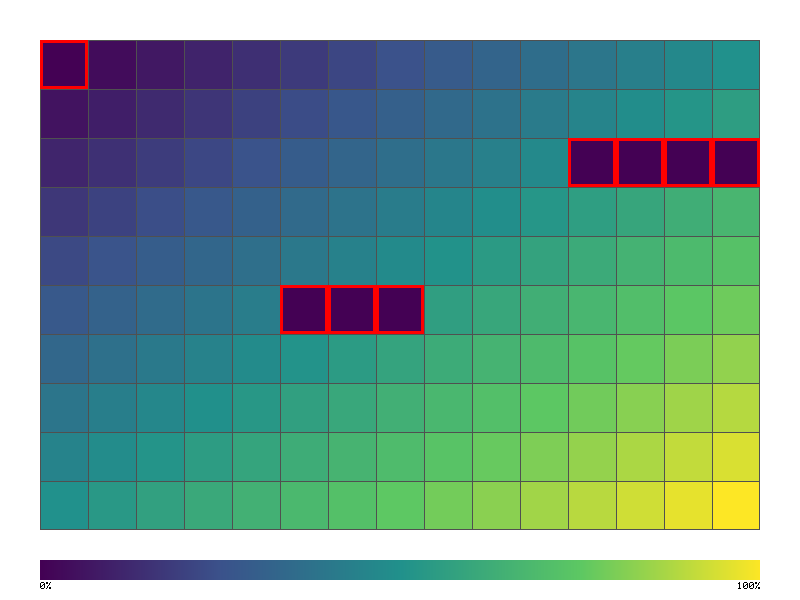
Toyota Way: Mieruka (Visibility) - Visual TUI verification
Test terminal user interfaces with frame capture and comparison.
Architecture
┌─────────────────────────────────────────────────────────────────┐
│                    TUI TESTING ARCHITECTURE                      │
├─────────────────────────────────────────────────────────────────┤
│                                                                   │
│  ┌──────────────┐       ┌──────────────┐       ┌──────────────┐ │
│  │   Your TUI   │       │   TestBackend │      │  Frame       │ │
│  │   App        │──────►│   (ratatui)  │──────►│  Buffer      │ │
│  │              │       │              │       │              │ │
│  └──────────────┘       └──────────────┘       └──────┬───────┘ │
│                                                       │          │
│                         ┌─────────────────────────────┘          │
│                         ▼                                        │
│              ┌──────────────────┐                                │
│              │  Frame Capture   │                                │
│              │  ┌────────────┐  │                                │
│              │  │████████████│  │                                │
│              │  │█ Menu    █│  │                                │
│              │  │█ > Item1 █│  │                                │
│              │  │█   Item2 █│  │                                │
│              │  │████████████│  │                                │
│              │  └────────────┘  │                                │
│              └──────────────────┘                                │
│                         │                                        │
│         ┌───────────────┼───────────────┐                       │
│         ▼               ▼               ▼                       │
│  ┌────────────┐  ┌────────────┐  ┌────────────┐                 │
│  │  Compare   │  │  Assert    │  │  Snapshot  │                 │
│  │  Frames    │  │  Content   │  │  Storage   │                 │
│  └────────────┘  └────────────┘  └────────────┘                 │
│                                                                   │
└─────────────────────────────────────────────────────────────────┘
Quick Start
#![allow(unused)]
fn main() {
use jugar_probar::tui::{TuiTestHarness, FrameAssert};
use ratatui::backend::TestBackend;
use ratatui::Terminal;

#[test]
fn test_menu_renders() {
    // Create test backend
    let backend = TestBackend::new(80, 24);
    let mut terminal = Terminal::new(backend).unwrap();

    // Render your UI
    terminal.draw(|frame| {
        render_menu(frame);
    }).unwrap();

    // Capture frame
    let buffer = terminal.backend().buffer();

    // Assert content
    assert!(buffer.get(0, 0).symbol() == "┌");
    assert!(buffer_contains_text(buffer, "Menu"));
}
}
Frame Buffer Assertions
#![allow(unused)]
fn main() {
use jugar_probar::tui::FrameAssert;

// Assert specific cell content
frame.assert_cell(10, 5, "█");

// Assert text at position
frame.assert_text(0, 0, "┌────────┐");

// Assert area contains text
frame.assert_contains("Welcome");

// Assert styled text
frame.assert_style(10, 5, Style::default().fg(Color::Green));
}
Snapshot Testing
#![allow(unused)]
fn main() {
use jugar_probar::tui::TuiSnapshot;

#[test]
fn test_ui_snapshot() {
    let mut terminal = create_test_terminal();
    render_app(&mut terminal);

    // Compare against stored snapshot
    TuiSnapshot::assert_matches(
        terminal.backend().buffer(),
        "snapshots/main_menu.snap"
    );
}
}
Example: Calculator TUI
#![allow(unused)]
fn main() {
use ratatui::widgets::{Block, Borders, Paragraph};
use ratatui::layout::{Layout, Direction, Constraint};

fn render_calculator(frame: &mut Frame) {
    let chunks = Layout::default()
        .direction(Direction::Vertical)
        .constraints([
            Constraint::Length(3),  // Display
            Constraint::Min(5),     // Keypad
        ])
        .split(frame.size());

    // Display
    let display = Paragraph::new("42")
        .block(Block::default().borders(Borders::ALL).title("Display"));
    frame.render_widget(display, chunks[0]);

    // Keypad
    let keypad = Paragraph::new("7 8 9 /\n4 5 6 *\n1 2 3 -\n0 . = +")
        .block(Block::default().borders(Borders::ALL).title("Keys"));
    frame.render_widget(keypad, chunks[1]);
}

#[test]
fn test_calculator_display() {
    let backend = TestBackend::new(40, 12);
    let mut terminal = Terminal::new(backend).unwrap();

    terminal.draw(render_calculator).unwrap();

    let buffer = terminal.backend().buffer();

    // Verify display shows "42"
    assert!(buffer_contains_text(buffer, "42"));

    // Verify keypad layout
    assert!(buffer_contains_text(buffer, "7 8 9"));
}
}
TUI Frame Capture Output
┌──────────────────────────────────────┐
│            ┌─Display─────────────┐   │
│            │                  42 │   │
│            └─────────────────────┘   │
│            ┌─Keys────────────────┐   │
│            │  7   8   9   /      │   │
│            │  4   5   6   *      │   │
│            │  1   2   3   -      │   │
│            │  0   .   =   +      │   │
│            └─────────────────────┘   │
└──────────────────────────────────────┘
Input Simulation
#![allow(unused)]
fn main() {
use jugar_probar::tui::InputSimulator;
use crossterm::event::{KeyCode, KeyEvent, KeyModifiers};

#[test]
fn test_keyboard_navigation() {
    let mut app = MyApp::new();
    let mut terminal = create_test_terminal();

    // Simulate key press
    app.handle_key(KeyEvent::new(KeyCode::Down, KeyModifiers::empty()));

    // Render and verify
    terminal.draw(|f| app.render(f)).unwrap();

    // Menu should have moved down
    assert!(terminal.backend().buffer().contains("► Item 2"));
}
}
Integration with GUI Coverage
#![allow(unused)]
fn main() {
use jugar_probar::{gui_coverage, tui::TuiTestHarness};

#[test]
fn test_tui_with_coverage() {
    let mut gui = gui_coverage! {
        buttons: ["btn-7", "btn-8", "btn-9", "btn-plus", "btn-equals"],
        screens: ["calculator", "settings"]
    };

    let mut app = Calculator::new();
    let mut terminal = create_test_terminal();

    // Simulate interactions
    app.press_key('7');
    gui.click("btn-7");

    app.press_key('+');
    gui.click("btn-plus");

    app.press_key('1');
    app.press_key('=');
    gui.click("btn-equals");

    gui.visit("calculator");

    // Verify display
    terminal.draw(|f| app.render(f)).unwrap();
    assert!(terminal.backend().buffer().contains("8"));

    // Check coverage
    println!("{}", gui.summary());
    assert!(gui.meets(60.0));
}
}
Running the TUI Calculator Demo
cargo run -p showcase-calculator --example calculator_tui_demo
Output:
════════════════════════════════════════
       SHOWCASE CALCULATOR (TUI)
════════════════════════════════════════

┌─ Display ─────────────────────────────┐
│                                    42 │
└───────────────────────────────────────┘
┌─ Keypad ──────────────────────────────┐
│                                       │
│    7     8     9     /                │
│    4     5     6     *                │
│    1     2     3     -                │
│    0     .     =     +                │
│                                       │
│    C     ±     %     AC               │
│                                       │
└───────────────────────────────────────┘

Press 'q' to quit, numbers and operators to calculate
API Reference
TuiTestHarness
| Method | Description |
|---|---|
new(width, height) | Create test harness |
terminal() | Get terminal reference |
render(widget) | Render widget to test buffer |
buffer() | Get current frame buffer |
assert_contains(text) | Assert buffer contains text |
snapshot(name) | Save/compare snapshot |
FrameAssert
| Method | Description |
|---|---|
assert_cell(x, y, symbol) | Assert cell symbol |
assert_text(x, y, text) | Assert text at position |
assert_style(x, y, style) | Assert cell style |
assert_contains(text) | Assert text anywhere |
assert_not_contains(text) | Assert text not present |
InputSimulator
| Method | Description |
|---|---|
key(code) | Simulate key press |
char(c) | Simulate character input |
mouse(x, y, button) | Simulate mouse click |
resize(w, h) | Simulate terminal resize |
Presentar YAML Testing
Probar provides native support for testing presentar TUI dashboard configurations. This enables automated validation of ptop.yaml configurations with a 100-point falsification protocol.
Overview
The presentar module provides:
- Schema validation - Validate ptop.yaml configurations
- Terminal snapshot testing - Assert on cell-based terminal output
- Falsification protocols - F001-F100 mutation testing
- Configuration diffing - Compare configurations
Quick Start
#![allow(unused)]
fn main() {
use jugar_probar::{
    parse_and_validate_presentar, validate_presentar_config,
    PresentarConfig, TerminalSnapshot, TerminalAssertion,
};

// Parse and validate a configuration
let yaml = r##"
refresh_ms: 500
layout:
  snap_to_grid: true
  grid_size: 8
panels:
  cpu:
    enabled: true
  memory:
    enabled: true
"##;

let (config, result) = parse_and_validate_presentar(yaml).unwrap();
assert!(result.is_ok());
assert_eq!(config.refresh_ms, 500);
}
Configuration Schema
PresentarConfig
The root configuration type:
#![allow(unused)]
fn main() {
pub struct PresentarConfig {
    pub refresh_ms: u32,        // Refresh interval (min: 16ms for 60 FPS)
    pub layout: LayoutConfig,   // Layout settings
    pub panels: PanelConfigs,   // Panel configurations
    pub keybindings: KeybindingConfig,
    pub theme: ThemeConfig,
}
}
Layout Configuration
#![allow(unused)]
fn main() {
pub struct LayoutConfig {
    pub snap_to_grid: bool,     // Snap panels to grid
    pub grid_size: u8,          // Grid size (2-16)
    pub min_panel_width: u16,   // Minimum panel width (default: 30)
    pub min_panel_height: u16,  // Minimum panel height (default: 6)
    pub top_height: f32,        // Top row height ratio (default: 0.45)
    pub bottom_height: f32,     // Bottom row height ratio (default: 0.55)
}
}
Panel Types
14 panel types are supported:
| Panel | Description |
|---|---|
cpu | CPU usage with sparklines |
memory | Memory usage with ZRAM |
disk | Disk I/O rates |
network | Network RX/TX |
process | Process list |
gpu | GPU utilization |
battery | Battery status |
sensors | Temperature sensors |
psi | Pressure Stall Information |
system | System info |
connections | Network connections |
treemap | Treemap visualization |
files | File browser |
Validation
Validation Errors
The validator checks for:
#![allow(unused)]
fn main() {
pub enum PresentarError {
    InvalidRefreshRate(u32),      // < 16ms
    InvalidGridSize(u8),          // Not in 2-16
    InvalidPanelWidth(u16),       // < 10
    InvalidPanelHeight(u16),      // < 3
    InvalidLayoutRatio(f32, f32), // Doesn't sum to 1.0
    DuplicateKeybinding(char, String, String),
    InvalidColorFormat(String),   // Not #RRGGBB
    NoPanelsEnabled,
    InvalidSparklineHistory(u32), // Not in 1-3600
    InvalidProcessColumn(String),
    ParseError(String),
}
}
Example Validation
#![allow(unused)]
fn main() {
use jugar_probar::{validate_presentar_config, PresentarConfig};

let mut config = PresentarConfig::default();
config.refresh_ms = 5; // Too low!

let result = validate_presentar_config(&config);
assert!(result.is_err());
// Error: "Invalid refresh rate: 5ms (minimum 16ms for 60 FPS)"
}
Terminal Snapshot Testing
Test TUI output at the cell level:
#![allow(unused)]
fn main() {
use jugar_probar::{TerminalSnapshot, TerminalAssertion, PresentarColor};

// Create a snapshot from text
let snapshot = TerminalSnapshot::from_string(
    "CPU  45% ████████░░░░░░░░ 4 cores\n\
     MEM  60% ██████████░░░░░░ 8GB/16GB",
    80,
    24,
);

// Content assertions
assert!(snapshot.contains("CPU"));
assert!(snapshot.contains_all(&["CPU", "MEM"]));

// Position-based assertions
let assertions = vec![
    TerminalAssertion::Contains("CPU".into()),
    TerminalAssertion::NotContains("GPU".into()),
    TerminalAssertion::CharAt { x: 0, y: 0, expected: 'C' },
];

for assertion in assertions {
    assert!(assertion.check(&snapshot).is_ok());
}
}
Snapshot Methods
| Method | Description |
|---|---|
contains(text) | Check if text is present |
contains_all(&[texts]) | Check all texts are present |
contains_any(&[texts]) | Check any text is present |
find(text) | Find first occurrence (x, y) |
count_char(ch) | Count character occurrences |
region(x, y, w, h) | Extract a rectangular region |
fg_color_at(x, y) | Get foreground color |
bg_color_at(x, y) | Get background color |
Falsification Protocol
The module generates 100 falsification checks (F001-F100) following Popperian testing principles:
Categories
| Range | Category | Checks |
|---|---|---|
| F001-F014 | Panel Existence | 14 |
| F015-F028 | Panel Content | 14 |
| F029-F042 | Color Consistency | 14 |
| F043-F056 | Layout Consistency | 14 |
| F057-F070 | Keybinding Consistency | 14 |
| F071-F084 | Data Binding | 14 |
| F085-F092 | Performance | 8 |
| F093-F100 | Accessibility | 8 |
Generating Falsification Playbook
#![allow(unused)]
fn main() {
use jugar_probar::{generate_falsification_playbook, PresentarConfig};

let config = PresentarConfig::default();
let playbook = generate_falsification_playbook(&config);

// Access mutations
if let Some(falsification) = &playbook.falsification {
    for mutation in &falsification.mutations {
        println!("{}: {}", mutation.id, mutation.description);
        println!("  Mutate: {}", mutation.mutate);
        println!("  Expected: {}", mutation.expected_failure);
    }
}
}
Example Checks
F001 - CPU panel exists
  Mutate: panels.cpu.enabled = false
  Expected: CPU panel must be visible

F057 - 'q' quits
  Mutate: keybindings.quit = x
  Expected: 'q' must quit

F085 - 60 FPS render
  Mutate: render_time > 16ms
  Expected: Must render in 16ms
Running the Demo
cargo run --example presentar_demo -p jugar-probar
References
- Tretmans (2008): Model-Based Testing of Reactive Systems
- Claessen & Hughes (2000): QuickCheck property-based testing
- Jia & Harman (2011): Mutation Testing theory
- Popper (1959): The Logic of Scientific Discovery
Visual Regression Testing
Visual regression testing catches unintended UI changes by comparing screenshots against baselines. Probar provides pure Rust image comparison with perceptual diffing.
Quick Start
#![allow(unused)]
fn main() {
use jugar_probar::{VisualRegressionTester, VisualRegressionConfig};

// Create tester with configuration
let tester = VisualRegressionTester::new(
    VisualRegressionConfig::default()
        .with_threshold(0.01)       // 1% of pixels can differ
        .with_color_threshold(10)   // Allow minor color variations
        .with_baseline_dir("__baselines__")
);

// Compare screenshot against baseline
let screenshot = capture_screenshot(); // Your screenshot bytes (PNG)
let result = tester.compare_against_baseline("login-page", &screenshot)?;

assert!(result.matches, "Visual regression detected!");
}
Configuration
| Option | Default | Description |
|---|---|---|
threshold | 0.01 | Percentage of pixels that can differ (0.0-1.0) |
color_threshold | 10 | Per-pixel color difference allowed (0-255) |
baseline_dir | __baselines__ | Directory for baseline images |
diff_dir | __diffs__ | Directory for diff images on failure |
update_baselines | false | Automatically update baselines |
#![allow(unused)]
fn main() {
let config = VisualRegressionConfig::default()
    .with_threshold(0.05)         // 5% tolerance
    .with_color_threshold(20)     // More lenient color matching
    .with_baseline_dir("snapshots")
    .with_update_baselines(true); // Update on mismatch
}
Direct Image Comparison
Compare two images directly without baseline files:
#![allow(unused)]
fn main() {
use jugar_probar::VisualRegressionTester;

let tester = VisualRegressionTester::default();

// Compare two PNG images
let result = tester.compare_images(&actual_png, &expected_png)?;

println!("Matches: {}", result.matches);
println!("Diff pixels: {}", result.diff_pixel_count);
println!("Diff percentage: {:.2}%", result.diff_percentage);
println!("Max color diff: {}", result.max_color_diff);
println!("Avg color diff: {:.1}", result.avg_color_diff);
}
ImageDiffResult
The comparison result provides detailed metrics:
#![allow(unused)]
fn main() {
pub struct ImageDiffResult {
    pub matches: bool,           // Within threshold?
    pub diff_pixel_count: usize, // Number of differing pixels
    pub total_pixels: usize,     // Total pixels compared
    pub diff_percentage: f64,    // Percentage different (0-100)
    pub max_color_diff: u32,     // Maximum color difference found
    pub avg_color_diff: f64,     // Average color difference
    pub diff_image: Option<Vec<u8>>, // PNG diff visualization (red = difference)
}

// Utility methods
assert!(result.is_identical());           // No differences at all
assert!(result.within_threshold(0.02));   // Custom threshold check
}
Masking Dynamic Areas
Exclude dynamic areas (timestamps, ads, animations) from comparison:
#![allow(unused)]
fn main() {
use jugar_probar::{ScreenshotComparison, MaskRegion};

let comparison = ScreenshotComparison::new()
    .with_threshold(0.01)
    .with_max_diff_pixels(100)
    .with_mask(MaskRegion::new(10, 10, 200, 50))  // Header area
    .with_mask(MaskRegion::new(0, 500, 300, 100)); // Footer area

// Use with your comparison logic
for mask in &comparison.mask_regions {
    if mask.contains(x, y) {
        // Skip this pixel in comparison
    }
}
}
Perceptual Diff
For human-vision-weighted comparison, use the perceptual diff function:
#![allow(unused)]
fn main() {
use jugar_probar::perceptual_diff;
use image::Rgba;

let pixel_a = Rgba([255, 0, 0, 255]);   // Red
let pixel_b = Rgba([200, 50, 50, 255]); // Darker red

let diff = perceptual_diff(pixel_a, pixel_b);

// Uses weighted RGB based on human perception:
// - Red: 0.299
// - Green: 0.587  (most sensitive)
// - Blue: 0.114
}
Baseline Management
Creating Baselines
#![allow(unused)]
fn main() {
let config = VisualRegressionConfig::default()
    .with_update_baselines(true);

let tester = VisualRegressionTester::new(config);

// First run creates the baseline
let result = tester.compare_against_baseline("home-page", &screenshot)?;
// Baseline saved to __baselines__/home-page.png
}
Updating Baselines
#![allow(unused)]
fn main() {
// Set update_baselines when you want to accept new changes
let config = VisualRegressionConfig::default()
    .with_update_baselines(true);
}
Diff Images
When comparison fails, a diff image is saved showing differences in red:
__diffs__/
home-page_diff.png # Red overlay on differing pixels
Integration with TUI
Visual regression works great with TUI screenshots:
#![allow(unused)] fn main() { use jugar_probar::{TuiTestBackend, VisualRegressionTester}; use ratatui::Terminal; let backend = TuiTestBackend::new(80, 24); let mut terminal = Terminal::new(backend)?; // Render your UI terminal.draw(|f| { render_app(f, &app_state); })?; // Capture frame as image let frame = terminal.backend().current_frame(); let screenshot = frame.to_png()?; // Compare against baseline let tester = VisualRegressionTester::default(); let result = tester.compare_against_baseline("app-home", &screenshot)?; }
Best Practices
- Use meaningful names - Name baselines after the page/component being tested
- Set appropriate thresholds - Too strict causes flakiness, too loose misses bugs
- Mask dynamic content - Exclude timestamps, ads, random content
- Review diff images - When tests fail, examine the diff to understand changes
- Version control baselines - Commit baselines so the whole team uses the same
- Update intentionally - Only enable
update_baselineswhen accepting changes
Examples
# Run visual regression demo
cargo run --example visual_regression_demo -p jugar-probar
See Also
- Pixel Coverage - Heatmap visualization
- Media Recording - Screenshot and video capture
- PNG Screenshots - PNG export utilities
Playbook State Machine Testing
Probar's playbook testing enables YAML-driven state machine verification with formal validation, mutation testing, and complexity analysis. This approach is inspired by W3C SCXML and academic research on statechart testing.
Overview
Playbooks define:
- State machines with states, transitions, and invariants
- Execution flows with setup, steps, and teardown
- Assertions for path verification and output validation
- Falsification protocols via M1-M5 mutation testing
Quick Start
Create a playbook file login.yaml:
version: "1.0"
name: "Login Flow Test"
description: "Verify login state machine behavior"
machine:
id: "login_flow"
initial: "logged_out"
states:
logged_out:
id: "logged_out"
invariants:
- description: "Login button visible"
condition: "has_element('#login-btn')"
authenticating:
id: "authenticating"
logged_in:
id: "logged_in"
final_state: true
error:
id: "error"
transitions:
- id: "submit"
from: "logged_out"
to: "authenticating"
event: "click_login"
- id: "success"
from: "authenticating"
to: "logged_in"
event: "auth_ok"
- id: "failure"
from: "authenticating"
to: "error"
event: "auth_fail"
- id: "retry"
from: "error"
to: "logged_out"
event: "try_again"
forbidden:
- from: "logged_out"
to: "logged_in"
reason: "Cannot skip authentication"
performance:
max_duration_ms: 5000
max_memory_mb: 100
Run validation:
probar playbook login.yaml --validate
State Machine Diagram
Here's a visualization of the login flow state machine:
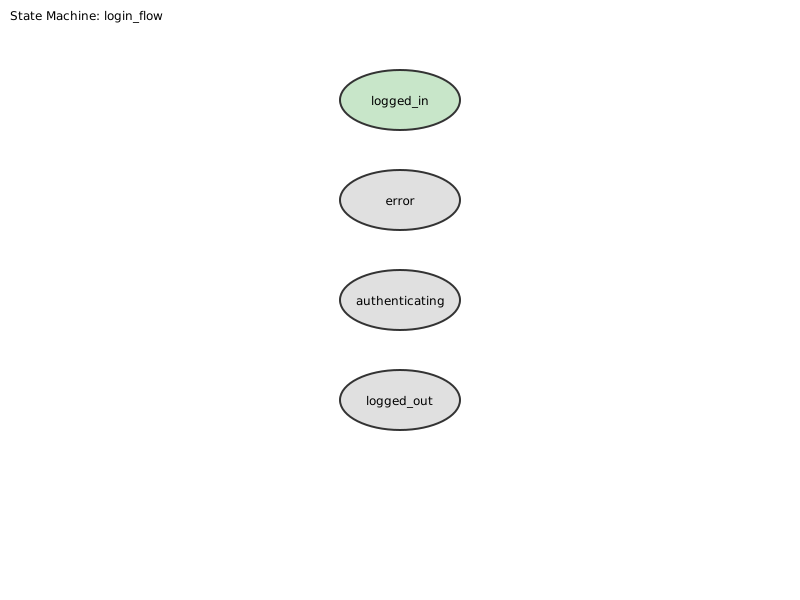
The diagram shows:
- States as rounded rectangles (double border = final state)
- Transitions as arrows with event labels
- Forbidden transitions are checked at runtime
State Machine Schema
States
States define the possible configurations of your system:
states:
my_state:
id: "my_state"
final_state: false # Optional, defaults to false
invariants: # Optional conditions that must hold
- description: "Element must be visible"
condition: "has_element('#my-element')"
Transitions
Transitions define how the system moves between states:
transitions:
- id: "transition_id"
from: "source_state"
to: "target_state"
event: "trigger_event"
guard: "optional_condition" # Only trigger if guard is true
actions: # Optional actions to execute
- type: click
selector: "#button"
assertions: # Optional assertions to check
- type: element_exists
selector: "#result"
Forbidden Transitions
Define transitions that must never occur:
forbidden:
- from: "logged_out"
to: "logged_in"
reason: "Authentication cannot be bypassed"
Playbook Execution
Lifecycle
Playbooks execute in three phases:
- Setup: Prepare the test environment
- Steps: Execute state transitions
- Teardown: Clean up (runs even on failure)
playbook:
setup:
- type: navigate
url: "https://example.com/login"
- type: wait
selector: "#login-form"
steps:
- name: "Enter credentials"
transitions: ["submit"]
capture:
- var: "session_id"
from: "#session-token"
- name: "Wait for auth"
transitions: ["success"]
timeout_ms: 3000
teardown:
- type: screenshot
path: "final_state.png"
ignore_errors: true
Variable Capture
Capture values during execution for later assertion:
steps:
- name: "Capture result"
transitions: ["process"]
capture:
- var: "output"
from: "#result"
- var: "timestamp"
from: "#time"
Variables can be referenced with ${var} syntax:
- type: assert
condition: "${output} contains 'success'"
Assertions
Path Assertions
Verify the execution path through the state machine:
assertions:
path:
must_visit: ["logged_out", "authenticating", "logged_in"]
must_not_visit: ["error"]
ends_at: "logged_in"
Output Assertions
Verify captured variable values:
assertions:
output:
- var: "session_id"
not_empty: true
- var: "response_time"
less_than: 1000
- var: "status"
equals: "success"
- var: "message"
matches: "Welcome.*"
Complexity Assertions
Verify algorithmic complexity is O(n) or better:
assertions:
complexity:
operation: "search"
expected: "linear"
tolerance: 0.1
State Machine Validation
Probar validates your state machine for common issues:
| Issue | Severity | Description |
|---|---|---|
| Orphaned State | Error | State unreachable from initial |
| Dead End | Error | Non-final state with no outgoing transitions |
| No Path to Final | Warning | State cannot reach any final state |
| Non-Deterministic | Warning | Same event triggers multiple transitions |
| Unguarded Self-Loop | Warning | Potential infinite loop |
Run validation:
probar playbook my_playbook.yaml --validate
Mutation Testing (M1-M5)
The falsification protocol uses five mutation classes to verify test quality:
| Class | Name | Description |
|---|---|---|
| M1 | State Removal | Remove a state from the machine |
| M2 | Transition Removal | Remove a transition |
| M3 | Event Swap | Swap events between transitions |
| M4 | Target Swap | Change transition target state |
| M5 | Guard Negation | Negate guard conditions |
Run mutation testing:
# All mutation classes
probar playbook login.yaml --mutate
# Specific classes
probar playbook login.yaml --mutate --mutation-classes M1,M2,M3
A good test suite should "kill" (detect) most mutants. Target: 80%+ mutation score.
Diagram Export
Export state machine diagrams for visualization:
# DOT format (Graphviz)
probar playbook login.yaml --export dot --export-output diagram.dot
dot -Tpng diagram.dot -o diagram.png
# SVG format
probar playbook login.yaml --export svg --export-output diagram.svg
CLI Reference
probar playbook [OPTIONS] <FILES>...
Arguments:
<FILES>... Playbook YAML file(s) to run
Options:
--validate Validate without execution
--export <FORMAT> Export diagram (dot, svg)
--export-output <PATH> Output file for diagram
--mutate Run mutation testing
--mutation-classes <M> Specific classes (M1,M2,M3,M4,M5)
--fail-fast Stop on first error
--continue-on-error Keep going on step failure
-f, --format <FORMAT> Output format (text, json, junit)
-o, --output <DIR> Output directory
Programmatic API
#![allow(unused)] fn main() { use jugar_probar::playbook::{ Playbook, StateMachineValidator, MutationGenerator, MutationClass, to_dot, to_svg, calculate_mutation_score, }; // Parse playbook let playbook = Playbook::from_yaml(yaml_content)?; // Validate state machine let validator = StateMachineValidator::new(&playbook); let result = validator.validate(); if !result.is_valid { for issue in &result.issues { println!("Issue: {:?}", issue); } } // Generate mutations let generator = MutationGenerator::new(&playbook); let mutants = generator.generate_all(); // Export diagram let svg = to_svg(&playbook); std::fs::write("diagram.svg", svg)?; }
Example Output
$ probar playbook login.yaml --validate
Running playbook(s)...
Processing: login.yaml
State machine: login_flow
States: 4
Transitions: 4
Valid: yes
Validation only mode - skipping execution
$ probar playbook login.yaml --mutate
Running playbook(s)...
Processing: login.yaml
State machine: login_flow
States: 4
Transitions: 4
Valid: yes
Running mutation testing (5 classes)...
M1: 3 mutants
M2: 4 mutants
M3: 3 mutants
M4: 12 mutants
M5: 1 mutants
Total mutants generated: 23
Best Practices
- Start with validation - Always run
--validatefirst - Define forbidden transitions - Explicitly state what shouldn't happen
- Mark final states - Ensure reachability analysis works
- Use guards for determinism - Avoid ambiguous transitions
- Target 80%+ mutation score - Ensures comprehensive testing
- Export diagrams for review - Visual verification catches errors
PlaybookRunner API
For programmatic execution with custom executors:
#![allow(unused)] fn main() { use jugar_probar::playbook::{ Playbook, PlaybookRunner, ActionExecutor, ExecutorError, WaitCondition, }; // Implement your custom executor struct MyExecutor; impl ActionExecutor for MyExecutor { fn click(&mut self, selector: &str) -> Result<(), ExecutorError> { println!("Clicking: {}", selector); Ok(()) } fn type_text(&mut self, selector: &str, text: &str) -> Result<(), ExecutorError> { println!("Typing '{}' into {}", text, selector); Ok(()) } fn wait(&mut self, _condition: &WaitCondition) -> Result<(), ExecutorError> { Ok(()) } fn navigate(&mut self, url: &str) -> Result<(), ExecutorError> { println!("Navigating to: {}", url); Ok(()) } fn execute_script(&mut self, code: &str) -> Result<String, ExecutorError> { println!("Executing script: {}", code); Ok("result".to_string()) } fn screenshot(&mut self, name: &str) -> Result<(), ExecutorError> { println!("Taking screenshot: {}", name); Ok(()) } fn element_exists(&self, selector: &str) -> Result<bool, ExecutorError> { Ok(selector.starts_with("#")) } fn get_text(&self, _selector: &str) -> Result<String, ExecutorError> { Ok("Sample text".to_string()) } fn get_attribute(&self, _selector: &str, _attr: &str) -> Result<String, ExecutorError> { Ok("value".to_string()) } fn get_url(&self) -> Result<String, ExecutorError> { Ok("http://localhost/app".to_string()) } fn evaluate(&self, _expression: &str) -> Result<bool, ExecutorError> { Ok(true) } } // Run the playbook fn test_playbook() { let yaml = r#" version: "1.0" machine: id: "test" initial: "start" states: start: { id: "start" } end: { id: "end", final_state: true } transitions: - id: "t1" from: "start" to: "end" event: "go" playbook: steps: - name: "Go to end" transitions: ["t1"] capture: - var: "result" from: "captured_value" assertions: path: expected: ["start", "end"] output: - var: "result" not_empty: true "#; let playbook = Playbook::from_yaml(yaml).unwrap(); let mut runner = PlaybookRunner::new(playbook, MyExecutor); let result = runner.run(); assert!(result.passed); assert_eq!(result.state_path, vec!["start", "end"]); println!("Playbook passed: {:?}", result.variables); } }
Output Assertion Types
| Type | Description | Example |
|---|---|---|
not_empty | Variable must have a value | not_empty: true |
equals | Exact string match | equals: "success" |
matches | Regex pattern match | matches: "^[0-9]+$" |
less_than | Numeric comparison | less_than: 100 |
greater_than | Numeric comparison | greater_than: 0 |
References
- W3C SCXML Specification
- Lamport, "Specifying Systems" (TLA+)
- Fabbri et al., "Mutation Testing Applied to Statecharts" (ISSRE 1999)
- Goldsmith et al., "Measuring Empirical Computational Complexity" (ESEC/FSE 2007)
Development Server
The probador serve command provides a full-featured development server for WASM applications with hot reload, file visualization, and content linting.
Architecture
┌─────────────────────────────────────────────────────────────────┐
│ PROBADOR DEV SERVER │
├─────────────────────────────────────────────────────────────────┤
│ │
│ ┌───────────────┐ ┌───────────────┐ ┌───────────────┐ │
│ │ HTTP │ │ WebSocket │ │ File │ │
│ │ Server │ │ Server │ │ Watcher │ │
│ │ (axum) │ │ (tungstenite)│ │ (notify) │ │
│ └───────┬───────┘ └───────┬───────┘ └───────┬───────┘ │
│ │ │ │ │
│ └───────────────────┼───────────────────┘ │
│ ▼ │
│ ┌─────────────────┐ │
│ │ Event Router │ │
│ └────────┬────────┘ │
│ │ │
│ ┌───────────────────┼───────────────────┐ │
│ ▼ ▼ ▼ │
│ ┌────────────┐ ┌────────────┐ ┌────────────┐ │
│ │ Static │ │ Hot │ │ Content │ │
│ │ Files │ │ Reload │ │ Linting │ │
│ └────────────┘ └────────────┘ └────────────┘ │
│ │
│ Headers: CORS, COOP/COEP (SharedArrayBuffer support) │
│ │
└─────────────────────────────────────────────────────────────────┘
Quick Start
# Serve current directory
probador serve
# Serve specific directory on custom port
probador serve ./www --port 3000
# Enable CORS for cross-origin requests
probador serve --cors
# Open browser automatically
probador serve --open
# Full development setup
probador serve ./dist --port 8080 --cors --open
File Tree Visualization
See exactly what files are being served:
# ASCII tree output
probador serve tree [PATH]
# With depth limit
probador serve tree --depth 2
# Filter by pattern
probador serve tree --filter "*.wasm"
Example Output
demos/realtime-transcription/
├── index.html (2.3 KB) [text/html]
├── styles.css (1.1 KB) [text/css]
├── pkg/
│ ├── realtime_wasm.js (45 KB) [text/javascript]
│ ├── realtime_wasm_bg.wasm (1.2 MB) [application/wasm]
│ └── realtime_wasm.d.ts (3.2 KB) [text/typescript]
├── models/
│ └── whisper-tiny.apr (39 MB) [application/octet-stream]
└── worker.js (5.6 KB) [text/javascript]
Total: 8 files, 41.3 MB
Served at: http://localhost:8080/demos/realtime-transcription/
Hot Reload
Automatic browser refresh when files change:
# Enable hot reload (default)
probador serve --watch [PATH]
# Disable hot reload
probador serve --no-watch [PATH]
# Verbose change reporting
probador serve --watch --verbose [PATH]
Hot Reload Display
HOT RELOAD ACTIVE - Watching demos/realtime-transcription/
━━━━━━━━━━━━━━━━━━━━━━━━━━━━━━━━━━━━━━━━━━━━━━━━━━━━━━━━━━
14:23:45.123 │ MODIFIED │ index.html │ +56 bytes │ 3 clients notified
14:23:47.891 │ MODIFIED │ styles.css │ -12 bytes │ 3 clients notified
14:23:52.001 │ CREATED │ new-component.js │ 1.2 KB │ 3 clients notified
14:24:01.555 │ DELETED │ old-helper.js │ - │ 3 clients notified
Connected clients: 3 │ Files watched: 42 │ Reload count: 4
WebSocket Protocol
Connected browsers receive JSON messages:
{
"type": "file_change",
"event": "modified",
"path": "demos/realtime-transcription/index.html",
"timestamp": 1702567890123,
"size_before": 2345,
"size_after": 2401,
"diff_summary": "+56 bytes"
}
Content Linting
Validate HTML, CSS, JavaScript, and WASM files:
# Lint on startup
probador serve --lint [PATH]
# Lint specific files
probador lint [--html] [--css] [--js] [PATH]
# Continuous lint on file change
probador serve --lint --watch [PATH]
Supported File Types
| File Type | Checks |
|---|---|
| HTML | Valid structure, missing attributes, broken links |
| CSS | Parse errors, unknown properties, specificity issues |
| JavaScript | Syntax errors, undefined references, module resolution |
| WASM | Valid module structure, import/export validation |
| JSON | Parse validity, schema validation (optional) |
Lint Output
LINT REPORT: demos/realtime-transcription/
━━━━━━━━━━━━━━━━━━━━━━━━━━━━━━━━━━━━━━━━━━
index.html:
✓ Valid HTML5 structure
⚠ Line 23: <img> missing alt attribute
✗ Line 45: Broken link: ./missing.css
styles.css:
✓ Valid CSS3
⚠ Line 12: Unknown property 'webkit-transform' (use -webkit-transform)
worker.js:
✓ Valid ES6 module
⚠ Line 8: 'wasm_url' used before assignment in some paths
━━━━━━━━━━━━━━━━━━━━━━━━━━━━━━━━━━━━━━━━━━
Summary: 0 errors, 3 warnings, 4 files checked
CORS and Security Headers
Enable CORS
probador serve --cors
Adds headers:
Access-Control-Allow-Origin: *
Access-Control-Allow-Methods: GET, POST, OPTIONS
Access-Control-Allow-Headers: Content-Type
SharedArrayBuffer Support
For WASM applications that require SharedArrayBuffer:
probador serve --coop-coep
Adds headers:
Cross-Origin-Opener-Policy: same-origin
Cross-Origin-Embedder-Policy: require-corp
MIME Type Handling
probador automatically serves files with correct MIME types:
| Extension | MIME Type |
|---|---|
.wasm | application/wasm |
.js | text/javascript |
.mjs | text/javascript |
.html | text/html |
.css | text/css |
.json | application/json |
.png | image/png |
.svg | image/svg+xml |
CLI Reference
probador serve [OPTIONS] [PATH]
Arguments:
[PATH] Directory to serve [default: .]
Options:
-p, --port <PORT> HTTP port [default: 8080]
--ws-port <PORT> WebSocket port for hot reload [default: 8081]
--cors Enable CORS headers
--coop-coep Enable COOP/COEP for SharedArrayBuffer
--watch Enable hot reload [default: true]
--no-watch Disable hot reload
--lint Lint files on startup
--open Open browser automatically
-v, --verbose Verbose output
-h, --help Print help
Tree Subcommand
probador serve tree [OPTIONS] [PATH]
Arguments:
[PATH] Directory to visualize [default: .]
Options:
--depth <N> Maximum depth to display
--filter <GLOB> Filter files by pattern
--sizes Show file sizes [default: true]
--mime Show MIME types [default: true]
-h, --help Print help
Programmatic API
#![allow(unused)] fn main() { use probador::{DevServer, DevServerConfig}; // Create server configuration let config = DevServerConfig::builder() .port(8080) .ws_port(8081) .cors(true) .coop_coep(true) .watch(true) .build(); // Start server let server = DevServer::new(config); server.serve("./www").await?; }
Integration with Watch Mode
Combine with build watching for full development workflow:
# Watch for changes and rebuild + serve
probador watch --serve --port 8080
# Equivalent to running both:
# probador watch ./src
# probador serve ./dist --port 8080
Best Practices
- Use
--corsduring development - Prevents cross-origin issues - Enable
--coop-coepfor WASM threading - Required forSharedArrayBuffer - Use
--lintto catch errors early - Validates content on startup - Check file tree before debugging -
probador serve treeshows exactly what's served - Monitor hot reload output - See which files trigger reloads
Runtime Validation
Runtime validation ensures your WASM application actually works, not just that test artifacts exist. This prevents false confidence from "100% score" on broken applications.
The Problem
A project can score 100/100 while having fatal runtime bugs:
Score: 100/100 (A grade)
App: BROKEN (404 on WASM module)
This happens because traditional scoring measures test infrastructure presence, not application health.
Solution: Module Validation
Probar validates that all module imports resolve correctly before serving or scoring.
Validate Before Serving
# Validate all imports before starting server
probar serve -d ./www --validate
# Output on success:
# Validating module imports...
# Scanned: 15 imports
# Passed: 15
# Failed: 0
#
# ✓ All module imports validated successfully
# Output on failure:
# Validating module imports...
# Scanned: 15 imports
# Passed: 14
# Failed: 1
#
# Errors:
# ✗ /index.html:23
# Import: /assets/missing.js
# File not found: /srv/www/assets/missing.js
#
# Error: Module validation failed: 1 error(s) found.
Exclude Directories
Skip validation for third-party directories like node_modules:
# node_modules is excluded by default
probar serve -d ./www --validate
# Add custom exclusions
probar serve -d ./www --validate --exclude vendor --exclude dist
What Gets Validated
The validator scans HTML files for:
| Import Type | Pattern | Example |
|---|---|---|
| ES Module | import ... from '...' | import { foo } from './app.js' |
| Script src | <script src="..."> | <script src="./main.js"> |
| Worker URL | new Worker('...') | new Worker('./worker.js') |
For each import, the validator checks:
- File exists at the resolved path
- MIME type is correct (e.g.,
text/javascriptfor.js)
Runtime Health Score
Runtime validation is integrated into the project score as a 15-point mandatory category:
| Criteria | Points | What It Checks |
|---|---|---|
| Module Resolution | 5 | All imports resolve to existing files |
| Critical Assets | 5 | No 404 errors on required files |
| MIME Types | 5 | Correct content types served |
Grade Capping
Key feature: If Runtime Health fails, the grade is capped at C regardless of other scores.
Before: 106/115 (92%) → Grade A
After: 106/115 (92%) → Grade C (capped)
Runtime Health: 7/15 (FAIL)
This prevents false confidence from high scores on broken applications.
Integration with Score Command
Runtime validation runs automatically during probar score:
probar score -d ./project
# Output includes:
# ═══════════════════════════════════════════════════
# SCORE: 72/100 (C)
#
# Runtime Health: 7/15 (Partial)
# ✓ Module imports (3/5)
# ✓ Critical assets (2/5)
# ✓ MIME types (2/5)
#
# GRADE CAPPED: Runtime validation failed
# Fix: Resolve broken import paths
# ═══════════════════════════════════════════════════
Common Issues
1. Wrong Base Path
<!-- WRONG: Path assumes different serve root -->
<script type="module" src="/demos/app/pkg/module.js"></script>
<!-- CORRECT: Path relative to actual serve root -->
<script type="module" src="/pkg/module.js"></script>
2. Missing WASM File
✗ /index.html:15
Import: ./pkg/app_bg.wasm
File not found: /srv/www/pkg/app_bg.wasm
Fix: Run wasm-pack build before serving
3. MIME Type Mismatch
✗ /index.html:10
Import: ./app.js
MIME mismatch: expected ["text/javascript"], got "text/plain"
Fix: Configure server to serve .js with correct MIME type
API Reference
ModuleValidator
#![allow(unused)] fn main() { use probador::ModuleValidator; // Create validator let validator = ModuleValidator::new("./www"); // Add exclusions (node_modules excluded by default) let validator = validator.with_exclude(vec!["vendor".to_string()]); // Run validation let result = validator.validate(); // Check results if result.is_ok() { println!("All {} imports validated", result.passed); } else { for error in &result.errors { println!("Error: {}", error.message); } } }
ModuleValidationResult
#![allow(unused)] fn main() { pub struct ModuleValidationResult { pub total_imports: usize, pub passed: usize, pub errors: Vec<ImportValidationError>, } impl ModuleValidationResult { /// Returns true if all imports validated successfully pub fn is_ok(&self) -> bool; } }
Best Practices
- Always validate in CI: Add
--validateto your CI pipeline - Fix before deploying: Never deploy with validation errors
- Check after wasm-pack: Validate after rebuilding WASM
- Exclude appropriately: Skip node_modules but validate your code
See Also
- Dev Server - Serving WASM applications
- Project Score - Understanding the scoring system
- CLI Reference - Full command documentation
Watch Mode
Toyota Way: Genchi Genbutsu (Go and See) - Real-time feedback on changes
Hot reload during development with file watching for rapid test iteration.
Running the Example
cargo run --example watch_mode
Quick Start
#![allow(unused)] fn main() { use probar::watch::{WatchConfig, FileWatcher}; // Create a watcher with default settings let config = WatchConfig::default(); let watcher = FileWatcher::new(config)?; // Start watching watcher.start(|change| { println!("File changed: {:?}", change.path); // Re-run tests })?; }
Watch Configuration
#![allow(unused)] fn main() { use probar::watch::WatchConfig; use std::path::Path; // Default configuration let default = WatchConfig::default(); // Custom configuration let config = WatchConfig::new() .with_pattern("**/*.rs") .with_pattern("**/*.toml") .with_ignore("**/target/**") .with_ignore("**/.git/**") .with_debounce(300) // 300ms debounce .with_clear_screen(true) .with_watch_dir(Path::new("src")) .with_watch_dir(Path::new("tests")); println!("Patterns: {:?}", config.patterns); println!("Debounce: {}ms", config.debounce_ms); println!("Clear screen: {}", config.clear_screen); }
File Changes
#![allow(unused)] fn main() { use probar::watch::{FileChange, FileChangeKind}; // File change events fn handle_change(change: FileChange) { println!("Path: {:?}", change.path); println!("Kind: {:?}", change.kind); println!("Time: {:?}", change.timestamp); match change.kind { FileChangeKind::Created => println!("New file created"), FileChangeKind::Modified => println!("File was modified"), FileChangeKind::Deleted => println!("File was deleted"), FileChangeKind::Renamed => println!("File was renamed"), } } }
Pattern Matching
#![allow(unused)] fn main() { use probar::watch::WatchConfig; use std::path::Path; let config = WatchConfig::new() .with_pattern("**/*.rs") // All Rust files .with_pattern("**/*.toml") // All TOML files .with_pattern("src/**") // Everything in src .with_ignore("**/target/**") // Ignore target directory .with_ignore("**/*.bak"); // Ignore backup files // Check if path matches let path = Path::new("src/lib.rs"); if config.matches_pattern(path) { println!("Path matches watch patterns"); } let ignored = Path::new("target/debug/main"); if !config.matches_pattern(ignored) { println!("Path is ignored"); } }
Watch Builder
#![allow(unused)] fn main() { use probar::watch::WatchBuilder; use std::path::Path; // Fluent builder pattern let watcher = WatchBuilder::new() .watch_dir("src") .watch_dir("tests") .pattern("**/*.rs") .pattern("**/*.toml") .ignore("**/target/**") .debounce_ms(200) .clear_screen(true) .run_on_start(true) .on_change(|change| { println!("Changed: {:?}", change.path); }) .build()?; }
Custom Watch Handlers
#![allow(unused)] fn main() { use probar::watch::{WatchHandler, FileChange, WatchStats}; // Implement custom handler struct TestRunner { test_count: usize, } impl WatchHandler for TestRunner { fn on_change(&mut self, change: FileChange) { println!("Running tests after change to {:?}", change.path); self.test_count += 1; // Run tests here } fn on_error(&mut self, error: &str) { eprintln!("Watch error: {}", error); } } // Use custom handler let handler = TestRunner { test_count: 0 }; // let watcher = FileWatcher::with_handler(config, handler)?; }
Watch Statistics
#![allow(unused)] fn main() { use probar::watch::{FileWatcher, WatchStats}; // Get watch statistics let stats = WatchStats::default(); println!("Changes detected: {}", stats.changes_detected); println!("Tests run: {}", stats.tests_run); println!("Last change: {:?}", stats.last_change); println!("Uptime: {:?}", stats.uptime()); }
Debouncing
Debouncing prevents multiple rapid file saves from triggering multiple test runs:
#![allow(unused)] fn main() { use probar::watch::WatchConfig; // Fast debounce for quick iteration let fast = WatchConfig::new() .with_debounce(100); // 100ms // Slower debounce for large projects let slow = WatchConfig::new() .with_debounce(500); // 500ms // How debouncing works: // 1. File change detected at t=0 // 2. Another change at t=50ms - timer resets // 3. No changes for debounce_ms // 4. Handler is called once }
Integration with Test Runner
#![allow(unused)] fn main() { use probar::watch::{WatchConfig, FileWatcher}; use probar::{TestHarness, TestSuite}; fn watch_tests() { let config = WatchConfig::new() .with_pattern("src/**/*.rs") .with_pattern("tests/**/*.rs") .with_debounce(300) .with_clear_screen(true); // Load test suite let suite = TestSuite::new("my_tests"); // Watch for changes // FileWatcher::new(config)?.start(|change| { // // Clear screen if configured // print!("\x1B[2J\x1B[1;1H"); // // println!("Change: {:?}", change.path); // println!("Running tests...\n"); // // // Run affected tests // let harness = TestHarness::new(); // let results = harness.run(&suite); // // println!("\n{} passed, {} failed", // results.passed_count(), // results.failed_count()); // })?; } }
Filtering by File Type
#![allow(unused)] fn main() { use probar::watch::{WatchConfig, FileChange}; let config = WatchConfig::new() .with_pattern("**/*.rs") .with_pattern("**/*.toml"); fn handle_by_type(change: FileChange) { let path = change.path.to_string_lossy(); if path.ends_with(".rs") { println!("Rust file changed - running tests"); // run_tests(); } else if path.ends_with(".toml") { println!("Config changed - reloading"); // reload_config(); } } }
Smart Test Selection
#![allow(unused)] fn main() { use probar::watch::FileChange; use std::path::Path; // Run only affected tests based on changed file fn select_tests(change: &FileChange) -> Vec<String> { let path = &change.path; let mut tests = Vec::new(); // If a module changed, run its tests if let Some(name) = path.file_stem() { let test_name = format!("test_{}", name.to_string_lossy()); tests.push(test_name); } // If a test file changed, run that test if path.starts_with("tests/") { if let Some(name) = path.file_stem() { tests.push(name.to_string_lossy().to_string()); } } tests } }
Closure-Based Handlers
#![allow(unused)] fn main() { use probar::watch::{WatchConfig, FnWatchHandler}; // Simple closure handler let handler = FnWatchHandler::new(|change| { println!("File changed: {:?}", change.path); }); // With state (using move) let mut run_count = 0; let stateful = FnWatchHandler::new(move |change| { run_count += 1; println!("Run #{}: {:?}", run_count, change.path); }); }
Best Practices
- Appropriate Debounce: Balance between responsiveness and avoiding duplicate runs
- Ignore Build Artifacts: Always ignore
target/,.git/, etc. - Clear Screen: Enable for better readability in continuous testing
- Smart Filtering: Only re-run tests affected by the changed files
- Error Handling: Handle watch errors gracefully (disk full, permissions)
- Resource Cleanup: Ensure watchers are properly stopped on exit
Load Testing
probador includes load testing capabilities to verify your WASM application performs well under realistic traffic conditions.
Load Testing Flow
┌─────────────────────────────────────────────────────────────────┐
│ LOAD TESTING │
├─────────────────────────────────────────────────────────────────┤
│ │
│ ┌───────────────────────────────────────────────────────────┐ │
│ │ Load Stages │ │
│ │ │ │
│ │ users │ │
│ │ 200 ┤ ╭────╮ │ │
│ │ 150 ┤ ╱ ╲ │ │
│ │ 100 ┤ ╭───────╯ ╲ │ │
│ │ 50 ┤ ╭────╯ ╲ │ │
│ │ 0 ┼────╯ ╰───── │ │
│ │ └───────────────────────────────── │ │
│ │ ramp steady spike recovery │ │
│ └───────────────────────────────────────────────────────────┘ │
│ │ │
│ ▼ │
│ ┌───────────────────────────────────────────────────────────┐ │
│ │ Metrics Collection │ │
│ │ ┌─────────┐ ┌─────────┐ ┌─────────┐ ┌─────────┐ │ │
│ │ │ Latency │ │ Through-│ │ Errors │ │ Resource│ │ │
│ │ │ p50/95 │ │ put │ │ Rate │ │ Usage │ │ │
│ │ └─────────┘ └─────────┘ └─────────┘ └─────────┘ │ │
│ └───────────────────────────────────────────────────────────┘ │
│ │ │
│ ▼ │
│ ┌───────────────────────────────────────────────────────────┐ │
│ │ Assertions │ │
│ │ ✓ latency_p95 < 100ms ✓ error_rate < 1% │ │
│ │ ✓ throughput > 100 rps ✗ latency_p99 < 200ms │ │
│ └───────────────────────────────────────────────────────────┘ │
│ │
└─────────────────────────────────────────────────────────────────┘
Quick Start
# Basic load test
probador load-test --url http://localhost:8080 --users 100 --duration 30s
# Ramp-up load test
probador load-test --url http://localhost:8080 --users 1-100 --ramp 60s --duration 120s
# Scenario-based load test
probador load-test --scenario scenarios/wasm-boot.yaml
Scenario Files
Define complex load test scenarios in YAML:
# scenarios/wasm-boot.yaml
name: "WASM Application Boot Sequence"
description: "Simulates realistic user loading WASM application"
stages:
- name: "ramp_up"
duration: 30s
users: 1 -> 50
- name: "steady_state"
duration: 60s
users: 50
- name: "spike"
duration: 10s
users: 50 -> 200
- name: "recovery"
duration: 30s
users: 200 -> 50
requests:
- name: "load_html"
method: GET
path: "/demos/realtime-transcription/"
weight: 1
assertions:
- status: 200
- latency_p95: < 100ms
- name: "load_wasm"
method: GET
path: "/demos/realtime-transcription/pkg/realtime_wasm_bg.wasm"
weight: 1
assertions:
- status: 200
- latency_p95: < 500ms
- header: "content-type" == "application/wasm"
- name: "load_model"
method: GET
path: "/demos/realtime-transcription/models/whisper-tiny.apr"
weight: 0.2 # Not all users load model
assertions:
- status: 200
- latency_p95: < 2000ms
Load Test Results
LOAD TEST RESULTS: WASM Application Boot Sequence
━━━━━━━━━━━━━━━━━━━━━━━━━━━━━━━━━━━━━━━━━━━━━━━━━
Duration: 130s │ Total Requests: 45,230 │ Failed: 12 (0.03%)
Request Statistics:
┌─────────────┬─────────┬─────────┬─────────┬─────────┬─────────┐
│ Endpoint │ Count │ p50 │ p95 │ p99 │ Errors │
├─────────────┼─────────┼─────────┼─────────┼─────────┼─────────┤
│ load_html │ 15,080 │ 12ms │ 45ms │ 89ms │ 0 │
│ load_wasm │ 15,075 │ 78ms │ 234ms │ 456ms │ 5 │
│ load_model │ 15,075 │ 890ms │ 1.8s │ 3.2s │ 7 │
└─────────────┴─────────┴─────────┴─────────┴─────────┴─────────┘
Throughput:
Peak: 892 req/s at t=45s (spike phase)
Avg: 348 req/s
Resource Usage:
Server CPU: avg 34%, peak 78%
Server Memory: avg 145MB, peak 312MB
Assertions:
✓ load_html latency_p95 < 100ms (actual: 45ms)
✓ load_wasm latency_p95 < 500ms (actual: 234ms)
✓ load_model latency_p95 < 2000ms (actual: 1.8s)
✓ load_wasm content-type == application/wasm
Load Test Stages
Ramp-Up
Gradually increase users to identify breaking points:
stages:
- name: "ramp_up"
duration: 60s
users: 1 -> 100 # Linear increase
Steady State
Maintain constant load to measure stable performance:
stages:
- name: "steady_state"
duration: 120s
users: 100 # Constant
Spike
Test sudden traffic bursts:
stages:
- name: "spike"
duration: 10s
users: 100 -> 500 # Sudden increase
Recovery
Verify system recovers after load:
stages:
- name: "recovery"
duration: 30s
users: 500 -> 100 # Decrease back
Assertions
Define performance requirements:
assertions:
# Latency
- latency_p50: < 50ms
- latency_p95: < 200ms
- latency_p99: < 500ms
# Status codes
- status: 200
# Error rate
- error_rate: < 1%
# Throughput
- throughput: > 100 rps
# Headers
- header: "content-type" == "application/wasm"
- header: "cache-control" contains "max-age"
Output Formats
# Console output (default)
probador load-test --scenario test.yaml
# JSON for CI integration
probador load-test --scenario test.yaml --format json > results.json
# Binary report (view with TUI)
probador load-test --scenario test.yaml --report report.msgpack
CLI Reference
probador load-test [OPTIONS]
Options:
--url <URL> Target URL
--users <N> Number of concurrent users
--users <N1>-<N2> Ramp users from N1 to N2
--ramp <DURATION> Ramp-up duration
--duration <DURATION> Test duration
--scenario <FILE> Load scenario YAML file
--format <FORMAT> Output format (console, json, html)
--report <FILE> Generate HTML report
--timeout <MS> Request timeout [default: 30000]
-h, --help Print help
Programmatic API
#![allow(unused)] fn main() { use probador::load_test::{LoadTestConfig, UserConfig, run_load_test}; let config = LoadTestConfig { target_url: "http://localhost:8080".parse()?, users: UserConfig::Ramp { start: 1, end: 100, duration: Duration::from_secs(60) }, duration: Duration::from_secs(180), scenario: None, output: OutputFormat::Console, }; let result = run_load_test(config).await?; println!("Total requests: {}", result.total_requests); println!("Error rate: {:.2}%", result.error_rate() * 100.0); println!("P95 latency: {:?}", result.latency_percentile(95)); }
Best Practices
- Start with baseline - Run single-user test first to establish baseline
- Use realistic scenarios - Model actual user behavior, not just static requests
- Test WASM boot sequence - Include HTML, JS, WASM, and model loading
- Set meaningful thresholds - Based on user experience requirements
- Monitor server resources - Watch for CPU, memory, and connection limits
- Test spike recovery - Verify system recovers after traffic bursts
- Run in CI - Catch performance regressions early
Example: WASM Application Load Test
# Start your server
probador serve ./dist --port 8080 &
# Run load test
probador load-test \
--url http://localhost:8080 \
--users 1-100 \
--ramp 30s \
--duration 120s \
--report results.msgpack
Advanced Features
Real-Time Visualization
Enable the TUI dashboard for live metrics:
probador load-test --scenario boot.yaml --viz
Statistical Analysis
Generate variance decomposition and tail latency attribution:
probador load-test --scenario boot.yaml --stats --stats-report stats.msgpack
Key metrics include:
- Variance Tree: Hierarchical breakdown of latency variance sources
- Apdex Score: User satisfaction index (0.0-1.0)
- Throughput Knee: Automatic detection of capacity limits
- Quantile Regression: p95/p99 latency attribution
Deep Tracing (renacer integration)
Enable syscall-level tracing for bottleneck detection:
probador load-test --scenario boot.yaml --trace
probador trace flamegraph trace.renacer --output flame.svg
Simulation Playback (simular integration)
Record and replay with Monte Carlo analysis:
# Record session
probador load-test --scenario boot.yaml --record session.simular
# Monte Carlo analysis (1000 iterations)
probador simulate monte-carlo session.simular --iterations 1000
Academic Foundation
The load testing implementation is based on peer-reviewed research:
- Variance Attribution: VProfiler methodology from Huang et al. (EuroSys 2017)
- Tail Latency: Treadmill approach from Zhang et al. (SIGARCH 2016)
- WebAssembly Testing: WarpDiff differential testing from ASE 2023
- Tail at Scale: Dean & Barroso's foundational paper (CACM 2013)
See docs/specifications/load-testing-visualization.md for complete specification.
Browser/WASM Stress Testing
Probar includes browser-internal stress testing capabilities for validating WASM application stability under concurrency pressure. This is distinct from Load Testing which focuses on HTTP/network capacity.
Dual-Mode Testing Philosophy
┌─────────────────────────────────────────────────────────────────────────┐
│ DUAL-MODE LOAD TESTING │
├─────────────────────────────────────────────────────────────────────────┤
│ │
│ ┌─────────────────────────────┐ ┌─────────────────────────────┐ │
│ │ BROWSER STRESS (probar) │ │ PROTOCOL LOAD (locust/k6) │ │
│ │ │ │ │ │
│ │ SharedArrayBuffer Atomics │ │ HTTP/WebSocket Traffic │ │
│ │ Worker Message Queues │ │ Concurrent Connections │ │
│ │ Render Loop (60 FPS) │ │ Network Latency │ │
│ │ Tracing Overhead │ │ Protocol Compliance │ │
│ │ │ │ │ │
│ │ Focus: Internal Concurrency│ │ Focus: Network Capacity │ │
│ └─────────────────────────────┘ └─────────────────────────────┘ │
│ │
└─────────────────────────────────────────────────────────────────────────┘
Quick Start
# SharedArrayBuffer atomics contention test
probar stress --atomics
# Worker message throughput test
probar stress --worker-msg
# Render loop stability test
probar stress --render
# Tracing overhead measurement
probar stress --trace
# Full system stress test (all modes)
probar stress --full
Stress Test Modes
Atomics (Point 116)
Tests SharedArrayBuffer lock contention under concurrent access:
probar stress --atomics --duration 30 --concurrency 8
Pass Criteria: > 10,000 ops/sec
This validates that your WASM threading primitives handle concurrent atomic operations without excessive contention.
Worker Messages (Point 117)
Tests worker message queue throughput:
probar stress --worker-msg --duration 30 --concurrency 4
Pass Criteria: > 5,000 msg/sec without memory leaks
This validates postMessage serialization performance and ensures message queues don't cause memory pressure.
Render Loop (Point 118)
Tests render loop stability under load:
probar stress --render --duration 30
Pass Criteria: 60 FPS maintained (< 5% frame drops)
This validates that your render loop can maintain target frame rate even when other subsystems are under stress.
Tracing Overhead (Point 119)
Measures renacer tracing overhead:
probar stress --trace --duration 30
Pass Criteria: < 5% overhead at saturation
This validates that instrumentation doesn't significantly impact production performance.
Full System (Point 123)
Runs all stress tests in sequence:
probar stress --full --duration 60 --concurrency 4
Pass Criteria: All sub-tests pass
Output Formats
# Text output (default)
probar stress --atomics
# JSON output for CI
probar stress --atomics --output json > stress-results.json
Example text output:
STRESS TEST: atomics [PASS]
━━━━━━━━━━━━━━━━━━━━━━━━━━━━━━━━━━━━━━━━━━━━━━━━━
Duration: 30.001234s
Operations: 15,234,567
Throughput: 507,819 ops/sec
Pass Criteria:
Expected: atomics throughput > 10000 ops/sec
Actual: 507819 ops/sec
Memory:
Stable: Yes
Programmatic API
#![allow(unused)] fn main() { use probador::{StressConfig, StressMode, StressRunner, render_stress_report}; // Configure stress test let config = StressConfig::atomics(30, 4); // 30 seconds, 4 workers // Run test let runner = StressRunner::new(config); let result = runner.run(); // Check result if result.passed { println!("Stress test passed: {}", result.actual_value); } else { eprintln!("Stress test failed: {}", result.actual_value); } // Render report println!("{}", render_stress_report(&result)); }
Integration with External Tools
For complete load testing coverage, combine probar stress with external tools:
Protocol Load (Points 120-122)
Use Locust for HTTP/WebSocket load:
# load_test.py
from locust import HttpUser, task, between
class WasmUser(HttpUser):
wait_time = between(1, 3)
@task
def load_wasm(self):
self.client.get("/pkg/app_bg.wasm")
@task
def api_call(self):
self.client.post("/api/transcribe", json={"audio": "..."})
locust -f load_test.py --host http://localhost:8080
K6 Benchmark (Point 121)
// load_test.js
import http from 'k6/http';
import { check, sleep } from 'k6';
export const options = {
vus: 100,
duration: '60s',
};
export default function() {
const res = http.get('http://localhost:8080/pkg/app_bg.wasm');
check(res, { 'status is 200': (r) => r.status === 200 });
sleep(1);
}
k6 run load_test.js
Section H Checklist
| Point | Test | Tool | Pass Criteria |
|---|---|---|---|
| 116 | Browser Stress: Atomics | probar stress --atomics | > 10k ops/sec |
| 117 | Browser Stress: Message Queue | probar stress --worker-msg | > 5k msg/sec |
| 118 | Browser Stress: Render Loop | probar stress --render | 60 FPS (< 5% drops) |
| 119 | Browser Stress: Tracing | probar stress --trace | < 5% overhead |
| 120 | Protocol Load: Locust | locust -f load_test.py | 100 concurrent users |
| 121 | Protocol Load: K6 | k6 run load_test.js | P99 < 200ms |
| 122 | Connection Leaks | netstat monitoring | No zombie connections |
| 123 | Hybrid Load: Full | probar stress --full | All sub-tests pass |
| 124 | Memory Leak under Load | valgrind/heaptrack | Stable heap over 1hr |
| 125 | Recovery from Saturation | Chaos injection | Recovery within 5s |
CI Integration
# .github/workflows/stress.yml
name: Stress Tests
on: [push]
jobs:
stress:
runs-on: ubuntu-latest
steps:
- uses: actions/checkout@v4
- name: Install probar
run: cargo install probador
- name: Run stress tests
run: |
probar stress --atomics --output json > atomics.json
probar stress --worker-msg --output json > worker.json
probar stress --render --output json > render.json
probar stress --trace --output json > trace.json
probar stress --full --output json > full.json
- name: Check results
run: |
jq -e '.passed' atomics.json
jq -e '.passed' worker.json
jq -e '.passed' render.json
jq -e '.passed' trace.json
jq -e '.passed' full.json
Best Practices
- Run before release - Stress tests catch concurrency bugs that unit tests miss
- Test on target hardware - Results vary significantly across CPU architectures
- Combine with protocol load - Use probar for browser internals, locust/k6 for network
- Monitor memory - Watch for leaks during sustained stress
- Test recovery - Verify system stabilizes after stress ends
- Set realistic thresholds - Based on actual hardware capabilities
Reference
See docs/specifications/wasm-threaded-testing-mock-runtime.md Section H for complete specification.
Debugging
probador provides comprehensive debugging capabilities for WASM applications, including verbose tracing, step-by-step playback, and breakpoint support.
Debug Mode Architecture
┌─────────────────────────────────────────────────────────────────┐
│ DEBUG MODE │
├─────────────────────────────────────────────────────────────────┤
│ │
│ ┌───────────────────────────────────────────────────────────┐ │
│ │ Event Sources │ │
│ │ ┌─────────┐ ┌─────────┐ ┌─────────┐ ┌─────────┐ │ │
│ │ │ HTTP │ │ File │ │ State │ │ WASM │ │ │
│ │ │ Request │ │ Change │ │ Machine │ │ Memory │ │ │
│ │ └────┬────┘ └────┬────┘ └────┬────┘ └────┬────┘ │ │
│ │ └───────────┬┴───────────┴──────────────┘ │ │
│ │ ▼ │ │
│ │ ┌───────────────┐ │ │
│ │ │ Debug Tracer │ │ │
│ │ └───────┬───────┘ │ │
│ │ │ │ │
│ │ ┌───────────┼───────────┐ │ │
│ │ ▼ ▼ ▼ │ │
│ │ ┌─────────┐ ┌─────────┐ ┌─────────┐ │ │
│ │ │ Console │ │ Log │ │ Break- │ │ │
│ │ │ Output │ │ File │ │ points │ │ │
│ │ └─────────┘ └─────────┘ └─────────┘ │ │
│ └───────────────────────────────────────────────────────────┘ │
│ │
│ Verbosity Levels: │
│ minimal → normal → verbose → trace │
│ │
└─────────────────────────────────────────────────────────────────┘
Quick Start
# Enable debug mode
probador serve --debug [PATH]
# Debug with step-by-step playback
probador test --debug --step playbook.yaml
# Debug with breakpoints
probador test --debug --break-on "state=recording" playbook.yaml
Debug Output
When debug mode is enabled, you see detailed information about every operation:
DEBUG MODE ACTIVE
━━━━━━━━━━━━━━━━━
[14:23:45.123] SERVER │ Binding to 127.0.0.1:8080
[14:23:45.125] SERVER │ Registered routes:
│ GET /demos/realtime-transcription/ -> index.html
│ GET /demos/realtime-transcription/pkg/* -> static
│ GET /demos/realtime-transcription/models/* -> static
[14:23:45.130] SERVER │ CORS headers: enabled (Access-Control-Allow-Origin: *)
[14:23:45.131] SERVER │ COOP/COEP headers: enabled (SharedArrayBuffer support)
[14:23:46.001] REQUEST │ GET /demos/realtime-transcription/
│ Client: 127.0.0.1:52341
│ User-Agent: Chrome/120.0
[14:23:46.002] RESOLVE │ Path: /demos/realtime-transcription/
│ Resolved: /home/user/project/demos/index.html
│ Rule: Directory index (index.html)
[14:23:46.003] RESPONSE│ Status: 200 OK
│ Content-Type: text/html
│ Content-Length: 2345
│ Latency: 2ms
Verbosity Levels
| Level | Flag | Shows |
|---|---|---|
| Minimal | -q | Errors only |
| Normal | (default) | Errors + warnings |
| Verbose | -v | All requests/responses |
| Trace | -vvv | Everything including internal state |
# Minimal (errors only)
probador serve -q --debug
# Verbose
probador serve -v --debug
# Trace (maximum detail)
probador serve -vvv --debug
Error Debugging
Debug mode provides detailed error information with suggestions:
[14:23:46.100] ERROR │ GET /demos/realtime-transcription/models/whisper-tiny.apr
│ Error: File not found
│ Searched paths:
│ 1. /home/user/project/demos/models/whisper-tiny.apr
│ 2. /home/user/project/models/whisper-tiny.apr (fallback)
│ Suggestion: Model file missing. Download with:
│ curl -o demos/models/whisper-tiny.apr \
│ https://models.example.com/tiny.apr
Step-by-Step Playback
Debug state machine transitions one step at a time:
probador test --debug --step playbook.yaml
Interactive Output
STEP-BY-STEP PLAYBACK: realtime-transcription.yaml
━━━━━━━━━━━━━━━━━━━━━━━━━━━━━━━━━━━━━━━━━━━━━━━━━━
State: initializing
Invariants:
✓ !can_start_recording() [Start button disabled]
✓ !can_stop_recording() [Stop button disabled]
Press [Enter] to trigger 'wasm_ready' event, or [q] to quit...
─────────────────────────────────────────────────────
Transition: init_to_loading
Event: wasm_ready
From: initializing -> To: loading_model
─────────────────────────────────────────────────────
State: loading_model
Invariants:
✓ has_element('.loading-spinner') [Loading indicator visible]
Press [Enter] to trigger 'model_loaded' event, or [q] to quit...
Breakpoints
Pause execution at specific points:
# Break when entering a state
probador test --debug --break-on "state=recording" playbook.yaml
# Break when an event fires
probador test --debug --break-on "event=wasm_ready" playbook.yaml
# Break on matching HTTP requests
probador serve --debug --break-on "request=/api/*"
# Break on any error
probador test --debug --break-on "error" playbook.yaml
Breakpoint Types
| Type | Syntax | Example |
|---|---|---|
| State | state=<name> | --break-on "state=recording" |
| Event | event=<name> | --break-on "event=model_loaded" |
| Request | request=<pattern> | --break-on "request=/api/*" |
| Error | error | --break-on "error" |
Debug Log File
Write debug output to a file:
probador serve --debug --log debug.log
The log file contains structured output:
2024-12-14T14:23:45.123Z DEBUG [server] Binding to 127.0.0.1:8080
2024-12-14T14:23:46.001Z DEBUG [request] GET /demos/index.html
2024-12-14T14:23:46.002Z DEBUG [resolve] Path resolved: /home/user/demos/index.html
2024-12-14T14:23:46.003Z DEBUG [response] 200 OK, 2345 bytes, 2ms
CORS Debugging
Debug mode highlights CORS-related issues:
[14:23:46.050] REQUEST │ GET /api/data (preflight OPTIONS)
[14:23:46.051] CORS │ Origin: http://localhost:3000
│ Method: POST
│ Headers: Content-Type, X-Custom-Header
[14:23:46.052] CORS │ ⚠ Missing header in allowed list: X-Custom-Header
│ Add with: --cors-headers "X-Custom-Header"
SharedArrayBuffer Debugging
Debug mode shows when COOP/COEP headers are needed:
[14:23:46.100] WASM │ Loading: realtime_wasm_bg.wasm
[14:23:46.150] WASM │ ⚠ SharedArrayBuffer requested but COOP/COEP not enabled
│ WASM threading requires these headers.
│ Enable with: --coop-coep
│ Or add to config:
│ [serve]
│ coop_coep = true
Memory Profiling
Track WASM linear memory usage:
probador serve --debug --memory-profile --threshold 100MB
Output:
MEMORY PROFILE: realtime_wasm
━━━━━━━━━━━━━━━━━━━━━━━━━━━━━
Initial heap: 16MB
Peak heap: 147MB (at t=12.3s during model load)
Current heap: 89MB
Growth events:
t=0.5s: 16MB -> 32MB (+16MB) [model initialization]
t=2.1s: 32MB -> 64MB (+32MB) [audio buffer allocation]
t=12.3s: 64MB -> 147MB (+83MB) [inference tensors]
t=14.1s: 147MB -> 89MB (-58MB) [tensor deallocation]
⚠ Threshold alert: Peak (147MB) exceeded threshold (100MB)
CLI Reference
# Debug serve command
probador serve --debug [OPTIONS] [PATH]
Debug Options:
--debug Enable debug mode
--log <FILE> Write debug log to file
--break-on <COND> Set breakpoint condition
--memory-profile Track WASM memory usage
--threshold <SIZE> Memory alert threshold
# Debug test command
probador test --debug [OPTIONS] <PLAYBOOK>
Debug Options:
--debug Enable debug mode
--step Step-by-step playback
--break-on <COND> Set breakpoint condition
--log <FILE> Write debug log to file
Programmatic API
#![allow(unused)] fn main() { use probador::{DebugConfig, DebugVerbosity, Breakpoint}; let debug_config = DebugConfig { enabled: true, verbosity: DebugVerbosity::Verbose, step_mode: false, breakpoints: vec![ Breakpoint::State("recording".into()), Breakpoint::Error, ], log_file: Some("debug.log".into()), }; }
Best Practices
- Start with verbose mode - Use
-vto see what's happening - Use step mode for state machines -
--stephelps understand transitions - Set breakpoints for specific issues - Target the problem area
- Check CORS/COEP early - Common source of WASM issues
- Monitor memory for long-running apps - Catch leaks early
- Save debug logs for CI failures -
--log debug.logfor later analysis
Common Debug Scenarios
WASM Won't Load
probador serve --debug -vvv
Look for:
- MIME type issues (
application/wasmrequired) - CORS errors
- Missing COOP/COEP headers
State Machine Stuck
probador test --debug --step playbook.yaml
Check:
- Which state is current
- What events are expected
- Which invariants are failing
Memory Issues
probador serve --debug --memory-profile --threshold 50MB
Monitor:
- Initial vs peak memory
- Growth patterns
- Deallocation behavior
Execution Tracing
Toyota Way: Genchi Genbutsu (Go and See) - See actual execution flow
Generate comprehensive execution traces for debugging with detailed span tracking, event capture, and trace archives.
Running the Example
cargo run --example execution_trace
Quick Start
#![allow(unused)] fn main() { use probar::{ExecutionTracer, TracingConfig}; // Create a tracer let tracer = ExecutionTracer::new("my_test"); // Start a span let span_id = tracer.start_span("test_login"); // Do some work... // End the span tracer.end_span(&span_id); // Get trace data let events = tracer.events(); println!("Captured {} events", events.len()); }
Tracing Configuration
#![allow(unused)] fn main() { use probar::TracingConfig; // Default configuration let config = TracingConfig::default(); // Custom configuration let config = TracingConfig::new() .capture_all() // Enable all capture options .with_max_events(50000); // Minimal configuration let minimal = TracingConfig::new() .capture_none() // Disable all capture .with_max_events(1000); // Check what's captured println!("Screenshots: {}", config.capture_screenshots); println!("Network: {}", config.capture_network); println!("Console: {}", config.capture_console); println!("Performance: {}", config.capture_performance); println!("Max events: {}", config.max_events); }
Traced Spans
Spans represent named sections of execution:
#![allow(unused)] fn main() { use probar::{TracedSpan, SpanStatus}; // Create a span let mut span = TracedSpan::new("login_flow", 0); // Add attributes for context span.add_attribute("user", "test@example.com"); span.add_attribute("method", "oauth2"); // Check span state assert_eq!(span.status, SpanStatus::Running); // Complete the span span.end(150); // End at 150ms assert_eq!(span.duration_ms, Some(150)); assert_eq!(span.status, SpanStatus::Ok); // Or mark as error let mut error_span = TracedSpan::new("failed_request", 0); error_span.mark_error("Connection timeout"); assert_eq!(error_span.status, SpanStatus::Error); }
Nested Spans
#![allow(unused)] fn main() { use probar::ExecutionTracer; let tracer = ExecutionTracer::new("test"); // Parent span let parent_id = tracer.start_span("test_checkout"); // Child spans let cart_id = tracer.start_span_with_parent("load_cart", &parent_id); tracer.end_span(&cart_id); let payment_id = tracer.start_span_with_parent("process_payment", &parent_id); tracer.end_span(&payment_id); tracer.end_span(&parent_id); // Spans form a tree structure for visualization }
Traced Events
#![allow(unused)] fn main() { use probar::{TracedEvent, EventCategory, EventLevel}; // Event categories let categories = [ EventCategory::Test, // Test lifecycle events EventCategory::Assertion, // Assertion results EventCategory::Interaction, // User interactions EventCategory::Network, // Network requests EventCategory::Console, // Console output ]; // Create events let event = TracedEvent::new("button_click", EventCategory::Interaction) .with_level(EventLevel::Info) .with_data("selector", "#submit-btn") .with_data("coordinates", "100,200"); println!("Event: {} [{:?}]", event.name, event.category); }
Network Events
#![allow(unused)] fn main() { use probar::{NetworkEvent, HttpMethod}; // Capture network activity let request = NetworkEvent::request( HttpMethod::Post, "https://api.example.com/login", ) .with_header("Content-Type", "application/json") .with_body(r#"{"username": "test"}"#); let response = NetworkEvent::response(200) .with_header("Content-Type", "application/json") .with_body(r#"{"token": "xyz"}"#) .with_duration_ms(150); println!("Request: {} {}", request.method, request.url); println!("Response: {} ({}ms)", response.status, response.duration_ms); }
Console Messages
#![allow(unused)] fn main() { use probar::{ConsoleMessage, ConsoleLevel}; // Capture console output let log = ConsoleMessage::new(ConsoleLevel::Log, "User logged in"); let warning = ConsoleMessage::new(ConsoleLevel::Warn, "Session expiring soon"); let error = ConsoleMessage::new(ConsoleLevel::Error, "Failed to save"); // With stack trace let error_with_trace = ConsoleMessage::new(ConsoleLevel::Error, "Exception") .with_stack_trace("Error at line 42\n at login.js:42"); }
Execution Tracer
#![allow(unused)] fn main() { use probar::{ExecutionTracer, TracingConfig}; // Create tracer with custom config let config = TracingConfig::default() .capture_all() .with_max_events(10000); let mut tracer = ExecutionTracer::with_config("my_test", config); // Record spans let span_id = tracer.start_span("test_case"); // Record events tracer.record_event("click", "button.submit"); tracer.record_network_start("GET", "/api/data"); tracer.record_console("log", "Loading data..."); tracer.end_span(&span_id); // Get trace summary let summary = tracer.summary(); println!("Spans: {}", summary.span_count); println!("Events: {}", summary.event_count); println!("Duration: {}ms", summary.total_duration_ms); }
Trace Archives
Save and load traces for later analysis:
#![allow(unused)] fn main() { use probar::{ExecutionTracer, TraceArchive}; // Create and populate tracer let tracer = ExecutionTracer::new("test"); // ... run tests ... // Save trace to file tracer.save_to_file("traces/test_run.json")?; // Load trace later let archive = TraceArchive::load_from_file("traces/test_run.json")?; println!("Test: {}", archive.metadata.test_name); println!("Started: {}", archive.metadata.start_time); println!("Spans: {}", archive.spans.len()); println!("Events: {}", archive.events.len()); }
Trace Metadata
#![allow(unused)] fn main() { use probar::TraceMetadata; // Metadata is automatically captured let metadata = TraceMetadata::new("integration_test") .with_environment("ci") .with_version("1.0.0") .with_tag("smoke-test"); println!("Test: {}", metadata.test_name); println!("Environment: {:?}", metadata.environment); }
Filtering Events
#![allow(unused)] fn main() { use probar::{ExecutionTracer, EventCategory}; let tracer = ExecutionTracer::new("test"); // ... record events ... // Get events by category let network_events = tracer.events_by_category(EventCategory::Network); let console_events = tracer.events_by_category(EventCategory::Console); // Get events in time range let early_events = tracer.events_in_range(0, 1000); // First second }
Span Status
#![allow(unused)] fn main() { use probar::SpanStatus; // Span status values let statuses = [ SpanStatus::Running, // Span in progress SpanStatus::Ok, // Completed successfully SpanStatus::Error, // Failed with error SpanStatus::Cancelled, // Cancelled before completion ]; // Check status fn handle_span(status: SpanStatus) { match status { SpanStatus::Ok => println!("Success"), SpanStatus::Error => println!("Failed - check attributes"), SpanStatus::Running => println!("Still running"), SpanStatus::Cancelled => println!("Was cancelled"), } } }
Integration with Test Framework
#![allow(unused)] fn main() { use probar::{ExecutionTracer, TestHarness, TestSuite}; fn run_traced_tests(suite: &TestSuite) { let tracer = ExecutionTracer::new(&suite.name); for test in &suite.tests { let span_id = tracer.start_span(&test.name); // Run test // let result = test.run(); // Record result // if result.passed { // tracer.record_event("pass", &test.name); // } else { // tracer.record_event("fail", result.error); // } tracer.end_span(&span_id); } // Save trace for CI let _ = tracer.save_to_file("traces/test_run.json"); } }
Best Practices
- Meaningful Spans: Name spans after logical operations, not implementation details
- Add Context: Use attributes to capture relevant debugging information
- Limit Events: Set appropriate
max_eventsto avoid memory issues - Archive Failures: Save traces when tests fail for debugging
- Structured Data: Use consistent attribute names across spans
- Parent-Child: Use nested spans to show call hierarchy
Performance Profiling
Toyota Way: Muda (Waste Elimination) - Identify performance bottlenecks
Capture performance metrics during test execution for optimization and regression detection.
Running the Example
cargo run --example performance_profile
Quick Start
#![allow(unused)] fn main() { use probar::performance::{PerformanceProfiler, MetricType}; // Create a profiler let mut profiler = PerformanceProfiler::new(); // Start profiling profiler.start(); // Record measurements profiler.measure("page_load", MetricType::Duration, 250.0); profiler.measure("frame_time", MetricType::Duration, 16.67); // Get summary let summary = profiler.summary(); println!("Average frame time: {}ms", summary.average("frame_time")); }
Performance Profiler
#![allow(unused)] fn main() { use probar::performance::{PerformanceProfiler, PerformanceProfilerBuilder}; // Build with configuration let profiler = PerformanceProfilerBuilder::new() .with_name("game_test") .with_sample_rate(60.0) // 60 samples per second .capture_memory(true) .capture_cpu(true) .capture_gpu(true) .build(); // Or use defaults let default = PerformanceProfiler::new(); }
Metric Types
#![allow(unused)] fn main() { use probar::performance::MetricType; // Available metric types let types = [ MetricType::Duration, // Time measurements (ms) MetricType::Count, // Counters MetricType::Gauge, // Current values MetricType::Rate, // Per-second rates MetricType::Percent, // Percentages (0-100) MetricType::Bytes, // Memory sizes ]; // Use appropriate types // profiler.measure("render_time", MetricType::Duration, 8.5); // profiler.measure("draw_calls", MetricType::Count, 150.0); // profiler.measure("fps", MetricType::Rate, 60.0); // profiler.measure("cpu_usage", MetricType::Percent, 45.0); // profiler.measure("heap_size", MetricType::Bytes, 52428800.0); }
Recording Measurements
#![allow(unused)] fn main() { use probar::performance::{PerformanceProfiler, MetricType, Measurement}; let mut profiler = PerformanceProfiler::new(); // Single measurement profiler.measure("startup_time", MetricType::Duration, 450.0); // Multiple measurements for the same metric for frame in 0..100 { let frame_time = 16.0 + (frame % 5) as f64; // Simulate variation profiler.measure("frame_time", MetricType::Duration, frame_time); } // Measurements with metadata let measurement = Measurement::new("api_call", MetricType::Duration, 125.0) .with_tag("endpoint", "/api/users") .with_tag("method", "GET"); profiler.record(measurement); }
Performance Monitor
#![allow(unused)] fn main() { use probar::performance::PerformanceMonitor; // Continuous monitoring let monitor = PerformanceMonitor::new(); // Start monitoring monitor.start(); // ... run game/test ... // Get current metrics let metrics = monitor.current_metrics(); println!("FPS: {}", metrics.fps); println!("Frame time: {}ms", metrics.frame_time_ms); println!("Memory: {} MB", metrics.memory_mb); // Stop monitoring monitor.stop(); }
Performance Summary
#![allow(unused)] fn main() { use probar::performance::{PerformanceProfiler, PerformanceSummary}; let profiler = PerformanceProfiler::new(); // ... record measurements ... let summary = profiler.summary(); // Access statistics println!("Total duration: {}ms", summary.total_duration_ms); println!("Measurements: {}", summary.measurement_count); // Get metric statistics if let Some(stats) = summary.get_stats("frame_time") { println!("Frame time statistics:"); println!(" Min: {}ms", stats.min); println!(" Max: {}ms", stats.max); println!(" Average: {}ms", stats.average); println!(" Median: {}ms", stats.median); println!(" P95: {}ms", stats.p95); println!(" P99: {}ms", stats.p99); println!(" Std dev: {}ms", stats.std_dev); } }
Metric Statistics
#![allow(unused)] fn main() { use probar::performance::MetricStats; // Statistics for a metric let stats = MetricStats { count: 1000, min: 14.5, max: 32.1, sum: 16500.0, average: 16.5, median: 16.2, p95: 18.5, p99: 24.0, std_dev: 2.3, }; // Check against thresholds let threshold = 20.0; // 20ms frame time budget if stats.p95 > threshold { println!("WARNING: 5% of frames exceed {}ms budget", threshold); } }
Performance Thresholds
#![allow(unused)] fn main() { use probar::performance::{PerformanceThreshold, PerformanceProfiler}; // Define thresholds let thresholds = vec![ PerformanceThreshold::new("frame_time") .max_average(16.67) // 60 FPS .max_p95(20.0) .max_p99(33.33), // Never drop below 30 FPS PerformanceThreshold::new("startup_time") .max_value(500.0), // 500ms max startup PerformanceThreshold::new("memory_mb") .max_value(256.0), // 256 MB limit ]; // Validate against thresholds let profiler = PerformanceProfiler::new(); // ... record measurements ... for threshold in &thresholds { let result = profiler.validate_threshold(threshold); if !result.passed { println!("FAILED: {} - {}", threshold.metric_name, result.reason); } } }
Performance Profile
#![allow(unused)] fn main() { use probar::performance::PerformanceProfile; // Create a performance profile let profile = PerformanceProfile::new("game_benchmark") .with_duration_secs(60) .with_warmup_secs(5); // Run profiled code // profile.run(|| { // // Game loop or test code // })?; // Get results // let results = profile.results(); // println!("Sustained FPS: {}", results.sustained_fps); // println!("Frame drops: {}", results.frame_drops); }
Frame Time Analysis
#![allow(unused)] fn main() { use probar::performance::PerformanceProfiler; fn analyze_frame_times(profiler: &PerformanceProfiler) { if let Some(stats) = profiler.summary().get_stats("frame_time") { // 60 FPS target = 16.67ms per frame let target_60fps = 16.67; // Check consistency let jitter = stats.max - stats.min; println!("Frame time jitter: {}ms", jitter); // Check percentiles if stats.p99 < target_60fps { println!("Excellent: 99% of frames at 60+ FPS"); } else if stats.p95 < target_60fps { println!("Good: 95% of frames at 60+ FPS"); } else if stats.average < target_60fps { println!("Fair: Average at 60+ FPS but with spikes"); } else { println!("Poor: Cannot maintain 60 FPS"); } } } }
Memory Profiling
#![allow(unused)] fn main() { use probar::performance::{PerformanceProfiler, MetricType}; fn profile_memory(profiler: &mut PerformanceProfiler) { // Record memory at different points profiler.measure("memory_startup", MetricType::Bytes, 50_000_000.0); // After loading assets profiler.measure("memory_loaded", MetricType::Bytes, 120_000_000.0); // During gameplay profiler.measure("memory_gameplay", MetricType::Bytes, 150_000_000.0); // Check for leaks let startup = 50_000_000.0; let current = 150_000_000.0; let growth = current - startup; println!("Memory growth: {} MB", growth / 1_000_000.0); } }
Export Results
#![allow(unused)] fn main() { use probar::performance::PerformanceProfiler; fn export_results(profiler: &PerformanceProfiler) { let summary = profiler.summary(); // Export to JSON // let json = serde_json::to_string_pretty(&summary)?; // fs::write("performance_results.json", json)?; // Print summary println!("=== Performance Summary ==="); for (metric, stats) in summary.all_stats() { println!("{}: avg={:.2}, p95={:.2}, p99={:.2}", metric, stats.average, stats.p95, stats.p99); } } }
Regression Detection
#![allow(unused)] fn main() { use probar::performance::{PerformanceProfiler, MetricStats}; fn check_regression(current: &MetricStats, baseline: &MetricStats) -> bool { // Allow 10% regression let threshold = 1.1; if current.average > baseline.average * threshold { println!("REGRESSION: Average increased by {:.1}%", (current.average / baseline.average - 1.0) * 100.0); return true; } if current.p99 > baseline.p99 * threshold { println!("REGRESSION: P99 increased by {:.1}%", (current.p99 / baseline.p99 - 1.0) * 100.0); return true; } false } }
Best Practices
- Warmup Period: Always exclude warmup from measurements
- Multiple Runs: Average across multiple test runs
- Consistent Environment: Control for background processes
- Percentiles: Use P95/P99 for user experience, not just averages
- Thresholds: Set clear pass/fail criteria
- Baseline: Compare against known-good baselines
- Memory: Monitor for leaks over time
Performance Benchmarking
Probar includes comprehensive benchmarks to ensure the testing framework itself doesn't become a bottleneck when testing large WASM applications.
Running Benchmarks
# Run all benchmarks
cargo bench -p jugar-probar
# Run specific benchmark suite
cargo bench --bench locator_ops
cargo bench --bench playbook_ops
cargo bench --bench coverage_ops
cargo bench --bench image_ops
# HTML reports generated at:
# target/criterion/*/report/index.html
Benchmark Suites
Locator Operations (locator_ops)
Benchmarks for CSS selector parsing and locator operations:
| Operation | Typical Time | Notes |
|---|---|---|
| Selector parsing | 9-10 ns | Constant regardless of complexity |
| Locator creation | 14-15 ns | All selector types equivalent |
| Locator chaining (depth 10) | ~950 ns | Linear O(n) scaling |
| Locator filtering | ~27 ns | Constant regardless of text length |
| Locator nth | 57-72 ns | Slight increase at n=100 |
Playbook Operations (playbook_ops)
Benchmarks for YAML parsing and state machine operations:
| Operation | Typical Time | Notes |
|---|---|---|
| YAML parsing (2 states) | 7.4 µs | |
| YAML parsing (50 states) | 233 µs | Scales with states |
| State validation (50 states) | 72.5 µs | |
| DOT generation (50 states) | 8.9 µs | |
| SVG generation (10 states) | 5.2 µs | |
| Mutation generation (10 states) | 1.25 ms | Combinatorial |
Coverage Operations (coverage_ops)
Benchmarks for pixel and UX coverage tracking:
| Operation | Typical Time | Notes |
|---|---|---|
| Pixel tracker creation (1080p, 100x100) | 5.5 µs | |
| Interaction recording (5000) | 20.6 µs | Linear scaling |
| Report generation (100x100) | 27.5 µs | Quadratic O(n²) |
| Terminal heatmap (50x50) | 1.4 µs | |
| UX element registration (500) | 120 µs | Linear |
Image Operations (image_ops)
Benchmarks for color operations and heatmap generation:
| Operation | Typical Time | Notes |
|---|---|---|
| Color contrast | 27-51 ns | |
| Color luminance (1000 colors) | 16.3 µs | Linear |
| Palette mapping (1000 samples) | 6.8 µs | |
| PNG heatmap (800x600) | 1.01 ms | Pixel processing |
| WCAG validation (500 pairs) | 19.2 µs | Linear |
Performance Budgets
Probar tracks performance budgets in .pmat-metrics.toml:
[benchmark_budgets]
# Fast operations (must stay sub-microsecond)
selector_parsing_ns = 20 # Baseline: 9-10 ns
locator_creation_ns = 30 # Baseline: 14-15 ns
locator_filtering_ns = 50 # Baseline: 27 ns
# Medium operations (microsecond range)
yaml_parsing_simple_us = 15 # Baseline: 7.4 µs
yaml_parsing_50_states_us = 500 # Baseline: 233 µs
pixel_report_100x100_us = 60 # Baseline: 27.5 µs
# Slow operations (millisecond range - acceptable)
mutation_gen_large_ms = 3 # Baseline: 1.25 ms
heatmap_render_large_ms = 2 # Baseline: 1.01 ms
[benchmark_enforcement]
fail_on_regression = true
regression_threshold_pct = 20.0 # Alert if >20% slower
Regression Detection
Compare benchmarks against a baseline:
# Establish baseline on main branch
cargo bench -- --save-baseline main
# Compare current branch against baseline
cargo bench -- --baseline main
Criterion will report:
- Green: Performance improved
- Yellow: Performance unchanged
- Red: Performance regressed
Writing Custom Benchmarks
#![allow(unused)] fn main() { use criterion::{black_box, criterion_group, criterion_main, Criterion}; use jugar_probar::prelude::*; fn bench_my_operation(c: &mut Criterion) { c.bench_function("my_operation", |b| { b.iter(|| { let result = my_expensive_operation(black_box(input)); black_box(result) }); }); } criterion_group!(benches, bench_my_operation); criterion_main!(benches); }
Key points:
- Use
black_box()to prevent compiler optimization - Group related benchmarks with
BenchmarkId - Use parameterized benchmarks for scaling tests
CI Integration
Add benchmarks to your CI pipeline:
# .github/workflows/bench.yml
benchmark:
runs-on: ubuntu-latest
steps:
- uses: actions/checkout@v4
- name: Run benchmarks
run: cargo bench --all-features
- name: Upload results
uses: actions/upload-artifact@v4
with:
name: benchmark-results
path: target/criterion
Identified Bottlenecks
Two operations are intentionally slow due to their computational nature:
1. Mutation Generation (1.25 ms for 10 states)
Generates all possible mutations (state removal, transition removal, event swap, etc.) for mutation testing. The combinatorial explosion is expected.
Mitigation: Use lazy generation or sampling for very large state machines.
2. PNG Heatmap Rendering (1.01 ms for 800x600)
Processes ~480,000 pixels with color interpolation. This is expected for image generation.
Mitigation: Generate smaller heatmaps for quick feedback, full resolution for reports.
See Also
- PROBAR-SPEC-008 - Full specification
- Performance Profiling - Profiling your tests
- Load Testing - Testing under load
Coverage Tooling
Probar includes advanced coverage instrumentation for WASM games.
Overview
Traditional coverage tools (LLVM, gcov) don't work well with WASM. Probar implements a renderfarm-inspired block coverage model where:
- WASM code is decomposed into coverage blocks (like render buckets)
- Blocks are independently testable and falsifiable
- Coverage aggregation uses SIMD-accelerated operations via Trueno
Basic Coverage
#![allow(unused)] fn main() { use jugar_probar::coverage::*; // Enable coverage collection let mut coverage = CoverageCollector::new(); // Run tests with coverage coverage.start(); run_tests(); let report = coverage.finish(); // Print summary println!("Line coverage: {:.1}%", report.line_coverage * 100.0); println!("Branch coverage: {:.1}%", report.branch_coverage * 100.0); println!("Function coverage: {:.1}%", report.function_coverage * 100.0); }
Block-Based Coverage
#![allow(unused)] fn main() { use jugar_probar::coverage::{BlockId, FunctionId, EdgeId}; // Type-safe identifiers (Poka-Yoke) let block = BlockId::new(42); let function = FunctionId::new(1); // EdgeId encodes source and target let edge = EdgeId::new(BlockId::new(10), BlockId::new(20)); assert_eq!(edge.source().as_u32(), 10); assert_eq!(edge.target().as_u32(), 20); }
Thread-Local Buffering (Muda Elimination)
#![allow(unused)] fn main() { use jugar_probar::coverage::ThreadLocalCounters; // Traditional: Atomic increment on every hit (contention) // Probar: Thread-local buffering, batch flush let counters = ThreadLocalCounters::new(1000); // 1000 blocks // Fast local increment counters.hit(BlockId::new(42)); // Periodic flush to global counters.flush(); }
Running Coverage
Via Makefile
# Full coverage report
make coverage
# E2E coverage
make test-e2e-coverage
# Quick summary
make coverage-summary
# Open HTML report
make coverage-open
Via Cargo
# Generate report
cargo llvm-cov --html --output-dir target/coverage
# Summary only
cargo llvm-cov report --summary-only
# With nextest
cargo llvm-cov nextest --workspace
Coverage Targets
| Metric | Minimum | Target |
|---|---|---|
| Line Coverage | 85% | 95% |
| Branch Coverage | 75% | 90% |
| Function Coverage | 90% | 100% |
| Mutation Score | 80% | 90% |
Coverage Report
#![allow(unused)] fn main() { pub struct CoverageReport { pub line_coverage: f64, pub branch_coverage: f64, pub function_coverage: f64, pub covered_lines: u32, pub total_lines: u32, pub covered_branches: u32, pub total_branches: u32, pub covered_functions: u32, pub total_functions: u32, pub uncovered_lines: Vec<LineInfo>, } }
Superblock Scheduling
For parallel coverage analysis:
#![allow(unused)] fn main() { use jugar_probar::coverage::{Superblock, Scheduler}; // Group blocks into superblocks let superblocks = Scheduler::create_superblocks(&blocks, num_workers); // Execute in parallel let results = superblocks .par_iter() .map(|sb| execute_superblock(sb)) .collect(); // Merge results let final_coverage = CoverageMerger::merge(&results); }
Soft Jidoka (Error Classification)
#![allow(unused)] fn main() { use jugar_probar::coverage::{Error, Severity}; // Distinguish fatal vs recoverable errors match error.severity { Severity::Fatal => { // Stop immediately (Andon cord) panic!("Fatal error in coverage: {}", error); } Severity::Recoverable => { // Log and continue log::warn!("Recoverable error: {}", error); continue; } Severity::Ignorable => { // Skip silently } } }
Coverage Example
cargo run --example coverage_demo -p jugar-probar
Output:
=== Probar Coverage Demo ===
--- Type-Safe Identifiers (Poka-Yoke) ---
BlockId(42) - Type-safe block identifier
FunctionId(1) - Type-safe function identifier
EdgeId(10 -> 20) - Encodes source and target
--- Thread-Local Counters (Muda Elimination) ---
Created counters for 1000 blocks
Hit block 42: 1000 times
Hit block 99: 500 times
After flush: block 42 = 1000, block 99 = 500
--- Superblock Scheduling ---
4 workers, 16 superblocks
Superblock 0: blocks [0..62]
Superblock 1: blocks [63..125]
...
✅ Coverage demo complete!
llvm-cov + nextest Workflow Pattern
The recommended coverage workflow combines llvm-cov with nextest for faster, more reliable coverage:
Makefile Pattern
coverage:
@cargo llvm-cov clean --workspace
@mkdir -p target/coverage
# Mold linker breaks coverage - temporarily disable
@test -f ~/.cargo/config.toml && mv ~/.cargo/config.toml ~/.cargo/config.toml.cov-backup || true
@cargo llvm-cov --no-report nextest --no-tests=warn --workspace
@cargo llvm-cov report --html --output-dir target/coverage/html
@cargo llvm-cov report --lcov --output-path target/coverage/lcov.info
@test -f ~/.cargo/config.toml.cov-backup && mv ~/.cargo/config.toml.cov-backup ~/.cargo/config.toml || true
@cargo llvm-cov report --summary-only
Key Insights
- Use nextest with llvm-cov:
cargo llvm-cov --no-report nextestruns tests with coverage instrumentation while benefiting from nextest's parallel execution - Mold linker workaround: The mold linker (
~/.cargo/config.toml) can break coverage instrumentation. Temporarily move the config during coverage runs. - Two-phase approach: Use
--no-reportfirst to collect data, thenreportto generate outputs - GUI coverage integration: Tests using probar's
UxCoverageTrackerare automatically instrumented - Pixel coverage: Image comparison tests (SSIM/PSNR/CIEDE2000) are also instrumented
UxCoverageTracker Integration
Probar's UxCoverageTracker automatically integrates with llvm-cov:
#![allow(unused)] fn main() { use jugar_probar::prelude::*; fn test_calculator_coverage() { let mut tracker = game_coverage(); // Click operations are tracked tracker.click("btn-7"); tracker.click("btn-plus"); tracker.click("btn-3"); tracker.click("btn-equals"); // Generate coverage report let report = tracker.coverage_report(); assert!(report.button_coverage() >= 0.8); } }
This test counts toward both:
- Traditional Rust line/branch coverage (via llvm-cov)
- GUI/UX coverage (via UxCoverageTracker)
Visual Coverage Reports
Probar generates visual coverage heatmaps with multiple color palettes:
Viridis Palette (Default)
Magma Palette
Heat Palette
Combined Coverage Report
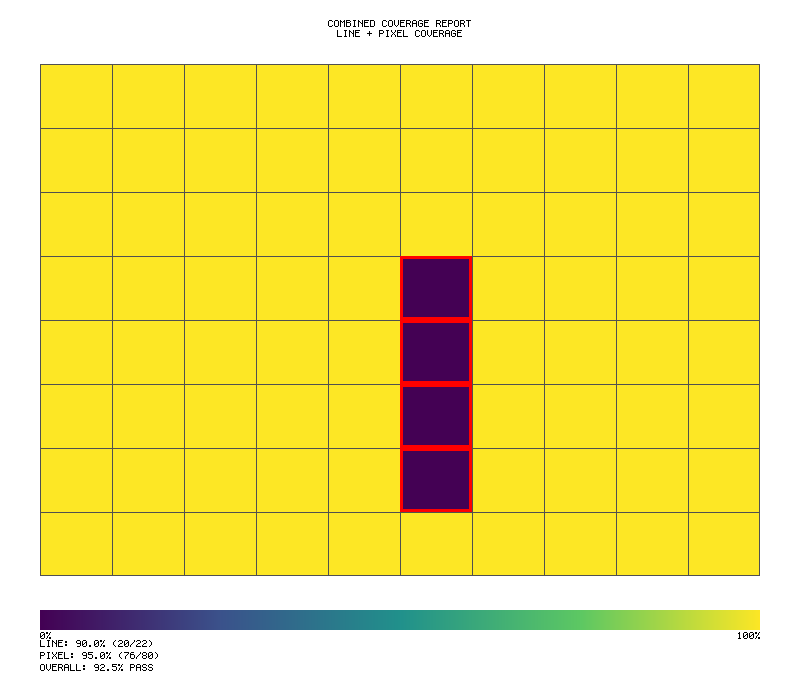
Integration with CI
- name: Generate coverage
run: |
cargo llvm-cov --lcov --output-path lcov.info
cargo llvm-cov report --summary-only
- name: Upload coverage
uses: codecov/codecov-action@v3
with:
files: lcov.info
LCOV Reports
Toyota Way: Mieruka (Visibility) - Standard coverage format
Generate LCOV format coverage reports for CI integration.
HTML Reports
Toyota Way: Mieruka (Visibility) - Visual coverage for human review
Generate visual HTML coverage reports.
Cobertura XML
Toyota Way: Heijunka (Level Loading) - Standard CI/CD integration format
Generate Cobertura XML coverage reports.
GUI Coverage
Probar Principle: Complete UX verification with minimal boilerplate
Track 100% user experience coverage for your GUI applications. Probar's GUI coverage is designed to be trivially simple - define what needs testing, run your tests, get a percentage.
Coverage Flow
┌─────────────────────────────────────────────────────────────────┐
│ GUI COVERAGE TRACKING │
├─────────────────────────────────────────────────────────────────┤
│ │
│ ┌───────────────────────────────────────────────────────────┐ │
│ │ Define Elements │ │
│ │ gui_coverage! { │ │
│ │ buttons: ["start", "pause", "quit"], │ │
│ │ screens: ["title", "playing", "game_over"] │ │
│ │ } │ │
│ └───────────────────────────────────────────────────────────┘ │
│ │ │
│ ▼ │
│ ┌───────────────────────────────────────────────────────────┐ │
│ │ Run Tests │ │
│ │ ┌─────────┐ ┌─────────┐ ┌─────────┐ ┌─────────┐ │ │
│ │ │ click() │ │ visit() │ │ input() │ │ modal() │ │ │
│ │ └────┬────┘ └────┬────┘ └────┬────┘ └────┬────┘ │ │
│ │ └───────────┬┴───────────┴──────────────┘ │ │
│ │ ▼ │ │
│ │ ┌───────────────┐ │ │
│ │ │ Tracker │ │ │
│ │ │ ☑ start │ │ │
│ │ │ ☐ pause │ │ │
│ │ │ ☐ quit │ │ │
│ │ │ ☑ title │ │ │
│ │ │ ☐ playing │ │ │
│ │ └───────────────┘ │ │
│ └───────────────────────────────────────────────────────────┘ │
│ │ │
│ ▼ │
│ ┌───────────────────────────────────────────────────────────┐ │
│ │ Get Results │ │
│ │ gui.summary() → "GUI: 33% (1/3 elements, 1/3 screens)" │ │
│ │ gui.meets(80) → false │ │
│ └───────────────────────────────────────────────────────────┘ │
│ │
└─────────────────────────────────────────────────────────────────┘
Quick Start
The simplest way to track GUI coverage:
#![allow(unused)] fn main() { use probar::gui_coverage; // Define what needs testing (one line!) let mut gui = gui_coverage! { buttons: ["start", "pause", "quit"], screens: ["title", "playing", "game_over"] }; // Record interactions during tests gui.click("start"); gui.visit("title"); // Get coverage - one line! println!("{}", gui.summary()); // "GUI: 33% (1/3 elements, 1/3 screens)" assert!(gui.meets(80.0)); // Fail if below 80% }
Why GUI Coverage?
Traditional code coverage tells you which lines of code executed. But for GUI applications, you also need to know:
- Were all buttons tested?
- Were all screens visited?
- Were all user interactions exercised?
Probar's GUI coverage answers these questions with a simple percentage.
The gui_coverage! Macro
The easiest way to define coverage requirements:
#![allow(unused)] fn main() { use probar::gui_coverage; let mut gui = gui_coverage! { buttons: ["save", "cancel", "delete"], inputs: ["username", "password"], screens: ["login", "dashboard", "settings"], modals: ["confirm_delete", "success"] }; }
Supported Element Types
| Type | What it tracks |
|---|---|
buttons | Click interactions |
inputs | Focus, input, and blur events |
screens | Screen/page visits |
modals | Modal dialog visits |
Simple API Methods
Once you have a tracker, use these simple methods:
Recording Interactions
#![allow(unused)] fn main() { gui.click("button_id"); // Record button click gui.input("field_id"); // Record input field interaction gui.visit("screen_name"); // Record screen visit gui.visit_modal("modal_id"); // Record modal visit }
Checking Coverage
#![allow(unused)] fn main() { gui.percent() // Get coverage as 0-100 gui.meets(95.0) // Check if meets threshold gui.is_complete() // Check if 100% gui.summary() // One-line summary string gui.generate_report() // Detailed report }
Pre-built Presets
Calculator Applications
#![allow(unused)] fn main() { use probar::calculator_coverage; let mut gui = calculator_coverage(); // Includes: btn-0 through btn-9, btn-plus, btn-minus, etc. // Plus screens: calculator, history }
Game Applications
#![allow(unused)] fn main() { use probar::game_coverage; let mut gui = game_coverage( &["start", "pause", "restart", "quit"], &["title", "playing", "paused", "game_over"] ); }
Builder Pattern
For custom coverage requirements:
#![allow(unused)] fn main() { use probar::UxCoverageBuilder; let mut gui = UxCoverageBuilder::new() .button("submit") .button("cancel") .input("email") .input("password") .screen("login") .screen("dashboard") .modal("confirm") .build(); }
Integration with Test Drivers
With WasmDriver
#![allow(unused)] fn main() { use probar::{gui_coverage, UxCoverageTracker}; use showcase_calculator::prelude::WasmDriver; #[test] fn test_calculator_gui_coverage() { let mut gui = gui_coverage! { buttons: ["btn-7", "btn-times", "btn-6", "btn-equals"], screens: ["calculator"] }; let mut driver = WasmDriver::new(); // Test: 7 * 6 = 42 driver.type_input("7 * 6"); gui.click("btn-7"); gui.click("btn-times"); gui.click("btn-6"); driver.click_equals(); gui.click("btn-equals"); gui.visit("calculator"); assert_eq!(driver.get_result(), "42"); assert!(gui.is_complete()); } }
With TuiDriver
#![allow(unused)] fn main() { #[test] fn test_tui_gui_coverage() { let mut gui = gui_coverage! { buttons: ["calculate", "clear"], screens: ["main", "help"] }; let mut driver = TuiDriver::new(); // Run TUI tests driver.send_input("2 + 2"); gui.click("calculate"); driver.press_key(KeyCode::Char('?')); gui.visit("help"); println!("{}", gui.summary()); } }
User Journey Tracking
Track sequences of user actions:
#![allow(unused)] fn main() { let mut tracker = UxCoverageTracker::new(); tracker.register_screen("home"); tracker.register_screen("products"); tracker.register_screen("cart"); tracker.register_screen("checkout"); // Journey 1: Complete purchase tracker.visit("home"); tracker.visit("products"); tracker.visit("cart"); tracker.visit("checkout"); tracker.end_journey(); // Journey 2: Browse only tracker.visit("home"); tracker.visit("products"); tracker.end_journey(); println!("Journeys: {}", tracker.journeys().len()); // 2 }
Detailed Reports
Get comprehensive coverage information:
#![allow(unused)] fn main() { let report = gui.generate_report(); println!("{}", report); }
Output:
UX Coverage Report
==================
Overall Coverage: 85.0%
Element Coverage: 90.0% (18/20 elements)
State Coverage: 80.0% (4/5 states)
Interactions: 45
User Journeys: 3
Status: INCOMPLETE
Assertions
Assert Minimum Coverage
#![allow(unused)] fn main() { gui.assert_coverage(0.95)?; // Fail if below 95% }
Assert Complete Coverage
#![allow(unused)] fn main() { gui.assert_complete()?; // Fail if not 100% }
Example: Full Test Suite
#![allow(unused)] fn main() { use probar::{gui_coverage, calculator_coverage}; #[test] fn test_full_gui_coverage() { let mut gui = calculator_coverage(); // Test all digits for d in 0..=9 { simulate_digit_click(d); gui.click(&format!("btn-{}", d)); } // Test operators for op in ["plus", "minus", "times", "divide", "equals", "clear"] { simulate_operator(op); gui.click(&format!("btn-{}", op)); } // Test screens gui.visit("calculator"); gui.visit("history"); // Assert 100% coverage assert!(gui.is_complete(), "Missing: {}", gui.summary()); } }
Running the Example
cargo run --example gui_coverage
Output:
=== GUI Coverage Example ===
1. Using gui_coverage! macro (simplest)...
GUI: 50% (1/3 elements, 2/3 screens)
2. Calculator preset (20 buttons + 2 screens)...
GUI: 60% (14/20 elements, 1/2 screens)
3. Game coverage helper...
GUI: 90% (4/5 elements, 5/5 screens)
...
Best Practices
- Define coverage requirements upfront - Know what needs testing before writing tests
- Use presets when applicable -
calculator_coverage()andgame_coverage()save time - Track coverage incrementally - Use
gui.percent()to see progress - Assert at test end - Use
assert!(gui.meets(95.0))to enforce thresholds - Generate reports for CI - Use
gui.generate_report()for detailed output
API Reference
UxCoverageTracker Methods
| Method | Description |
|---|---|
new() | Create empty tracker |
register_button(id) | Register a button to track |
register_input(id) | Register an input field |
register_screen(name) | Register a screen |
register_modal(name) | Register a modal |
click(id) | Record button click |
input(id) | Record input interaction |
visit(screen) | Record screen visit |
visit_modal(modal) | Record modal visit |
summary() | Get one-line summary |
percent() | Get coverage 0-100 |
meets(threshold) | Check if meets threshold |
is_complete() | Check if 100% |
generate_report() | Get detailed report |
assert_coverage(min) | Assert minimum coverage |
assert_complete() | Assert 100% coverage |
UxCoverageBuilder Methods
| Method | Description |
|---|---|
new() | Create new builder |
button(id) | Add button requirement |
input(id) | Add input requirement |
screen(name) | Add screen requirement |
modal(name) | Add modal requirement |
clickable(type, id) | Add custom clickable |
element(elem, interactions) | Add custom element |
state(category, name) | Add custom state |
build() | Build the tracker |
Pixel Coverage Heatmaps (PIXEL-001 v2.1)
Pixel-Perfect Visual Coverage Analysis: See exactly which screen regions are tested with statistical rigor and Popperian falsification
Probar's pixel coverage system provides comprehensive visual verification:
- Heatmap visualization with Viridis/Magma/Heat color palettes
- Statistical rigor via Wilson score confidence intervals
- Popperian falsification with FalsifiabilityGate (15/25 threshold)
- Pixel-perfect metrics: SSIM, PSNR, CIEDE2000 (ΔE₀₀), Perceptual Hash
- Rich terminal output with score bars and ANSI colors
Quick Start
#![allow(unused)] fn main() { use jugar_probar::pixel_coverage::{ PixelCoverageTracker, PixelRegion, PngHeatmap, ColorPalette }; // Create tracker for 800x600 screen with 20x15 grid let mut tracker = PixelCoverageTracker::new(800, 600, 20, 15); // Record covered regions during tests tracker.record_region(PixelRegion::new(0, 0, 800, 100)); // Header tracker.record_region(PixelRegion::new(0, 100, 400, 400)); // Left panel tracker.record_region(PixelRegion::new(0, 500, 800, 100)); // Footer // Generate PNG heatmap PngHeatmap::new(800, 600) .with_palette(ColorPalette::viridis()) .with_title("UI Coverage") .with_legend() .with_gap_highlighting() .export_to_file(tracker.cells(), "coverage.png") .unwrap(); }
CLI Usage
Generate heatmaps from the command line:
# Basic heatmap
probar coverage --png output.png
# With all options
probar coverage --png heatmap.png \
--palette viridis \
--legend \
--gaps \
--title "My Coverage Report" \
--width 1920 \
--height 1080
# Export JSON report
probar coverage --json report.json
# Available palettes: viridis, magma, heat
probar coverage --png output.png --palette magma
Color Palettes
Viridis (Default)
Perceptually uniform, colorblind-safe palette. Dark purple (0%) to yellow (100%).
#![allow(unused)] fn main() { PngHeatmap::new(800, 600) .with_palette(ColorPalette::viridis()) }
Magma
Dark to bright palette. Black (0%) through purple/magenta to light yellow (100%).
#![allow(unused)] fn main() { PngHeatmap::new(800, 600) .with_palette(ColorPalette::magma()) }
Heat
Classic heat map. Black (0%) through red/orange/yellow to white (100%).
#![allow(unused)] fn main() { PngHeatmap::new(800, 600) .with_palette(ColorPalette::heat()) }
Title and Subtitle
Add text labels to your heatmaps:
#![allow(unused)] fn main() { PngHeatmap::new(800, 600) .with_title("Coverage Analysis") .with_subtitle("Sprint 42 - Login Flow") .with_legend() .export_to_file(tracker.cells(), "output.png") .unwrap(); }
Gap Highlighting
Highlight untested regions with a red border:
#![allow(unused)] fn main() { PngHeatmap::new(800, 600) .with_gap_highlighting() // Red 3px border on 0% cells .export_to_file(tracker.cells(), "output.png") .unwrap(); }
Combined Coverage Report
Combine line coverage (from GUI testing) with pixel coverage:
#![allow(unused)] fn main() { use jugar_probar::pixel_coverage::{ LineCoverageReport, CombinedCoverageReport, PngHeatmap }; // Line coverage from GUI tests let line_report = LineCoverageReport::new( 0.90, // 90% element coverage 1.0, // 100% screen coverage 0.85, // 85% journey coverage 22, // total elements 20, // covered elements ); // Pixel coverage from tracker let pixel_report = tracker.generate_report(); // Combined report (50/50 weighted average) let combined = CombinedCoverageReport::from_parts(line_report, pixel_report); // Print summary println!("{}", combined.summary()); // Output: // Combined Coverage Report // ======================== // Line Coverage: 90.0% (20/22 elements) // Pixel Coverage: 75.0% (225/300 cells) // Overall Score: 82.5% // Threshold Met: ✓ // Generate PNG with stats panel PngHeatmap::new(800, 700) .with_title("Combined Coverage") .with_combined_stats(&combined) .with_legend() .export_to_file(tracker.cells(), "combined.png") .unwrap(); }
Terminal Heatmap (STDOUT)
Display coverage in the terminal with Unicode blocks:
#![allow(unused)] fn main() { let terminal = tracker.terminal_heatmap(); println!("{}", terminal.render_with_border()); println!("{}", terminal.legend()); }
Output:
┌────────────────────┐
│████████████████████│
│████████████ │
│████████████████████│
│████████████████████│
│ ████████████│
│████████████████████│
└────────────────────┘
Legend: █ = 76-100% ▓ = 51-75% ▒ = 26-50% ░ = 1-25% = 0%
Coverage Report
Get detailed coverage metrics:
#![allow(unused)] fn main() { let report = tracker.generate_report(); println!("Overall Coverage: {:.1}%", report.overall_coverage * 100.0); println!("Covered Cells: {}/{}", report.covered_cells, report.total_cells); println!("Meets Threshold: {}", report.meets_threshold); println!("Uncovered Regions: {}", report.uncovered_regions.len()); }
Defining UI Regions
Track specific UI components:
#![allow(unused)] fn main() { // Define your UI layout fn my_app_layout() -> Vec<(&'static str, PixelRegion)> { vec![ ("header", PixelRegion::new(0, 0, 800, 60)), ("sidebar", PixelRegion::new(0, 60, 200, 500)), ("main_content", PixelRegion::new(200, 60, 600, 400)), ("footer", PixelRegion::new(0, 560, 800, 40)), ] } // Track during tests let layout = my_app_layout(); for (name, region) in &layout { if test_covers_region(name) { tracker.record_region(*region); } } }
Trueno-viz Style Output
PngHeatmap uses trueno-viz style rendering with:
- Margins: Configurable padding around the plot area
- Background: White background (configurable)
- Borders: Optional cell borders
- Legend: Color scale bar with labels
- Title area: Top section for title/subtitle text
#![allow(unused)] fn main() { PngHeatmap::new(800, 600) .with_margin(40) // 40px margin .with_background(Rgb::new(255, 255, 255)) // White .with_borders(true) // Show cell borders .with_legend() .with_title("My Heatmap") .export_to_file(cells, "output.png") .unwrap(); }
Running the Example
cargo run --example pixel_coverage_heatmap -p jugar-probar
Output:
Pixel Coverage Heatmap Example
===============================
Step 1: Creating coverage tracker (10x8 grid on 800x600 screen)...
Step 2: Simulating coverage with gaps...
✓ Header area covered (rows 0-1)
✓ Left sidebar covered
✓ Right content covered
⚠ Middle content area is a GAP (uncovered)
✓ Footer area covered
Step 3: Coverage Report
Overall Coverage: 75.0%
Covered Cells: 60/80
Uncovered Regions: 1
Meets Threshold: ✗
Step 4: Generating PNG heatmaps...
✓ Viridis heatmap: /tmp/coverage_viridis.png
✓ Magma heatmap: /tmp/coverage_magma.png
✓ Heat heatmap: /tmp/coverage_heat.png
...
✅ Pixel coverage heatmap example completed!
API Reference
PixelCoverageTracker
| Method | Description |
|---|---|
new(width, height, cols, rows) | Create tracker |
record_point(x, y) | Record single pixel |
record_region(region) | Record rectangular region |
generate_report() | Get PixelCoverageReport |
cells() | Get coverage grid |
terminal_heatmap() | Get terminal renderer |
PngHeatmap
| Method | Description |
|---|---|
new(width, height) | Create PNG exporter |
with_palette(palette) | Set color palette |
with_title(text) | Add title text |
with_subtitle(text) | Add subtitle text |
with_legend() | Show color legend |
with_gap_highlighting() | Red border on gaps |
with_margin(px) | Set margin size |
with_combined_stats(report) | Add stats panel |
export(cells) | Export to bytes |
export_to_file(cells, path) | Export to file |
ColorPalette
| Method | Description |
|---|---|
viridis() | Colorblind-safe (default) |
magma() | Dark to bright |
heat() | Classic heat map |
interpolate(coverage) | Get color for 0.0-1.0 |
LineCoverageReport
| Field | Description |
|---|---|
element_coverage | Percentage 0.0-1.0 |
screen_coverage | Percentage 0.0-1.0 |
journey_coverage | Percentage 0.0-1.0 |
total_elements | Total trackable elements |
covered_elements | Elements exercised |
CombinedCoverageReport
| Method | Description |
|---|---|
from_parts(line, pixel) | Create from reports |
with_weights(line_w, pixel_w) | Custom weighting |
summary() | Text summary |
overall_score | Weighted average |
meets_threshold | Above 80% default |
Visual Regression Testing
Probar includes a visual_regression module for verifying PNG output consistency:
#![allow(unused)] fn main() { use jugar_probar::pixel_coverage::heatmap::visual_regression::*; // Generate deterministic test data let cells = reference_gradient_cells(10, 15); // Generate and checksum PNG let png = PngHeatmap::new(800, 600).export(&cells)?; let checksum = compute_checksum(&png); // Compare images with tolerance let result = compare_png_with_tolerance(&reference, &generated, 5)?; assert!(result.matches); println!("Diff: {:.2}%, Max diff: {}", result.diff_percentage, result.max_diff); }
Reference Cell Generators
| Function | Description |
|---|---|
reference_gradient_cells(rows, cols) | Diagonal gradient pattern |
reference_gap_cells(rows, cols) | Gradient with deterministic gaps |
reference_uniform_cells(rows, cols, coverage) | Uniform coverage value |
Example gradient pattern with gaps (generated by reference_gap_cells):
ComparisonResult
| Field | Description |
|---|---|
matches | Whether images match within tolerance |
diff_percentage | Percentage of differing pixels |
max_diff | Maximum per-channel color difference |
diff_count | Number of differing pixels |
total_pixels | Total pixels compared |
PIXEL-001 v2.1 Features
Popperian Falsification
The falsification framework implements Karl Popper's scientific methodology for coverage testing:
#![allow(unused)] fn main() { use jugar_probar::pixel_coverage::{ FalsifiabilityGate, FalsifiableHypothesis }; // Create gate with 15/25 threshold (default) let gate = FalsifiabilityGate::new(15.0); // Build falsifiable hypothesis let hypothesis = FalsifiableHypothesis::coverage_threshold("H0-COV-01", 0.95); // Evaluate with actual coverage let result = hypothesis.evaluate(0.98); // 98% coverage // Check if falsified (coverage < threshold) println!("Falsified: {}", result.falsified); // false (98% >= 95%) // Gate evaluation let gate_result = gate.evaluate(&result); println!("Gate passed: {}", gate_result.is_passed()); println!("Score: {}", gate_result.score()); // 20.0 }
Hypothesis Types
| Constructor | Description | Falsification Criterion |
|---|---|---|
coverage_threshold(id, threshold) | Coverage must exceed threshold | Coverage < threshold |
max_gap_size(id, max_gap) | No gap larger than max | Gap > max_gap |
ssim_threshold(id, min_ssim) | SSIM must exceed minimum | SSIM < min_ssim |
Wilson Score Confidence Intervals
Statistical rigor for coverage proportions:
#![allow(unused)] fn main() { use jugar_probar::pixel_coverage::ConfidenceInterval; // Calculate 95% Wilson score interval let ci = ConfidenceInterval::wilson_score( 85, // successes (covered cells) 100, // total (all cells) 0.95, // confidence level ); println!("Coverage: 85% [{:.1}%, {:.1}%]", ci.lower * 100.0, ci.upper * 100.0); // Output: Coverage: 85% [76.7%, 90.9%] }
Score Bars
Visual progress indicators with threshold highlighting:
#![allow(unused)] fn main() { use jugar_probar::pixel_coverage::{ScoreBar, OutputMode}; let bar = ScoreBar::new("Coverage", 0.85, 0.80); // 85% vs 80% threshold println!("{}", bar.render(OutputMode::RichAnsi)); // Output: [32m Coverage: 85.0% █████████████████████ [0m }
Rich Terminal Output
Full-featured terminal heatmap with ANSI colors:
#![allow(unused)] fn main() { use jugar_probar::pixel_coverage::{RichTerminalHeatmap, OutputMode}; let heatmap = RichTerminalHeatmap::new(cells) .with_title("Coverage Analysis") .with_mode(OutputMode::RichAnsi); println!("{}", heatmap.render()); }
Output modes:
RichAnsi: 24-bit true color (default)NoColorAscii: Plain ASCII forNO_COLORenvironmentsJson: Machine-readable for CI tools
Pixel-Perfect Metrics
SSIM (Structural Similarity Index)
#![allow(unused)] fn main() { use jugar_probar::pixel_coverage::{SsimMetric, Rgb}; let ssim = SsimMetric::default(); // 8x8 window let result = ssim.compare(&reference, &generated, 800, 600); println!("SSIM: {:.4}", result.score); // 0.0 to 1.0 println!("Per-channel: {:?}", result.channel_scores); }
| Score | Quality |
|---|---|
| > 0.99 | Identical |
| 0.95-0.99 | Excellent |
| 0.90-0.95 | Good |
| < 0.90 | Degraded |
PSNR (Peak Signal-to-Noise Ratio)
#![allow(unused)] fn main() { use jugar_probar::pixel_coverage::PsnrMetric; let psnr = PsnrMetric::default(); let result = psnr.compare(&reference, &generated); println!("PSNR: {:.1} dB", result.psnr); println!("Quality: {:?}", result.quality); }
| dB | Quality |
|---|---|
| > 40 | Excellent |
| 30-40 | Good |
| 20-30 | Acceptable |
| < 20 | Poor |
CIEDE2000 (ΔE₀₀ Color Difference)
#![allow(unused)] fn main() { use jugar_probar::pixel_coverage::{CieDe2000Metric, Lab}; let metric = CieDe2000Metric::default(); let lab1 = Lab::from_rgb(&Rgb::new(255, 0, 0)); let lab2 = Lab::from_rgb(&Rgb::new(250, 5, 5)); let delta_e = metric.delta_e(&lab1, &lab2); println!("ΔE₀₀: {:.2}", delta_e); }
| ΔE₀₀ | Perception |
|---|---|
| < 1.0 | Imperceptible |
| 1.0-2.0 | Perceptible on close inspection |
| 2.0-10.0 | Perceptible at a glance |
| > 10.0 | Colors appear different |
Perceptual Hashing
#![allow(unused)] fn main() { use jugar_probar::pixel_coverage::{PerceptualHash, PhashAlgorithm}; let hasher = PerceptualHash::new(PhashAlgorithm::PHash); let hash1 = hasher.compute(&image1, 100, 100); let hash2 = hasher.compute(&image2, 100, 100); let distance = hasher.hamming_distance(hash1, hash2); println!("Hamming distance: {}", distance); // 0 = identical }
Configuration Schema
Configure pixel coverage via probar.toml:
[pixel_coverage]
enabled = true
methodology = "popperian"
[pixel_coverage.thresholds]
minimum = 0.60
target = 0.85
complete = 1.0
falsifiability_gateway = 15.0
[pixel_coverage.verification]
ssim_threshold = 0.95
psnr_threshold = 30.0
delta_e_threshold = 2.0
phash_max_distance = 5
[pixel_coverage.output]
format = "rich_ansi"
show_heatmap = true
show_confidence_intervals = true
show_score_bars = true
[pixel_coverage.performance]
parallel = true
threads = 0 # auto-detect
batch_size = 1024
Calculator Demo (Dogfooding Example)
Run the calculator demo with full PIXEL-001 v2.1 integration:
cargo run -p showcase-calculator --example gui_coverage_report
Output:
===============================================================
SHOWCASE CALCULATOR - PIXEL-PERFECT COVERAGE (v2.1)
===============================================================
--- GUI ELEMENT COVERAGE ---
[32m Elements: 100.0% █████████████████████████[0m
Covered: 21/21 elements, 4/4 screens
--- PIXEL-LEVEL COVERAGE ---
[32m Pixels: 100.0% █████████████████████████[0m
Cells: 24/24 covered
--- STATISTICAL RIGOR (Wilson Score 95% CI) ---
Pixel Coverage: 100.0% [86.2%, 100.0%]
GUI Coverage: 100.0% [84.5%, 100.0%]
--- POPPERIAN FALSIFICATION ---
H0-PIX-CALC-01: [NOT FALSIFIED]
Actual: 100.0% vs Threshold: 100.0%
Gate Status: [PASSED]
===============================================================
[OK] STATUS: PIXEL-PERFECT COVERAGE ACHIEVED!
===============================================================
Project Testing Score
The probador serve score command generates a comprehensive 115-point score evaluating how thoroughly your project implements probar's testing capabilities across 10 categories.
Score Overview
┌─────────────────────────────────────────────────────────────────┐
│ 115-POINT SCORING SYSTEM │
├─────────────────────────────────────────────────────────────────┤
│ │
│ ┌─────────────────────────────────────────────────────────────┐ │
│ │ Score Categories │ │
│ │ │ │
│ │ ┌────────────────┐ ┌────────────────┐ ┌────────────────┐ │ │
│ │ │ Runtime │ │ Playbook │ │ Pixel │ │ │
│ │ │ Health │ │ Coverage │ │ Testing │ │ │
│ │ │ (15 pts) │ │ (15 pts) │ │ (13 pts) │ │ │
│ │ └────────────────┘ └────────────────┘ └────────────────┘ │ │
│ │ │ │
│ │ ┌────────────────┐ ┌────────────────┐ ┌────────────────┐ │ │
│ │ │ GUI │ │ Performance │ │ Load Testing │ │ │
│ │ │ Interaction │ │ Benchmarks │ │ Config │ │ │
│ │ │ (13 pts) │ │ (14 pts) │ │ (10 pts) │ │ │
│ │ └────────────────┘ └────────────────┘ └────────────────┘ │ │
│ │ │ │
│ │ ┌────────────────┐ ┌────────────────┐ ┌────────────────┐ │ │
│ │ │ Deterministic │ │ Cross-Browser │ │ Accessibility │ │ │
│ │ │ Replay │ │ Testing │ │ Testing │ │ │
│ │ │ (10 pts) │ │ (10 pts) │ │ (10 pts) │ │ │
│ │ └────────────────┘ └────────────────┘ └────────────────┘ │ │
│ │ │ │
│ │ ┌────────────────┐ │ │
│ │ │ Documentation │ Note: Runtime Health gates grade │ │
│ │ │ Quality │ caps (failures cap at C grade) │ │
│ │ │ (5 pts) │ │ │
│ │ └────────────────┘ │ │
│ └─────────────────────────────────────────────────────────────┘ │
│ │
│ Grade: A (90%+), B (80-89%), C (70-79%), D (60-69%), F (<60%) │
│ │
└─────────────────────────────────────────────────────────────────┘
Quick Start
# Generate score for current directory
probador serve score
# With detailed breakdown
probador serve score --verbose
# Set minimum threshold (CI gate)
probador serve score --min 80
# Output as JSON
probador serve score --format json
# Generate binary report (view with TUI)
probador serve score --report score-report.msgpack
Score Output
PROJECT TESTING SCORE: demos/realtime-transcription
━━━━━━━━━━━━━━━━━━━━━━━━━━━━━━━━━━━━━━━━━━━━━━━━━━━
Overall Score: 85/115 (74%, B)
┌─────────────────────┬────────┬────────┬─────────────────────────────────┐
│ Category │ Score │ Max │ Status │
├─────────────────────┼────────┼────────┼─────────────────────────────────┤
│ Runtime Health │ 15/15 │ 15 │ ✓ WASM loads, no JS errors │
│ Playbook Coverage │ 12/15 │ 15 │ ⚠ Missing: error state coverage │
│ Pixel Testing │ 10/13 │ 13 │ ⚠ Missing: error state snapshot │
│ GUI Interaction │ 10/13 │ 13 │ ⚠ Missing: keyboard navigation │
│ Performance │ 14/14 │ 14 │ ✓ All benchmarks defined │
│ Load Testing │ 8/10 │ 10 │ ⚠ No sustained load config │
│ Deterministic Replay│ 8/10 │ 10 │ ⚠ No edge case recordings │
│ Cross-Browser │ 5/10 │ 10 │ ✗ Only Chrome tested │
│ Accessibility │ 3/10 │ 10 │ ✗ No ARIA labels tested │
│ Documentation │ 0/5 │ 5 │ ✗ Missing test docs │
└─────────────────────┴────────┴────────┴─────────────────────────────────┘
Grade Scale: A (90%+), B (80-89%), C (70-79%), D (60-69%), F (<60%)
Top 3 Recommendations:
1. Add Firefox/Safari to cross-browser matrix (+5 points)
2. Add ARIA label assertions to GUI tests (+4 points)
3. Add tests/README.md documentation (+5 points)
Run `probador serve score --verbose` for detailed breakdown.
Scoring Categories
Runtime Health (15 points)
| Criterion | Points | Measurement |
|---|---|---|
| WASM loads successfully | 5 | Module instantiation without errors |
| No JS console errors | 4 | Zero uncaught exceptions |
| No memory leaks | 3 | Stable memory after warm-up |
| Graceful error handling | 3 | Errors caught and reported |
Playbook Coverage (15 points)
| Criterion | Points | Measurement |
|---|---|---|
| Playbook exists | 4 | playbooks/*.yaml present |
| All states defined | 4 | States match actual UI states |
| Invariants per state | 4 | At least 1 invariant per state |
| Forbidden transitions | 3 | Edge cases documented |
Pixel Testing (13 points)
| Criterion | Points | Measurement |
|---|---|---|
| Baseline snapshots exist | 4 | snapshots/*.png present |
| Coverage of states | 4 | Snapshots for 80%+ of states |
| Responsive variants | 3 | Mobile/tablet/desktop snapshots |
| Dark mode variants | 2 | Theme-aware snapshots |
GUI Interaction Testing (13 points)
| Criterion | Points | Measurement |
|---|---|---|
| Click handlers tested | 4 | All buttons have click tests |
| Form inputs tested | 4 | All inputs have validation tests |
| Keyboard navigation | 3 | Tab order and shortcuts tested |
| Touch events | 2 | Swipe/pinch gestures (if applicable) |
Performance Benchmarks (14 points)
| Criterion | Points | Measurement |
|---|---|---|
| RTF target defined | 5 | performance.rtf_target in playbook |
| Memory threshold | 4 | performance.max_memory_mb defined |
| Latency targets | 3 | p95/p99 latency assertions |
| Baseline file exists | 2 | baseline.json present |
Load Testing (10 points)
| Criterion | Points | Measurement |
|---|---|---|
| Load test config exists | 3 | load_test.yaml or equivalent |
| Concurrent user targets | 3 | Defined user load levels |
| Sustained load duration | 2 | Tests run for adequate duration |
| Resource monitoring | 2 | CPU/memory tracked during load |
Deterministic Replay (10 points)
| Criterion | Points | Measurement |
|---|---|---|
| Happy path recording | 4 | Main user flow recorded |
| Error path recordings | 3 | Error scenarios captured |
| Edge case recordings | 3 | Boundary conditions recorded |
Cross-Browser Testing (10 points)
| Criterion | Points | Measurement |
|---|---|---|
| Chrome tested | 3 | Chromium-based browser in matrix |
| Firefox tested | 3 | Gecko engine in matrix |
| Safari/WebKit tested | 3 | WebKit engine in matrix |
| Mobile browser tested | 1 | iOS Safari or Chrome Android |
Accessibility Testing (10 points)
| Criterion | Points | Measurement |
|---|---|---|
| ARIA labels | 3 | Interactive elements have labels |
| Color contrast | 3 | WCAG AA contrast ratios |
| Screen reader flow | 2 | Logical reading order |
| Focus indicators | 2 | Visible focus states |
Documentation (5 points)
| Criterion | Points | Measurement |
|---|---|---|
| Test README exists | 2 | tests/README.md present |
| Test rationale documented | 2 | Why, not just what |
| Running instructions | 1 | Clear setup/execution steps |
CI/CD Integration
Use score as a quality gate in CI:
# .github/workflows/test-score.yml
name: Test Score Gate
on: [push, pull_request]
jobs:
score:
runs-on: ubuntu-latest
steps:
- uses: actions/checkout@v4
- name: Install probador
run: cargo install probador
- name: Check test score
run: probador serve score --min 80 --format json > score.json
- name: Upload score artifact
uses: actions/upload-artifact@v4
with:
name: test-score
path: score.json
- name: Comment on PR
if: github.event_name == 'pull_request'
uses: actions/github-script@v7
with:
script: |
const score = require('./score.json');
github.rest.issues.createComment({
issue_number: context.issue.number,
owner: context.repo.owner,
repo: context.repo.repo,
body: `## Test Score: ${score.total}/${score.max} (${score.grade})\n\n${score.summary}`
});
Score History
Track score over time:
# Append to history file
probador serve score --history scores.jsonl
# View trend
probador serve score --trend
Trend Output
SCORE TREND: demos/realtime-transcription
━━━━━━━━━━━━━━━━━━━━━━━━━━━━━━━━━━━━━━━━━
100 ┤
90 ┤ ╭──
80 ┤ ╭─────────╯
70 ┤ ╭────────╯
60 ┤ ╭─────╯
50 ┤────╯
40 ┤
└────────────────────────────────
Dec 1 Dec 5 Dec 10 Dec 14
Current: 73/100 (+8 from last week)
Target: 80/100 by Dec 21
CLI Reference
probador serve score [OPTIONS] [PATH]
Arguments:
[PATH] Project directory [default: .]
Options:
--verbose Show detailed breakdown
--format <FORMAT> Output format (console, json)
--min <SCORE> Minimum required score (exit non-zero if below)
--report <FILE> Generate HTML report
--history <FILE> Append to JSONL history file
--trend Show score trend chart
-h, --help Print help
Programmatic API
#![allow(unused)] fn main() { use probador::score::{ProjectScore, calculate_score}; let score = calculate_score("./demos/realtime-transcription")?; println!("Total: {}/{} ({})", score.total, score.max, score.grade); for category in &score.categories { println!("{}: {}/{}", category.name, category.score, category.max); } for rec in &score.recommendations { println!("{}. {} (+{} points)", rec.priority, rec.action, rec.potential_points); } }
Improving Your Score
Quick Wins (Low Effort, High Points)
- Add a playbook - 5 points for just having one
- Create baseline snapshots - 5 points for visual regression
- Add Chrome to test matrix - 3 points
Medium Effort
- Define invariants - 5 points for state validation
- Add keyboard tests - 3 points for accessibility
- Record happy path - 4 points for replay testing
High Effort, High Value
- Cross-browser testing - Up to 10 points
- Full accessibility audit - Up to 10 points
- Complete state coverage - Up to 20 points
Best Practices
- Run score regularly - Track progress over time
- Set minimum thresholds - Prevent quality regression
- Focus on recommendations - Prioritized by impact
- Review in PRs - Comment score changes on pull requests
- Celebrate milestones - Team visibility on improvements
Brick Architecture
Brick Architecture enables widget-level testing with built-in assertions, performance budgets, and verification. Each "brick" is a testable widget component that declares its testing requirements upfront.
Overview
The Brick trait allows widgets to:
- Declare assertions they must satisfy (e.g., text visible, contrast ratio)
- Set performance budgets (e.g., 16ms for 60fps rendering)
- Define verification logic that runs before rendering
Quick Start
#![allow(unused)] fn main() { use jugar_probar::brick::{Brick, BrickAssertion, BrickBudget, BrickVerification}; struct MyButton { label: String, } impl Brick for MyButton { fn brick_name(&self) -> &'static str { "MyButton" } fn assertions(&self) -> &[BrickAssertion] { &[ BrickAssertion::TextVisible, BrickAssertion::ContrastRatio(4.5), ] } fn budget(&self) -> BrickBudget { BrickBudget::uniform(16) // 60fps target } fn verify(&self) -> BrickVerification { BrickVerification::pass() } } }
Assertions
Built-in assertions include:
| Assertion | Description |
|---|---|
TextVisible | Text content is visible |
ContrastRatio(f64) | WCAG contrast ratio minimum |
MinSize { w, h } | Minimum dimensions |
Accessible | Meets accessibility requirements |
Custom { name, validator_id } | Custom validation logic |
Performance Budgets
#![allow(unused)] fn main() { // Uniform budget: all operations share 16ms BrickBudget::uniform(16) // Tiered budget: layout gets more time than paint BrickBudget { layout_ms: 8, paint_ms: 4, total_ms: 16, } }
Verification
#![allow(unused)] fn main() { fn verify(&self) -> BrickVerification { let mut passed = Vec::new(); let mut failed = Vec::new(); // Check contrast ratio if self.contrast_ratio() >= 4.5 { passed.push(BrickAssertion::ContrastRatio(4.5)); } else { failed.push(( BrickAssertion::ContrastRatio(4.5), format!("Contrast {} < 4.5", self.contrast_ratio()), )); } BrickVerification { passed, failed, verification_time: Duration::from_micros(100), } } }
TUI Integration
Brick Architecture integrates seamlessly with ratatui widgets:
#![allow(unused)] fn main() { use jugar_probar::brick::tui::BrickWidget; let button = BrickWidget::new("Submit") .with_assertion(BrickAssertion::TextVisible) .with_budget(BrickBudget::uniform(8)); // Verify before render assert!(button.can_render()); // Render to terminal frame.render_widget(button, area); }
Best Practices
- Declare assertions upfront - Define what each widget must satisfy
- Set realistic budgets - 16ms for 60fps, 8ms for 120fps
- Verify before render - Call
can_render()to ensure constraints are met - Use presets - Standard button, input, and container presets available
BrickHouse: Budgeted Composition
Compose multiple bricks with a total performance budget. The BrickHouse enforces Jidoka (stop-the-line) principles - if any brick exceeds its budget, rendering halts.
#![allow(unused)] fn main() { use jugar_probar::brick_house::{BrickHouse, BrickHouseBuilder}; use std::sync::Arc; // Build a house with bricks and budgets let house = BrickHouseBuilder::new("whisper-app") .budget_ms(1000) // 1 second total .brick(Arc::new(status_brick), 50) // 50ms for status .brick(Arc::new(waveform_brick), 100) // 100ms for waveform .brick(Arc::new(transcription_brick), 600) // 600ms for transcription .build()?; // Verify all bricks can render assert!(house.can_render()); // Render with budget tracking let html = house.render()?; // Check budget report if let Some(report) = house.last_report() { println!("Utilization: {:.1}%", report.utilization()); assert!(report.within_budget()); } }
web_sys_gen: Zero Hand-Written web_sys
The web_sys_gen module provides generated abstractions that replace hand-written web_sys calls. This ensures:
- Traceability - All code is derived from brick specifications
- Consistency - Error handling is uniform
- No hand-written web_sys - Application code stays clean
Performance Timing
#![allow(unused)] fn main() { use jugar_probar::brick::web_sys_gen::PerformanceTiming; // Get high-resolution timestamp let start = PerformanceTiming::now(); // Measure an operation with automatic timing let (result, duration_ms) = PerformanceTiming::measure(|| { expensive_computation() }); println!("Operation took {:.2}ms", duration_ms); }
Custom Events
#![allow(unused)] fn main() { use jugar_probar::brick::web_sys_gen::{CustomEventDispatcher, EventDetail}; // Create a dispatcher for your event type let dispatcher = CustomEventDispatcher::new("transcription-complete"); // Dispatch with various detail types dispatcher.dispatch()?; // No detail dispatcher.dispatch_with_detail(EventDetail::string("Done"))?; dispatcher.dispatch_with_detail(EventDetail::number(42.0))?; dispatcher.dispatch_with_detail(EventDetail::json(&my_data))?; }
Blob URLs
#![allow(unused)] fn main() { use jugar_probar::brick::web_sys_gen::BlobUrl; // Create a blob URL from JavaScript code let worker_code = "self.onmessage = (e) => self.postMessage(e.data * 2);"; let url = BlobUrl::from_js_code(worker_code)?; // Use the URL to create a Worker // ... // Clean up when done BlobUrl::revoke(&url)?; }
Fetch Client
#![allow(unused)] fn main() { use jugar_probar::brick::web_sys_gen::FetchClient; let client = FetchClient::new(); // Fetch bytes from a URL (async) let bytes = client.fetch_bytes("https://example.com/data.bin").await?; }
Examples
Run the brick examples:
# Basic brick architecture demo
cargo run --example brick_demo -p jugar-probar
# Visual TUI demo - shows bricks "lighting up" as tests pass
cargo run --example brick_tui_demo -p jugar-probar
# web_sys_gen utilities demo
cargo run --example web_sys_gen_demo -p jugar-probar
Visual Brick Demo Output
The brick_tui_demo shows a live visualization of bricks being verified:
========================================
BRICK ARCHITECTURE - VERIFICATION COMPLETE
========================================
+-------+-------+-------+-------+-------+-------+
| S S | W W | A A | T T | E E | M M |
| Statu | Wave | Audio | Trans | Error | Model |
+-------+-------+-------+-------+-------+-------+
[GREEN] [GREEN] [GREEN] [GREEN] [RED] [GREEN]
Final Verification Results
-------------------------
Status [PASS] budget: 50ms actual: 12ms assertions: 3/3
Wave [PASS] budget: 100ms actual: 45ms assertions: 3/3
Audio [PASS] budget: 150ms actual: 67ms assertions: 3/3
Trans [PASS] budget: 600ms actual: 234ms assertions: 3/3
Error [FAIL] budget: 50ms actual: 15ms assertions: 1/2
Model [PASS] budget: 200ms actual: 89ms assertions: 3/3
Summary
-------
Bricks: 5 passed, 1 failed
Budget Utilization: 40.2% (healthy)
ComputeBlock Testing (presentar-terminal)
The compute-blocks feature enables testing of SIMD-optimized panel elements from presentar-terminal. ComputeBlocks are high-performance widgets like sparklines, gauges, and thermal displays that use SIMD instructions for efficient computation.
Enabling ComputeBlock Support
[dev-dependencies]
jugar-probar = { version = "1.0", features = ["compute-blocks"] }
ComputeBlockAssertion (Playwright-style API)
#![allow(unused)] fn main() { use jugar_probar::tui::{ComputeBlockAssertion, SimdInstructionSet}; use presentar_terminal::SparklineBlock; let mut block = SparklineBlock::new(60); block.push(50.0); // Fluent assertions ComputeBlockAssertion::new(&block) .to_have_simd_support() .to_have_latency_under(100) // microseconds .to_use_simd(SimdInstructionSet::Sse4); }
Soft Assertions (Collect Errors)
#![allow(unused)] fn main() { let mut assertion = ComputeBlockAssertion::new(&block).soft(); assertion.to_have_simd_support(); assertion.to_have_latency_under(50); // Check all errors at once if !assertion.errors().is_empty() { println!("Warnings: {:?}", assertion.errors()); } }
Latency Budget Validation
#![allow(unused)] fn main() { use jugar_probar::tui::assert_compute_latency; // Assert actual computation time is within the block's budget let duration = assert_compute_latency(&mut sparkline, &75.0)?; println!("Computed in {:?}", duration); }
SIMD Detection
#![allow(unused)] fn main() { use jugar_probar::tui::{detect_simd, simd_available, assert_simd_available}; use presentar_terminal::SimdInstructionSet; // Check what SIMD is available let simd = detect_simd(); println!("Detected: {} ({}-bit vectors)", simd.name(), simd.vector_width() * 8); // Quick check if simd_available() { println!("SIMD acceleration available"); } // Assert minimum SIMD level assert_simd_available(SimdInstructionSet::Avx2)?; }
BrickTestAssertion for Verification Gates
#![allow(unused)] fn main() { use jugar_probar::tui::{BrickTestAssertion, assert_brick_valid, assert_brick_budget}; // Playwright-style fluent API BrickTestAssertion::new(&my_widget) .to_be_valid() .to_have_budget_under(16) // milliseconds .to_be_renderable(); // Standalone assertions assert_brick_valid(&my_widget)?; // Measure phase timing let duration = assert_brick_budget(&my_widget, || { my_widget.paint(&mut buffer); }, "paint")?; }
Available ComputeBlock Types
The following presentar-terminal types are re-exported:
| Block Type | Description | SIMD Optimized |
|---|---|---|
SparklineBlock | Sparkline graph | Yes |
CpuFrequencyBlock | CPU frequency display | Yes |
CpuGovernorBlock | CPU governor status | No |
GpuThermalBlock | GPU temperature | Yes |
GpuVramBlock | GPU VRAM usage | Yes |
LoadTrendBlock | System load trend | Yes |
MemPressureBlock | Memory pressure indicator | Yes |
HugePagesBlock | HugePages status | No |
SIMD Instruction Sets
Probar detects and validates these instruction sets:
| Set | Vector Width | Platforms |
|---|---|---|
Scalar | 1 (no SIMD) | All |
Sse4 | 128-bit | x86_64 |
Avx2 | 256-bit | x86_64 |
Avx512 | 512-bit | x86_64 (server) |
Neon | 128-bit | ARM64 |
WasmSimd128 | 128-bit | WASM |
Example: Testing a Dashboard
#![allow(unused)] fn main() { use jugar_probar::tui::{ BrickTestAssertion, ComputeBlockAssertion, assert_brick_valid, assert_compute_latency, }; use presentar_terminal::{SparklineBlock, GpuThermalBlock}; #[test] fn test_dashboard_widgets() { // Test sparkline let mut sparkline = SparklineBlock::new(60); for i in 0..60 { sparkline.push(50.0 + (i as f64).sin() * 20.0); } ComputeBlockAssertion::new(&sparkline) .to_have_simd_support() .to_have_latency_under(100); // Test thermal display let thermal = GpuThermalBlock::new(75.0, 90.0); assert_brick_valid(&thermal).expect("Thermal widget must be valid"); } }
See Also
Fuzzing
Probar includes fuzzing support for finding edge cases in game logic.
Fuzzing Pipeline
┌─────────────────────────────────────────────────────────────────┐
│ FUZZING PIPELINE │
├─────────────────────────────────────────────────────────────────┤
│ │
│ ┌───────────────────────────────────────────────────────────┐ │
│ │ Input Generation │ │
│ │ ┌─────────────┐ ┌─────────────┐ ┌─────────────┐ │ │
│ │ │ RandomWalk │ │ Chaos │ │ Adversarial │ │ │
│ │ │ Agent │ │ Agent │ │ Agent │ │ │
│ │ │ (biased) │ │ (uniform) │ │ (targeted) │ │ │
│ │ └──────┬──────┘ └──────┬──────┘ └──────┬──────┘ │ │
│ │ └────────────────┼────────────────┘ │ │
│ │ ▼ │ │
│ │ ┌──────────────┐ │ │
│ │ │ Inputs │ │ │
│ │ │ Vec<Event> │ │ │
│ │ └──────────────┘ │ │
│ └───────────────────────────────────────────────────────────┘ │
│ │ │
│ ▼ │
│ ┌───────────────────────────────────────────────────────────┐ │
│ │ Simulation │ │
│ │ [seed] ─► [frames] ─► [state_hash] │ │
│ └───────────────────────────────────────────────────────────┘ │
│ │ │
│ ▼ │
│ ┌───────────────────────────────────────────────────────────┐ │
│ │ Invariant Checking │ │
│ │ ┌─────────────────────────────────────────────────────┐ │ │
│ │ │ ✓ ball_in_bounds ✓ score_valid ✗ no_crash │ │ │
│ │ └─────────────────────────────────────────────────────┘ │ │
│ └───────────────────────────────────────────────────────────┘ │
│ │ │
│ ┌───────────────┼───────────────┐ │
│ ▼ ▼ ▼ │
│ ┌────────────┐ ┌────────────┐ ┌────────────┐ │
│ │ Pass │ │ Fail │ │ Shrink │ │
│ │ (next) │ │ (report) │ │ (minimize)│ │
│ └────────────┘ └────────────┘ └────────────┘ │
│ │
└─────────────────────────────────────────────────────────────────┘
Fuzzing helps identify coverage gaps (shown as darker regions in the heatmap above)
Random Walk Agent
#![allow(unused)] fn main() { use jugar_probar::{RandomWalkAgent, Seed}; let seed = Seed::from_u64(12345); let mut agent = RandomWalkAgent::new(seed); // Generate random inputs for each frame for frame in 0..1000 { let inputs = agent.next_inputs(); platform.process_inputs(&inputs); platform.advance_frame(1.0 / 60.0); } }
Fuzzing with Invariants
#![allow(unused)] fn main() { use jugar_probar::{fuzz_with_invariants, FuzzConfig, Invariant}; let invariants = vec![ Invariant::new("no_crashes", |state| state.is_valid()), Invariant::new("ball_visible", |state| { state.ball.x.is_finite() && state.ball.y.is_finite() }), Invariant::new("score_bounded", |state| { state.score_left <= 100 && state.score_right <= 100 }), ]; let config = FuzzConfig { iterations: 1000, frames_per_iteration: 500, seed: 42, }; let result = fuzz_with_invariants(config, invariants); if !result.all_passed { for failure in &result.failures { println!("Invariant '{}' failed at iteration {} frame {}", failure.invariant_name, failure.iteration, failure.frame); println!("Reproducing seed: {}", failure.seed); } } }
Input Generation Strategies
#![allow(unused)] fn main() { // Random inputs let mut agent = RandomWalkAgent::new(seed); // Biased toward movement let mut agent = RandomWalkAgent::new(seed) .with_key_probability("KeyW", 0.3) .with_key_probability("KeyS", 0.3) .with_key_probability("Space", 0.1); // Chaos monkey (random everything) let mut agent = ChaosAgent::new(seed); // Adversarial (try to break the game) let mut agent = AdversarialAgent::new(seed) .target_invariant(|state| state.ball.y >= 0.0); }
Property-Based Testing
#![allow(unused)] fn main() { use proptest::prelude::*; proptest! { #[test] fn ball_stays_in_bounds(seed in 0u64..10000) { let config = SimulationConfig::new(seed, 1000); let result = run_simulation(config, |_| vec![]); prop_assert!(result.final_state.ball.x >= 0.0); prop_assert!(result.final_state.ball.x <= 800.0); prop_assert!(result.final_state.ball.y >= 0.0); prop_assert!(result.final_state.ball.y <= 600.0); } #[test] fn score_is_valid( seed in 0u64..10000, frames in 100u32..5000 ) { let config = SimulationConfig::new(seed, frames); let result = run_simulation(config, |_| vec![]); prop_assert!(result.final_state.score_left <= 10); prop_assert!(result.final_state.score_right <= 10); } } }
Seed Management
#![allow(unused)] fn main() { use jugar_probar::Seed; // From u64 let seed = Seed::from_u64(42); // From bytes let seed = Seed::from_bytes(&[1, 2, 3, 4, 5, 6, 7, 8]); // Random let seed = Seed::random(); // Get value for reproduction println!("Failing seed: {}", seed.as_u64()); }
Reproducing Failures
When fuzzing finds a failure, reproduce it:
#![allow(unused)] fn main() { #[test] fn reproduce_bug_12345() { // Seed from fuzzing failure let seed = Seed::from_u64(12345); let config = SimulationConfig::new(seed.as_u64(), 500); let result = run_simulation(config, |_| vec![]); // This should fail with the original bug assert!(result.final_state.ball.y >= 0.0); } }
Fuzzing Configuration
#![allow(unused)] fn main() { pub struct FuzzConfig { pub iterations: u32, // Number of random runs pub frames_per_iteration: u32, // Frames per run pub seed: u64, // Base seed pub timeout_seconds: u32, // Max time per iteration pub parallel: bool, // Run in parallel pub save_failures: bool, // Save failing cases } let config = FuzzConfig { iterations: 10000, frames_per_iteration: 1000, seed: 42, timeout_seconds: 10, parallel: true, save_failures: true, }; }
Shrinking
When a failure is found, Probar automatically shrinks the input:
#![allow(unused)] fn main() { let result = fuzz_with_shrinking(config, invariants); if let Some(failure) = result.first_failure { println!("Original failure at frame {}", failure.original_frame); println!("Shrunk to frame {}", failure.shrunk_frame); println!("Minimal inputs: {:?}", failure.minimal_inputs); } }
Continuous Fuzzing
Run fuzzing in CI:
# Run fuzzing for 10 minutes
FUZZ_DURATION=600 cargo test fuzz_ -- --ignored
# Or via make
make fuzz-ci
Accessibility Testing
Probar includes WCAG accessibility checking for games.
Overview
Probar validates accessibility requirements:
- Color contrast ratios (WCAG 2.1)
- Photosensitivity (flashing content)
- Text readability
- Input alternatives
Color Contrast
#![allow(unused)] fn main() { use jugar_probar::accessibility::*; // Check contrast ratio let ratio = contrast_ratio(foreground_color, background_color); assert!(ratio >= 4.5); // WCAG AA for normal text assert!(ratio >= 7.0); // WCAG AAA for normal text assert!(ratio >= 3.0); // WCAG AA for large text // Automatic checking let result = check_text_contrast(&platform); assert!(result.passes_aa); }
Contrast Levels
| Level | Normal Text | Large Text |
|---|---|---|
| AA | 4.5:1 | 3:1 |
| AAA | 7:1 | 4.5:1 |
Photosensitivity
#![allow(unused)] fn main() { use jugar_probar::accessibility::*; // Check for problematic flashing let mut checker = FlashChecker::new(); for frame in 0..180 { // 3 seconds at 60fps let screenshot = platform.capture_frame(); checker.add_frame(&screenshot); } let result = checker.analyze(); assert!(result.safe_for_photosensitive); // WCAG 2.3.1: No more than 3 flashes per second assert!(result.max_flashes_per_second <= 3.0); }
Color Blindness Simulation
#![allow(unused)] fn main() { use jugar_probar::accessibility::*; // Simulate different types let normal = platform.capture_frame(); let protanopia = simulate_color_blindness(&normal, ColorBlindType::Protanopia); let deuteranopia = simulate_color_blindness(&normal, ColorBlindType::Deuteranopia); let tritanopia = simulate_color_blindness(&normal, ColorBlindType::Tritanopia); // Check important elements are still distinguishable assert!(elements_distinguishable(&protanopia, "player", "enemy")); }
Text Accessibility
#![allow(unused)] fn main() { use jugar_probar::accessibility::*; // Check text size let text_elements = platform.locate_all(Locator::component::<Text>()); for text in text_elements { let size = platform.get_font_size(text); assert!(size >= 12.0, "Text too small: {}", size); // Check contrast let fg = platform.get_text_color(text); let bg = platform.get_background_color(text); let ratio = contrast_ratio(fg, bg); assert!(ratio >= 4.5, "Insufficient contrast: {}", ratio); } }
Input Alternatives
#![allow(unused)] fn main() { use jugar_probar::accessibility::*; // Verify all actions have keyboard alternatives let result = check_keyboard_accessibility(&platform); assert!(result.all_actions_keyboard_accessible); // List any mouse-only actions for action in &result.mouse_only_actions { println!("Missing keyboard alternative: {}", action); } }
Running Accessibility Tests
# Run accessibility demo
cargo run --example accessibility_demo -p jugar-probar
# Run accessibility tests
cargo test -p jugar-web accessibility_
Accessibility Report
#![allow(unused)] fn main() { pub struct AccessibilityReport { pub passes_wcag_aa: bool, pub passes_wcag_aaa: bool, pub contrast_issues: Vec<ContrastIssue>, pub flash_warnings: Vec<FlashWarning>, pub keyboard_issues: Vec<KeyboardIssue>, pub overall_score: f32, // 0.0 - 100.0 } }
Example Test
#![allow(unused)] fn main() { #[test] fn test_game_accessibility() { let mut platform = WebPlatform::new_for_test(config); // Run a few frames for _ in 0..60 { platform.advance_frame(1.0 / 60.0); } // Check accessibility let report = check_accessibility(&platform); // Must pass WCAG AA assert!(report.passes_wcag_aa, "WCAG AA failures: {:?}", report.contrast_issues); // No flash warnings assert!(report.flash_warnings.is_empty(), "Flash warnings: {:?}", report.flash_warnings); // Score should be high assert!(report.overall_score >= 80.0, "Accessibility score too low: {}", report.overall_score); } }
Continuous Monitoring
#![allow(unused)] fn main() { use jugar_probar::accessibility::*; // Monitor throughout gameplay let mut monitor = AccessibilityMonitor::new(); for frame in 0..6000 { // 100 seconds platform.advance_frame(1.0 / 60.0); // Check each frame monitor.check_frame(&platform); } let report = monitor.finish(); println!("Accessibility issues found: {}", report.issues.len()); }
Configuration
#![allow(unused)] fn main() { pub struct AccessibilityConfig { pub min_contrast_ratio: f32, // Default: 4.5 (AA) pub min_text_size: f32, // Default: 12.0 pub max_flashes_per_second: f32, // Default: 3.0 pub require_keyboard_nav: bool, // Default: true } let config = AccessibilityConfig { min_contrast_ratio: 7.0, // AAA level ..Default::default() }; let report = check_accessibility_with_config(&platform, &config); }
Streaming UX Validation
Probar provides comprehensive validation for real-time streaming interfaces including audio/video players, live transcription, and interactive media applications.
Overview
The streaming validation system (PROBAR-SPEC-011) includes:
- StreamingUxValidator: Latency, buffer, and FPS monitoring
- VuMeterConfig: Audio level validation with staleness detection
- TestExecutionStats: Compression monitoring for state capture
- ScreenshotContent: Entropy-based content classification
StreamingUxValidator
Validates real-time audio/video streaming interfaces.
#![allow(unused)] fn main() { use jugar_probar::validators::{StreamingUxValidator, StreamingMetric}; use std::time::Duration; // Create validator with audio streaming requirements let mut validator = StreamingUxValidator::for_audio(); // Start tracking validator.start(); // Record metrics during playback validator.record_metric(StreamingMetric::FirstByteReceived); validator.record_metric(StreamingMetric::AudioChunk { samples: 1024, sample_rate: 16000, }); validator.record_metric(StreamingMetric::Latency(Duration::from_millis(50))); // Validate results match validator.validate() { Ok(result) => println!("Passed! FPS: {:.1}", result.average_fps), Err(e) => println!("Failed: {}", e), } }
Presets
| Preset | Max Latency | Underrun Threshold | Min FPS |
|---|---|---|---|
for_audio() | 100ms | 3 | - |
for_video() | 500ms | - | 30 |
new() (default) | 200ms | 5 | 24 |
Streaming Metrics
#![allow(unused)] fn main() { pub enum StreamingMetric { Latency(Duration), FrameRendered { timestamp: u64 }, FrameDropped, BufferUnderrun, FirstByteReceived, BufferLevel(f32), AudioChunk { samples: usize, sample_rate: u32 }, } }
State Machine
The validator tracks streaming state transitions:
Idle -> Buffering -> Streaming <-> Stalled -> Completed
\-> Error
VU Meter Validation
Validates audio level indicators (VU meters) for responsiveness and accuracy.
#![allow(unused)] fn main() { use jugar_probar::validators::{VuMeterConfig, VuMeterSample}; let config = VuMeterConfig::default() .with_min_level(0.1) .with_max_level(0.9) .with_update_rate_hz(30.0) .with_max_stale_ms(100); // Validate a sample match config.validate_sample(0.5) { Ok(()) => println!("Level OK"), Err(e) => println!("Error: {}", e), } }
Error Types
| Error | Description |
|---|---|
NegativeLevel | Level is below 0.0 |
Clipping | Level exceeds max + tolerance |
Stale | No updates within threshold |
SlowUpdateRate | Updates slower than expected |
NotAnimating | Constant value detected |
Test Execution Stats
Tracks compression efficiency during test runs, based on trueno-zram patterns.
#![allow(unused)] fn main() { use jugar_probar::validators::TestExecutionStats; let mut stats = TestExecutionStats::new(); stats.start(); // Record state captures stats.record_state_capture(4096, 1024); // Raw, Compressed stats.record_state_capture(4096, 512); // High compression stats.stop(); println!("Compression ratio: {:.2}x", stats.compression_ratio()); println!("Efficiency: {:.1}%", stats.efficiency() * 100.0); println!("Same-fill pages: {}", stats.same_fill_pages); }
Metrics
compression_ratio(): Raw bytes / compressed bytesefficiency(): 1 - (compressed / raw)storage_savings_mb(): Savings in megabytessame_fill_ratio(): Ratio of highly compressible pages
Screenshot Classification
Classify screenshot content for optimal compression strategy.
#![allow(unused)] fn main() { use jugar_probar::validators::ScreenshotContent; let pixels: Vec<u8> = capture_screenshot(); let content = ScreenshotContent::classify(&pixels); match content { ScreenshotContent::Uniform { fill_value } => { println!("Blank screen, use RLE"); } ScreenshotContent::UiDominated { entropy } => { println!("UI content, use PNG (entropy: {:.2})", entropy); } ScreenshotContent::GameWorld { entropy } => { println!("Game content, use Zstd (entropy: {:.2})", entropy); } ScreenshotContent::HighEntropy { entropy } => { println!("High entropy, use LZ4 (entropy: {:.2})", entropy); } } }
Classification Thresholds
| Type | Entropy Range | Recommended Algorithm |
|---|---|---|
| Uniform | N/A (>95% same value) | RLE |
| UI-Dominated | < 3.0 | PNG |
| Game World | 3.0 - 6.0 | Zstd |
| High Entropy | > 6.0 | LZ4 |
Example: Complete Streaming Test
#![allow(unused)] fn main() { use jugar_probar::validators::*; use std::time::Duration; async fn test_streaming_ui() -> Result<(), Box<dyn std::error::Error>> { // Initialize validators let mut stream_validator = StreamingUxValidator::for_audio(); let vu_config = VuMeterConfig::default(); let mut stats = TestExecutionStats::new(); stats.start(); stream_validator.start(); // Simulate streaming session for i in 0..100 { // Record audio chunk stream_validator.record_metric(StreamingMetric::AudioChunk { samples: 1024, sample_rate: 16000, }); // Validate VU meter let level = get_vu_level().await?; vu_config.validate_sample(level)?; // Record state for compression stats let state = capture_game_state(); stats.record_state_capture(state.raw_size, state.compressed_size); } stream_validator.complete(); stats.stop(); // Validate all metrics let result = stream_validator.validate()?; assert!(result.buffer_underruns < 3); assert!(stats.efficiency() > 0.5); Ok(()) } }
Running the Demo
cargo run --example streaming_ux_demo -p jugar-probar
See Also
Audio Emulation
Probar provides deterministic audio emulation for testing streaming ASR (Automatic Speech Recognition) and audio processing applications without requiring real microphone access.
Overview
The AudioEmulator mocks navigator.mediaDevices.getUserMedia with controlled audio sources, enabling:
- Deterministic test inputs
- No microphone permission prompts
- Reproducible audio scenarios
- CI/CD-friendly testing
Audio Source Types
Sine Wave
Generate pure tones at specific frequencies:
#![allow(unused)] fn main() { use jugar_probar::emulation::{AudioEmulator, AudioSource}; let mut emulator = AudioEmulator::new(AudioSource::SineWave { frequency: 440.0, // A4 note amplitude: 0.5, }); let samples = emulator.generate_samples(0.1); // 100ms of audio }
Speech Pattern
Generate speech-like audio with harmonics:
#![allow(unused)] fn main() { let emulator = AudioEmulator::new(AudioSource::SpeechPattern { fundamental_hz: 150.0, // Typical male voice harmonics: vec![0.5, 0.3, 0.2, 0.1], variation_hz: 20.0, // Pitch variation }); }
Silence with Noise Floor
Generate silence with optional background noise:
#![allow(unused)] fn main() { // Complete silence let silent = AudioEmulator::new(AudioSource::Silence { noise_floor_db: -100.0, }); // Ambient noise level let ambient = AudioEmulator::new(AudioSource::Silence { noise_floor_db: -40.0, }); }
Custom Callback
Generate any waveform programmatically:
#![allow(unused)] fn main() { // Square wave at 200 Hz let emulator = AudioEmulator::new(AudioSource::Callback(Box::new(|t| { if (t * 200.0 * 2.0 * std::f32::consts::PI).sin() > 0.0 { 0.3 } else { -0.3 } }))); }
File-Based
Load pre-recorded audio:
#![allow(unused)] fn main() { let emulator = AudioEmulator::new(AudioSource::File { path: PathBuf::from("test_audio.wav"), loop_: true, }); }
Browser Injection
The emulator generates JavaScript to override getUserMedia:
#![allow(unused)] fn main() { let mut emulator = AudioEmulator::new(AudioSource::SineWave { frequency: 440.0, amplitude: 0.5, }); let samples = emulator.generate_samples(0.1); let mock_js = emulator.generate_mock_js(&samples); // Inject into page via CDP page.evaluate(&mock_js).await?; }
Testing Streaming ASR
Example test for a speech recognition application:
#![allow(unused)] fn main() { #[tokio::test] async fn test_speech_recognition() { let browser = Browser::new().await?; let page = browser.new_page().await?; // Inject audio emulator let mut emulator = AudioEmulator::new(AudioSource::SpeechPattern { fundamental_hz: 150.0, harmonics: vec![0.5, 0.3, 0.2, 0.1], variation_hz: 20.0, }); let samples = emulator.generate_samples(2.0); // 2 seconds let mock_js = emulator.generate_mock_js(&samples); page.evaluate(&mock_js).await?; // Navigate to app page.goto("http://localhost:8080").await?; // Start recording page.click("#start-recording").await?; // Wait for transcription page.wait_for_selector("#transcription").await?; // Verify processing occurred let result = page.text_content("#transcription").await?; assert!(!result.is_empty()); } }
Example
Run the audio emulation demo:
cargo run --example audio_emulation -p jugar-probar
WASM Threading Capabilities
Probar provides comprehensive detection and testing of WASM threading capabilities, ensuring your application handles various browser configurations correctly.
Overview
Web applications using SharedArrayBuffer for threading require specific HTTP headers (COOP/COEP). Probar helps you:
- Detect threading capability availability
- Verify COOP/COEP header configuration
- Test fallback paths for single-threaded mode
- Validate thread-safe code paths
Capability Detection
Available Capabilities
#![allow(unused)] fn main() { use jugar_probar::capabilities::{WasmCapability, WasmThreadCapabilities}; let capabilities = [ WasmCapability::SharedArrayBuffer, // Shared memory between workers WasmCapability::Atomics, // Atomic operations WasmCapability::BulkMemory, // Bulk memory operations WasmCapability::Simd128, // 128-bit SIMD WasmCapability::Threads, // Web Worker threading WasmCapability::ExceptionHandling, // Native exceptions WasmCapability::TailCall, // Tail call optimization WasmCapability::MultiMemory, // Multiple memories WasmCapability::Memory64, // 64-bit addressing ]; }
Threading Modes
#![allow(unused)] fn main() { use jugar_probar::capabilities::ThreadingMode; // Available modes based on browser capabilities let modes = [ ThreadingMode::SingleThreaded, // Main thread only ThreadingMode::WorkerBased, // Web Workers with message passing ThreadingMode::SharedMemory, // SharedArrayBuffer support ThreadingMode::Atomics, // Full atomic operations ]; }
COOP/COEP Headers
Understanding Cross-Origin Isolation
For SharedArrayBuffer to be available, your server must send:
Cross-Origin-Opener-Policy: same-origin
Cross-Origin-Embedder-Policy: require-corp
Checking Header Status
#![allow(unused)] fn main() { use jugar_probar::capabilities::CoopCoepStatus; let status = CoopCoepStatus { coop_value: Some("same-origin".to_string()), coep_value: Some("require-corp".to_string()), cross_origin_isolated: true, }; assert!(status.cross_origin_isolated); }
Building Capability Configurations
Use the builder pattern for test scenarios:
#![allow(unused)] fn main() { let full_threading = WasmThreadCapabilities::builder() .with_shared_array_buffer(true) .with_atomics(true) .with_cross_origin_isolated(true) .with_hardware_concurrency(8) .build(); assert!(full_threading.can_use_threads()); assert_eq!( full_threading.recommended_mode(), ThreadingMode::Atomics ); }
Testing Fallback Paths
#![allow(unused)] fn main() { // Simulate browser without SharedArrayBuffer let no_sab = WasmThreadCapabilities::builder() .with_shared_array_buffer(false) .with_atomics(false) .with_cross_origin_isolated(false) .with_hardware_concurrency(4) .build(); assert!(!no_sab.can_use_threads()); assert_eq!( no_sab.recommended_mode(), ThreadingMode::WorkerBased ); }
Browser Testing
Verify Threading Availability
#![allow(unused)] fn main() { #[tokio::test] async fn test_threading_detection() { let browser = Browser::new().await?; let page = browser.new_page().await?; page.goto("http://localhost:8080").await?; // Check if app correctly detects threading let is_threaded: bool = page .evaluate("window.isThreadedAvailable()") .await?; // Verify UI reflects capability if is_threaded { page.wait_for_selector("#parallel-mode").await?; } else { page.wait_for_selector("#sequential-mode").await?; } } }
Test COOP/COEP Compliance
#![allow(unused)] fn main() { #[tokio::test] async fn test_headers_configured() { let browser = Browser::new().await?; let page = browser.new_page().await?; page.goto("http://localhost:8080").await?; // Check cross-origin isolation let isolated: bool = page .evaluate("window.crossOriginIsolated") .await?; assert!(isolated, "COOP/COEP headers not configured"); } }
CLI Compliance Check
Use probador comply to verify COOP/COEP:
probador comply . --checks C006
# Output:
# [✓] C006: COOP/COEP headers configured correctly
Distributed Worker Execution
For multi-worker scenarios, Probar provides work-stealing and data locality tracking:
Backend Selection
#![allow(unused)] fn main() { use jugar_probar::brick::distributed::{BackendSelector, Backend}; let selector = BackendSelector::new() .with_gpu_threshold(1_000_000) // 1M elements for GPU .with_simd_threshold(10_000) // 10K for SIMD .with_cpu_max_threshold(100_000_000); // 100M max local let backend = selector.select(50_000, true); assert_eq!(backend, Backend::Simd); }
Data Locality Tracking
#![allow(unused)] fn main() { use jugar_probar::brick::distributed::{BrickDataTracker, WorkerId}; let tracker = BrickDataTracker::new(); // Register data locations tracker.track_data("model_weights", WorkerId::new(0), 100 * 1024 * 1024); tracker.track_data("embeddings", WorkerId::new(0), 50 * 1024 * 1024); // Calculate worker affinity for a task let deps = vec!["model_weights".into(), "embeddings".into()]; let affinity = tracker.calculate_affinity(&deps); // Worker 0 has highest affinity (has both datasets) }
Work-Stealing Scheduler
#![allow(unused)] fn main() { use jugar_probar::brick::distributed::{ WorkStealingScheduler, DistributedBrick, Backend, }; use std::sync::Arc; let data_tracker = Arc::new(BrickDataTracker::new()); let scheduler = WorkStealingScheduler::new(data_tracker); // Submit tasks with priority let task_id = scheduler.submit_priority( distributed_brick.to_task_spec(), "input_key".into(), 10, // priority ); let stats = scheduler.stats(); println!("Submitted: {}, Completed: {}", stats.total_submitted, stats.total_completed); }
PUB/SUB Coordination
#![allow(unused)] fn main() { use jugar_probar::brick::distributed::{BrickCoordinator, BrickMessage}; let coordinator = BrickCoordinator::new(); // Subscribe to weight updates let sub = coordinator.subscribe("weights"); // Publish update coordinator.publish("weights", BrickMessage::WeightUpdate { brick_name: "encoder".into(), weights: vec![0u8; 100], version: 1, }); // Receive messages let messages = sub.drain(); }
Run the distributed demo:
cargo run --example distributed_worker_demo -p jugar-probar
Examples
Run the WASM capabilities demos:
# Threading capabilities
cargo run --example wasm_capabilities -p jugar-probar
# Worker harness testing
cargo run --example worker_harness_demo -p jugar-probar
# Worker code generation
cargo run --example worker_brick_demo -p jugar-probar
# Distributed execution
cargo run --example distributed_worker_demo -p jugar-probar
See Also
- Worker Harness Testing - Comprehensive worker testing
- Web Builders - Asset generation
Docker Cross-Browser Testing
Probar provides Docker-based infrastructure for cross-browser WASM testing, enabling consistent test execution across Chrome, Firefox, and WebKit with proper COOP/COEP header configuration for SharedArrayBuffer support.
Overview
Docker testing solves several key challenges:
- Cross-Browser Consistency: Test WASM applications across Chrome, Firefox, and WebKit
- CI/CD Integration: Consistent environments in GitHub Actions, GitLab CI, etc.
- SharedArrayBuffer Support: Pre-configured COOP/COEP headers
- Parallel Execution: Run tests across all browsers simultaneously
Quick Start
Enable the docker feature in your Cargo.toml:
[dev-dependencies]
jugar-probar = { version = "0.4", features = ["docker"] }
Single Browser Testing
#![allow(unused)] fn main() { use probar::docker::{DockerTestRunner, Browser}; use std::time::Duration; let mut runner = DockerTestRunner::builder() .browser(Browser::Chrome) .with_coop_coep(true) .timeout(Duration::from_secs(60)) .build()?; runner.simulate_start()?; let results = runner.simulate_run_tests(&["tests/e2e.rs"])?; runner.simulate_stop()?; assert!(results.all_passed()); }
Parallel Cross-Browser Testing
#![allow(unused)] fn main() { use probar::docker::{ParallelRunner, Browser}; let mut runner = ParallelRunner::builder() .browsers(&Browser::all()) // Chrome, Firefox, WebKit .tests(&["tests/worker.rs", "tests/atomics.rs"]) .build()?; runner.simulate_run()?; assert!(runner.all_passed()); println!("Total: {} passed, {} failed", runner.aggregate_stats().0, runner.aggregate_stats().1); }
Browser Support
| Browser | CDP Port | Docker Image | Use Case |
|---|---|---|---|
| Chrome | 9222 | probar-chrome:latest | Primary testing |
| Firefox | 9223 | probar-firefox:latest | Cross-browser validation |
| WebKit | 9224 | probar-webkit:latest | Safari compatibility |
Browser Configuration
#![allow(unused)] fn main() { use probar::docker::Browser; // Parse browser from string let browser = Browser::from_str("firefox").unwrap(); // Get browser properties println!("CDP Port: {}", browser.default_cdp_port()); println!("Image: {}", browser.image_name()); println!("Container: {}", browser.container_prefix()); }
COOP/COEP Headers
For SharedArrayBuffer to work in browsers, your server must send:
Cross-Origin-Opener-Policy: same-origin
Cross-Origin-Embedder-Policy: require-corp
Configuration
#![allow(unused)] fn main() { use probar::docker::CoopCoepConfig; // Default: enables SharedArrayBuffer let config = CoopCoepConfig::default(); assert!(config.shared_array_buffer_available()); // Disable for testing without isolation let disabled = CoopCoepConfig::disabled(); assert!(!disabled.shared_array_buffer_available()); }
Header Validation
#![allow(unused)] fn main() { use probar::docker::validate_coop_coep_headers; use std::collections::HashMap; let mut headers = HashMap::new(); headers.insert("Cross-Origin-Opener-Policy".to_string(), "same-origin".to_string()); headers.insert("Cross-Origin-Embedder-Policy".to_string(), "require-corp".to_string()); match validate_coop_coep_headers(&headers) { Ok(true) => println!("SharedArrayBuffer enabled"), Ok(false) => println!("Headers present but invalid"), Err(e) => println!("Error: {}", e), } }
Container Lifecycle
States
#![allow(unused)] fn main() { use probar::docker::ContainerState; // Container state machine: // NotCreated -> Creating -> Starting -> Running -> Stopping -> Stopped // -> HealthChecking // -> Error }
Full Lifecycle Example
#![allow(unused)] fn main() { use probar::docker::{DockerTestRunner, Browser, ContainerState}; let mut runner = DockerTestRunner::builder() .browser(Browser::Firefox) .cleanup(true) .capture_logs(true) .build()?; assert_eq!(runner.state(), ContainerState::NotCreated); runner.simulate_start()?; assert_eq!(runner.state(), ContainerState::Running); assert!(runner.container_id().is_some()); let results = runner.simulate_run_tests(&["tests/e2e.rs"])?; println!("Results: {}", results); runner.simulate_stop()?; assert_eq!(runner.state(), ContainerState::Stopped); // Access captured logs for log in runner.logs() { println!("{}", log); } }
Container Configuration
Custom Configuration
#![allow(unused)] fn main() { use probar::docker::{DockerTestRunner, Browser}; use std::path::PathBuf; use std::time::Duration; let runner = DockerTestRunner::builder() .browser(Browser::Chrome) .with_coop_coep(true) .timeout(Duration::from_secs(120)) .parallel(4) // Max parallel containers .pull_images(true) .cleanup(true) .capture_logs(true) .docker_socket("/var/run/docker.sock".to_string()) .volume(PathBuf::from("./tests"), "/app/tests".to_string()) .env("DEBUG".to_string(), "1".to_string()) .build()?; }
Browser-Specific Defaults
#![allow(unused)] fn main() { use probar::docker::ContainerConfig; // Get browser-specific container configuration let chrome_config = ContainerConfig::for_browser(Browser::Chrome); assert_eq!(chrome_config.ports, vec![(9222, 9222)]); let firefox_config = ContainerConfig::for_browser(Browser::Firefox); assert_eq!(firefox_config.ports, vec![(9223, 9223)]); }
Docker Compose Integration
Probar provides Docker Compose configuration for parallel testing:
# docker/docker-compose.test.yml
version: "3.9"
services:
chrome:
build:
context: ..
dockerfile: docker/Dockerfile.wasm-test
target: chrome
ports:
- "9222:9222"
environment:
- PROBAR_BROWSER=chrome
- PROBAR_COOP_COEP=true
firefox:
build:
context: ..
dockerfile: docker/Dockerfile.wasm-test
target: firefox
ports:
- "9223:9223"
webkit:
build:
context: ..
dockerfile: docker/Dockerfile.wasm-test
target: webkit
ports:
- "9224:9224"
Running Parallel Tests
# Start all browser containers
docker-compose -f docker/docker-compose.test.yml up -d
# Run tests
cargo test --features docker
# Cleanup
docker-compose -f docker/docker-compose.test.yml down
CI/CD Integration
GitHub Actions
name: Cross-Browser Tests
on: [push, pull_request]
jobs:
test:
runs-on: ubuntu-latest
steps:
- uses: actions/checkout@v4
- name: Build test containers
run: docker-compose -f docker/docker-compose.test.yml build
- name: Run cross-browser tests
run: |
docker-compose -f docker/docker-compose.test.yml up -d
cargo test --features docker
docker-compose -f docker/docker-compose.test.yml down
GitLab CI
cross-browser-tests:
image: docker:latest
services:
- docker:dind
script:
- docker-compose -f docker/docker-compose.test.yml up -d
- cargo test --features docker
- docker-compose -f docker/docker-compose.test.yml down
Test Results
Result Aggregation
#![allow(unused)] fn main() { use probar::docker::{TestResult, TestResults, Browser}; use std::time::Duration; let mut results = TestResults::new(Browser::Chrome); // Add passing test results.add_result(TestResult::passed( "test_worker_lifecycle".to_string(), Duration::from_millis(150), )); // Add failing test results.add_result(TestResult::failed( "test_shared_memory".to_string(), Duration::from_millis(200), "assertion failed: expected 42, got 0".to_string(), )); println!("{}", results); // Output: chrome: 1 passed, 1 failed (50.0%) assert!(!results.all_passed()); assert_eq!(results.total(), 2); assert_eq!(results.pass_rate(), 50.0); }
Cross-Browser Comparison
#![allow(unused)] fn main() { use probar::docker::{ParallelRunner, Browser}; let mut runner = ParallelRunner::builder() .browsers(&Browser::all()) .tests(&["tests/e2e.rs"]) .build()?; runner.simulate_run()?; // Compare results across browsers for (browser, results) in runner.results_by_browser() { println!("{}: {} passed, {} failed", browser, results.passed, results.failed); } // Aggregate statistics let (passed, failed, duration) = runner.aggregate_stats(); println!("Total: {} passed, {} failed in {:?}", passed, failed, duration); }
Error Handling
#![allow(unused)] fn main() { use probar::docker::{DockerError, DockerTestRunner}; let result = DockerTestRunner::builder() .docker_socket("/nonexistent/docker.sock".to_string()) .build(); match result { Ok(_) => println!("Runner created"), Err(DockerError::DaemonUnavailable(msg)) => { println!("Docker not available: {}", msg); } Err(DockerError::ConfigError(msg)) => { println!("Configuration error: {}", msg); } Err(e) => println!("Other error: {}", e), } }
Example
Run the Docker demo:
cargo run --example docker_demo -p jugar-probar --features docker
Output:
╔══════════════════════════════════════════════════════════════╗
║ Docker Cross-Browser WASM Testing (PROBAR-SPEC-014) ║
╚══════════════════════════════════════════════════════════════╝
━━━━━━━━━━━━━━━━━━━━━━━━━━━━━━━━━━━━━━━━━━━━━━━━━━━━━━━━━━━━━━━
1. Browser Configuration
━━━━━━━━━━━━━━━━━━━━━━━━━━━━━━━━━━━━━━━━━━━━━━━━━━━━━━━━━━━━━━━
Supported browsers for Docker-based testing:
Browser: chrome
├─ CDP Port: 9222
├─ Image: probar-chrome:latest
└─ Container Prefix: probar-chrome
...
Best Practices
- Use Parallel Testing: Run all browsers simultaneously to reduce test time
- Enable COOP/COEP: Always enable for SharedArrayBuffer-dependent code
- Capture Logs: Enable
capture_logs(true)for debugging failures - Set Timeouts: Configure appropriate timeouts for CI environments
- Clean Up: Use
cleanup(true)to remove containers after tests - Resource Limits: Configure memory/CPU limits in container config
See Also
- WASM Threading - Thread capability detection
- Compliance Checking - Zero-JS validation
- Streaming UX Validation - Real-time testing
Zero-JS Validation
Probar provides Zero-JS validation for WASM-first applications, ensuring NO user-generated JavaScript, CSS, or HTML exists in your WASM applications (PROBAR-SPEC-012).
Overview
Zero-JS validation enforces WASM-first architecture by detecting:
- Unauthorized JavaScript files - Any
.js,.ts,.jsx,.tsx,.mjs,.cjsfiles - Forbidden directories -
node_modules,dist,buildcontaining JS tooling - Inline scripts in HTML -
<script>tags and event handlers - Dangerous patterns -
eval(),new Function(),innerHTML,document.write() - Tooling files -
package.json,package-lock.json, etc.
Quick Start
#![allow(unused)] fn main() { use jugar_probar::zero_js::{ZeroJsValidator, ZeroJsConfig}; let validator = ZeroJsValidator::new(); let result = validator.validate_directory("./pkg")?; assert!(result.is_valid(), "Zero-JS validation failed: {}", result); }
Configuration
Default Configuration
#![allow(unused)] fn main() { let validator = ZeroJsValidator::new(); // Allows WASM-generated inline scripts // Does not require manifest // Checks dangerous patterns }
Strict Mode
#![allow(unused)] fn main() { let config = ZeroJsConfig::strict(); let validator = ZeroJsValidator::with_config(config); // strict() enforces: // - require_manifest: true // - check_dangerous_patterns: true // - allow_wasm_inline_scripts: false // - forbid_node_modules: true // - forbid_package_json: true }
Custom Configuration
#![allow(unused)] fn main() { let config = ZeroJsConfig { allow_wasm_inline_scripts: true, require_manifest: false, check_dangerous_patterns: true, forbid_node_modules: true, forbid_package_json: true, manifest_path: None, allowed_js_patterns: vec![], ..Default::default() }; }
WASM-Generated Scripts
Scripts with the __PROBAR_WASM_GENERATED__ marker comment are allowed:
<script>
// __PROBAR_WASM_GENERATED__
WebAssembly.instantiate(wasmModule).then(instance => {
instance.exports.main();
});
</script>
Dangerous Pattern Detection
The validator detects dangerous JavaScript patterns:
| Pattern | Risk |
|---|---|
eval( | Code injection |
new Function( | Dynamic code execution |
innerHTML = | XSS vulnerability |
outerHTML = | XSS vulnerability |
document.write( | DOM manipulation |
insertAdjacentHTML( | XSS vulnerability |
setTimeout( with string | Code injection |
setInterval( with string | Code injection |
#![allow(unused)] fn main() { let violations = validator.validate_js_content( "const x = eval('1 + 1');", Path::new("test.js") ); assert!(!violations.is_empty()); // Detected eval() }
HTML Validation
Detects inline scripts and event handlers:
#![allow(unused)] fn main() { let html = r#" <button onclick="handleClick()">Click</button> <script>alert('inline!');</script> "#; let violations = validator.validate_html_content(html, Path::new("index.html")); // Detects: onclick handler, inline script }
Validation Result
#![allow(unused)] fn main() { let result = validator.validate_directory("./pkg")?; println!("{}", result); // Output: // ══════════════════════════════════════════════ // Zero-JS Validation: PASSED // ══════════════════════════════════════════════ // Total files scanned: 42 // Verified JS files: 1 (wasm-bindgen generated) // Violations: 0 // Check specific violations if !result.is_valid() { println!("Unauthorized JS: {:?}", result.unauthorized_js_files); println!("Forbidden dirs: {:?}", result.forbidden_directories); println!("Dangerous patterns: {:?}", result.dangerous_patterns); } }
Manifest Support
For projects with verified JS files (like wasm-bindgen output):
// .probar-manifest.json
{
"verified_js_files": [
"pkg/myapp.js",
"pkg/myapp_bg.wasm.js"
],
"generator": "wasm-bindgen",
"version": "0.2.92"
}
#![allow(unused)] fn main() { let config = ZeroJsConfig::strict() .with_manifest_path("./pkg/.probar-manifest.json"); }
Example
Run the demo:
cargo run --example zero_js_demo -p jugar-probar
Best Practices
- Use strict mode in CI - Catch violations early
- Generate manifests - Document allowed generated JS
- Validate on build - Add to your build pipeline
- Audit regularly - Check for new violations
See Also
- Worker Harness Testing - Web Worker testing
- Docker Cross-Browser Testing - Multi-browser validation
- Compliance Checking - Full compliance validation
Web Asset Builders
Probar provides type-safe builders for generating HTML, CSS, and JavaScript assets. These builders enforce best practices and accessibility compliance at compile time.
Overview
The web builder system consists of:
| Builder | Purpose |
|---|---|
HtmlBuilder | Generate accessible HTML documents |
CssBuilder | Generate structured stylesheets |
CssRule | Define individual CSS rules |
JsBuilder | Generate minimal WASM loaders (max 20 lines) |
WebBundle | Combine and validate all assets |
HtmlBuilder
Generate accessible HTML documents with WCAG-compliant attributes.
Basic Usage
#![allow(unused)] fn main() { use jugar_probar::web::HtmlBuilder; let html = HtmlBuilder::new() .title("My WASM Game") .canvas("game-canvas", 800, 600) .build()?; println!("Generated {} bytes", html.content.len()); }
Generated HTML
<!DOCTYPE html>
<html lang="en">
<head>
<meta charset="UTF-8">
<meta name="viewport" content="width=device-width, initial-scale=1.0">
<title>My WASM Game</title>
</head>
<body>
<canvas id="game-canvas" width="800" height="600"
role="application" aria-label="Application canvas"
tabindex="0"></canvas>
</body>
</html>
Auto-Generated Features
- DOCTYPE declaration
lang="en"for accessibility- charset and viewport meta tags
- WCAG-compliant canvas attributes (role, aria-label, tabindex)
CssBuilder
Generate structured CSS stylesheets with preset helpers.
Basic Usage
#![allow(unused)] fn main() { use jugar_probar::web::{CssBuilder, CssRule}; let css = CssBuilder::new() .reset() // Modern CSS reset .fullscreen_body() // Body fills viewport .responsive_canvas("game") // Canvas sizing .rule( CssRule::new(".btn") .declaration("padding", "12px 24px") .declaration("cursor", "pointer"), ) .build()?; }
Preset Methods
| Method | Description |
|---|---|
.reset() | Modern CSS reset (box-sizing, margins) |
.fullscreen_body() | Body fills entire viewport |
.responsive_canvas(id) | Canvas scales to viewport |
CssRule Builder
#![allow(unused)] fn main() { let rule = CssRule::new("#my-element") .declaration("background", "rgba(0, 0, 0, 0.8)") .declaration("border-radius", "8px") .declaration("padding", "16px"); }
JsBuilder
Generate minimal WASM loaders. Enforces a strict 20-line limit to comply with Zero-JS policy.
Basic Usage
#![allow(unused)] fn main() { use jugar_probar::web::JsBuilder; let js = JsBuilder::new("game.wasm", "game-canvas") .memory(256, 1024) // Memory pages (64KB each) .entry_point("main") // WASM export to call .build()?; assert!(js.within_limit()); // Check < 20 lines }
Generated JavaScript
(async()=>{
const c=document.getElementById('game-canvas');
const m=new WebAssembly.Memory({initial:256,maximum:1024});
const i={env:{memory:m,canvas:c}};
const{instance:w}=await WebAssembly.instantiateStreaming(fetch('game.wasm'),i);
w.exports.main();
})();
Line Limit Enforcement
The builder fails if the generated JS exceeds 20 lines:
#![allow(unused)] fn main() { let result = JsBuilder::new("app.wasm", "canvas") // ... many configurations ... .build(); if let Err(e) = result { println!("JS exceeded line limit: {}", e); } }
WebBundle
Combine HTML, CSS, and JS into a validated bundle.
Basic Usage
#![allow(unused)] fn main() { use jugar_probar::web::{HtmlBuilder, CssBuilder, JsBuilder, WebBundle}; let html = HtmlBuilder::new() .title("Game") .canvas("game", 800, 600) .build()?; let css = CssBuilder::new() .reset() .responsive_canvas("game") .build()?; let js = JsBuilder::new("game.wasm", "game") .build()?; let bundle = WebBundle::new(html, css, js); // Check validation assert!(bundle.is_valid()); println!("Errors: {}", bundle.validation.error_count()); }
Single-File Output
Generate a self-contained HTML file with inline CSS and JS:
#![allow(unused)] fn main() { let output = bundle.to_single_file(); std::fs::write("index.html", output)?; }
Validation Report
The bundle automatically validates all assets:
#![allow(unused)] fn main() { let bundle = WebBundle::new(html, css, js); println!("HTML valid: {}", bundle.validation.html.is_valid()); println!("CSS valid: {}", bundle.validation.css.is_valid()); println!("JS valid: {}", bundle.validation.js.is_valid()); println!("Total errors: {}", bundle.validation.error_count()); println!("Total warnings: {}", bundle.validation.warning_count()); }
Example
Run the full demo:
cargo run --example web_builders_demo -p jugar-probar
See Also
- Web Validation - Validation and linting APIs
- Zero-JS Validation - Unauthorized JS detection
- Compliance Checking - Full compliance validation
Web Validation and Linting
Probar provides Rust-native validation and linting for HTML, CSS, and JavaScript. No external tools like eslint, stylelint, or htmlhint required.
Overview
The validation system is 100% Rust:
| Validator | Replaces | Checks |
|---|---|---|
WebValidator::validate_html | htmlhint | Structure, tags, accessibility |
WebValidator::lint_css | stylelint | Syntax, selectors, patterns |
WebValidator::lint_js | eslint | Line limit, security issues |
WebValidator::validate_all | All above | Complete validation |
HTML Validation
Validate HTML documents for structure and accessibility.
Basic Usage
#![allow(unused)] fn main() { use jugar_probar::web::{HtmlBuilder, WebValidator}; let html = HtmlBuilder::new() .title("My App") .canvas("game", 800, 600) .build()?; let result = WebValidator::validate_html(&html); if result.is_valid() { println!("HTML validation passed!"); } else { for error in &result.errors { println!("Error: {}", error); } } }
Checks Performed
| Check | Error/Warning |
|---|---|
| Missing DOCTYPE | Error |
Missing <html> tag | Error |
Missing <head> tag | Error |
Missing <body> tag | Error |
Missing or empty <title> | Error |
| Missing charset meta | Warning |
| Missing viewport meta | Warning |
| Missing lang attribute | Warning |
CSS Linting
Lint CSS stylesheets for syntax and best practices.
Basic Usage
#![allow(unused)] fn main() { use jugar_probar::web::{CssBuilder, WebValidator}; let css = CssBuilder::new() .reset() .build()?; let result = WebValidator::lint_css(&css); if result.is_valid() { println!("CSS lint passed!"); } for warning in &result.warnings { println!("Warning: {}", warning); } }
Checks Performed
| Check | Error/Warning |
|---|---|
| Empty selector | Error |
| Empty stylesheet | Warning |
Use of !important | Warning |
| Vendor prefixes | Warning |
JavaScript Linting
Lint JavaScript for security issues and Zero-JS policy compliance.
Basic Usage
#![allow(unused)] fn main() { use jugar_probar::web::{JsBuilder, WebValidator}; let js = JsBuilder::new("app.wasm", "canvas") .build()?; let result = WebValidator::lint_js(&js); if result.is_valid() { println!("JS lint passed!"); } else { for issue in &result.security_issues { println!("{:?}: {}", issue.severity, issue.description); } } }
Security Checks
| Pattern | Severity | Description |
|---|---|---|
eval( | Critical | Code injection risk |
new Function( | Critical | Dynamic code execution |
innerHTML | High | XSS vulnerability |
document.write | Medium | Deprecated, security risk |
setTimeout("..." | High | String arg is eval-like |
setInterval("..." | High | String arg is eval-like |
Line Limit
JavaScript is limited to 20 lines (Zero-JS policy):
#![allow(unused)] fn main() { let result = WebValidator::lint_js(&js); if js.line_count > 20 { assert!(!result.is_valid()); assert!(result.errors.iter().any(|e| e.contains("line limit"))); } }
Accessibility Checking
Check HTML for WCAG accessibility issues.
Basic Usage
#![allow(unused)] fn main() { use jugar_probar::web::{HtmlBuilder, WebValidator}; let html = HtmlBuilder::new() .title("Game") .canvas("game", 800, 600) .build()?; let issues = WebValidator::check_accessibility(&html); for issue in &issues { println!("[{}] {} - {}", issue.wcag_ref.as_deref().unwrap_or("N/A"), issue.element_id.as_deref().unwrap_or("document"), issue.description ); } }
Accessibility Checks
| Issue | WCAG Ref | Severity |
|---|---|---|
| Canvas missing role | WCAG 4.1.2 | Medium |
| Canvas missing aria-label | WCAG 1.1.1 | Medium |
| Button missing aria-label | WCAG 4.1.2 | Medium |
| Input missing aria-label | WCAG 1.3.1 | Medium |
| Missing lang attribute | WCAG 3.1.1 | High |
Combined Validation
Validate all assets at once with validate_all.
Basic Usage
#![allow(unused)] fn main() { use jugar_probar::web::{HtmlBuilder, CssBuilder, JsBuilder, WebValidator}; let html = HtmlBuilder::new().title("App").canvas("c", 100, 100).build()?; let css = CssBuilder::new().reset().build()?; let js = JsBuilder::new("app.wasm", "c").build()?; let report = WebValidator::validate_all(&html, &css, &js); println!("Valid: {}", report.is_valid()); println!("Errors: {}", report.error_count()); println!("Warnings: {}", report.warning_count()); }
ValidationReport Structure
#![allow(unused)] fn main() { pub struct ValidationReport { pub html: HtmlValidationResult, pub css: CssLintResult, pub js: JsLintResult, pub accessibility: Vec<AccessibilityIssue>, } impl ValidationReport { pub fn is_valid(&self) -> bool; pub fn error_count(&self) -> usize; pub fn warning_count(&self) -> usize; } }
Severity Levels
Security and accessibility issues have severity levels:
#![allow(unused)] fn main() { pub enum Severity { Low, // Minor issues Medium, // Should be fixed High, // Security/a11y risk Critical, // Must be fixed } }
A bundle is invalid if it has any Critical accessibility issues.
Example
Run the full demo:
cargo run --example web_validation_demo -p jugar-probar
See Also
- Web Builders - Asset generation APIs
- Zero-JS Validation - Unauthorized JS detection
- Accessibility Testing - WCAG auditing
Worker Harness Testing
Probar provides comprehensive Web Worker testing for WASM applications (PROBAR-SPEC-013), including lifecycle validation, message ordering, ring buffers, and shared memory testing.
Overview
The Worker Harness tests critical Web Worker functionality:
- Lifecycle State Machine - Valid state transitions
- Lamport Clock Ordering - Message causality verification
- Ring Buffer Testing - Audio streaming buffers
- Shared Memory Testing - SharedArrayBuffer and Atomics
- Memory Leak Detection - Memory growth analysis
Quick Start
#![allow(unused)] fn main() { use jugar_probar::worker_harness::{ WorkerTestHarness, WorkerTestConfig, RingBufferTestConfig, SharedMemoryTestConfig, }; let harness = WorkerTestHarness::new(); // Test lifecycle transitions let failures = harness.test_lifecycle_transitions(); assert!(failures.is_empty(), "Invalid transitions found"); // Verify message ordering let timestamps: Vec<u64> = (0..100).map(|i| i * 10).collect(); assert!(harness.verify_message_ordering(×tamps).is_empty()); }
Configuration Presets
Default
#![allow(unused)] fn main() { let config = WorkerTestConfig::default(); // init_timeout: 10s // command_timeout: 30s // stress_iterations: 100 // All tests enabled }
Minimal (Fast CI)
#![allow(unused)] fn main() { let config = WorkerTestConfig::minimal(); // init_timeout: 5s // stress_iterations: 10 // Error recovery and memory leak tests disabled }
Comprehensive
#![allow(unused)] fn main() { let config = WorkerTestConfig::comprehensive(); // init_timeout: 30s // stress_iterations: 1000 // All tests enabled with thorough coverage }
Worker Lifecycle States
The harness validates the worker state machine:
NotCreated ──► Loading ──► Initializing ──► Ready
│
▼
Terminated ◄── Error ◄── Processing
State Definitions
| State | Description |
|---|---|
NotCreated | Worker not yet instantiated |
Loading | Script being loaded |
Initializing | Running initialization code |
Ready | Ready to process messages |
Processing | Actively handling a message |
Error | Encountered an error |
Terminated | Worker has been terminated |
Testing Transitions
#![allow(unused)] fn main() { let harness = WorkerTestHarness::new(); let failures = harness.test_lifecycle_transitions(); for failure in &failures { println!("Invalid transition: {}", failure); } }
Lamport Clock Ordering
Verifies message causality using Lamport timestamps:
#![allow(unused)] fn main() { // Valid: monotonically increasing let valid = vec![1, 2, 3, 4, 5]; assert!(harness.verify_message_ordering(&valid).is_empty()); // Invalid: timestamp regression let invalid = vec![1, 2, 5, 3, 6]; // 3 < 5 violates ordering let failures = harness.verify_message_ordering(&invalid); assert!(!failures.is_empty()); }
Disable Ordering Check
#![allow(unused)] fn main() { let config = WorkerTestConfig { verify_lamport_ordering: false, ..Default::default() }; let harness = WorkerTestHarness::with_config(config); }
Ring Buffer Testing
Tests SPSC (Single Producer, Single Consumer) ring buffers for audio streaming:
#![allow(unused)] fn main() { let config = RingBufferTestConfig { buffer_size: 65536, // 64KB sample_size: 512, // 512 bytes per sample num_samples: 1000, // Total samples to test test_overflow: true, test_underrun: true, test_concurrent: true, }; let result = harness.test_ring_buffer(&config); println!("Writes: {}", result.writes_succeeded); println!("Reads: {}", result.reads_succeeded); println!("Overflows: {}", result.overflows_detected); println!("Underruns: {}", result.underruns_detected); assert!(result.passed); }
Audio Worklet Configuration
#![allow(unused)] fn main() { // Optimal for 16kHz audio (whisper.apr) let audio_config = RingBufferTestConfig { buffer_size: 16384, // ~1 second at 16kHz sample_size: 512, // 32ms chunks num_samples: 500, test_overflow: true, test_underrun: true, test_concurrent: true, }; }
Shared Memory Testing
Tests SharedArrayBuffer and Atomics operations:
#![allow(unused)] fn main() { let config = SharedMemoryTestConfig { buffer_size: 4096, num_atomic_ops: 1000, test_wait_notify: true, test_concurrent_writes: true, wait_timeout: Duration::from_millis(100), }; let result = harness.test_shared_memory(&config); assert!(result.atomics_correct); assert!(result.wait_notify_works); assert_eq!(result.race_conditions_detected, 0); }
Memory Leak Detection
Detects memory growth exceeding 10%:
#![allow(unused)] fn main() { let metrics = WorkerMetrics { memory_start: 1024 * 1024, // 1MB memory_end: 1024 * 1024 + 200 * 1024, // 1.2MB ..Default::default() }; if metrics.has_memory_leak() { println!("Memory grew by {} bytes ({}%)", metrics.memory_growth(), metrics.memory_growth() as f64 / metrics.memory_start as f64 * 100.0 ); } }
Full Test Result
#![allow(unused)] fn main() { let result = WorkerTestResult { passed: true, lifecycle_passed: true, ordering_passed: true, shared_memory_passed: true, ring_buffer_passed: true, error_recovery_passed: true, memory_leak_passed: true, failures: vec![], metrics: WorkerMetrics::default(), }; println!("{}", result); // Output: // ══════════════════════════════════════════════ // Worker Test Result: PASSED // ══════════════════════════════════════════════ // ├─ Lifecycle: ✓ // ├─ Ordering: ✓ // ├─ Shared Memory: ✓ // ├─ Ring Buffer: ✓ // ├─ Error Recovery: ✓ // └─ Memory Leak: ✓ }
CDP JavaScript Injection
Generate JavaScript for browser injection:
#![allow(unused)] fn main() { // Lifecycle state tracking let lifecycle_js = WorkerTestHarness::lifecycle_test_js(); // Ring buffer testing let ring_js = WorkerTestHarness::ring_buffer_test_js(16384); // Shared memory testing let shared_js = WorkerTestHarness::shared_memory_test_js(4096); }
Example
Run the demo:
cargo run --example worker_harness_demo -p jugar-probar
Integration with Docker Testing
Combine with Docker cross-browser testing:
#![allow(unused)] fn main() { use jugar_probar::docker::{DockerTestRunner, Browser}; use jugar_probar::worker_harness::WorkerTestHarness; // Test workers across all browsers let mut runner = DockerTestRunner::builder() .browser(Browser::Chrome) .with_coop_coep(true) // Required for SharedArrayBuffer .build()?; runner.simulate_start()?; // Inject worker test harness let harness = WorkerTestHarness::new(); let lifecycle_js = WorkerTestHarness::lifecycle_test_js(); // ... inject and verify }
WorkerBrick Code Generation
Generate both JavaScript worker code and Rust bindings from a single definition:
#![allow(unused)] fn main() { use jugar_probar::brick::worker::{ WorkerBrick, BrickWorkerMessage, BrickWorkerMessageDirection, FieldType, }; let audio_worker = WorkerBrick::new("audio_processor") // Messages TO the worker .message( BrickWorkerMessage::new("init", BrickWorkerMessageDirection::ToWorker) .field("sampleRate", FieldType::Number) .field("sharedBuffer", FieldType::SharedArrayBuffer), ) // Messages FROM the worker .message( BrickWorkerMessage::new("ready", BrickWorkerMessageDirection::FromWorker) ) // State machine transitions .transition("uninitialized", "init", "initializing") .transition("initializing", "ready", "ready"); // Generate JavaScript (zero hand-written JS!) let js = audio_worker.to_worker_js(); // Generate Rust web_sys bindings let rust = audio_worker.to_rust_bindings(); // Generate TypeScript definitions let ts = audio_worker.to_typescript_defs(); }
Supported Field Types
| FieldType | TypeScript | Rust |
|---|---|---|
String | string | String |
Number | number | f64 |
Boolean | boolean | bool |
SharedArrayBuffer | SharedArrayBuffer | js_sys::SharedArrayBuffer |
Float32Array | Float32Array | js_sys::Float32Array |
Optional(T) | T | undefined | Option<T> |
Run the code generation demo:
cargo run --example worker_brick_demo -p jugar-probar
See Also
- Zero-JS Validation - WASM-first validation
- Docker Cross-Browser Testing - Multi-browser testing
- WASM Threading - Thread capability detection
- Web Builders - HTML/CSS/JS asset generation
Compliance Checking
Probar includes a comprehensive compliance system to ensure your WASM application meets quality standards before deployment.
Overview
The probador comply command runs 10 automated checks covering:
- Code execution verification
- Console error detection
- Custom element registration
- Threading mode support
- Memory handling
- Header configuration
- Replay determinism
- Cache behavior
- Binary size limits
- Panic-free code paths
Quick Start
# Run all compliance checks
probador comply .
# Run specific checks
probador comply . --checks C001,C003,C010
# Strict mode (production requirements)
probador comply . --strict
# Generate detailed report
probador comply report . --format html --output report.html
The 10-Point Checklist
C001: Code Execution Verified
Ensures WASM code actually executes, not just that DOM elements exist.
probador comply . --checks C001
# [✓] C001: Code execution verified
C002: Console Errors Fail Tests
Captures and fails on any console.error calls.
C003: Custom Elements Tested
Verifies custom elements via customElements.get(), not just DOM presence.
C004: Threading Modes Tested
Validates both single-threaded and multi-threaded code paths.
C005: Low Memory Tested
Tests graceful degradation under memory pressure.
C006: COOP/COEP Headers
Verifies Cross-Origin-Opener-Policy and Cross-Origin-Embedder-Policy headers.
C007: Replay Hash Matches
Ensures deterministic replay produces identical state hashes.
C008: Cache Handling
Tests Service Worker and browser caching behavior.
C009: WASM Size Limit
Enforces binary size constraints (default: 5MB).
# Custom size limit
probador comply . --max-wasm-size 2097152 # 2MB
C010: No Panic Paths
Scans for panic-inducing patterns in production code. See Panic Path Detection below for details.
Panic Path Detection
The panic path linter (PROBAR-WASM-006) detects code patterns that can cause WASM execution to terminate unrecoverably.
Why This Matters
In native Rust, panics can sometimes be caught with catch_unwind. In WASM, panics call wasm_bindgen::throw_str which terminates the entire WASM instance. This breaks the user experience catastrophically.
Detection Rules
| Rule ID | Pattern | Severity |
|---|---|---|
| WASM-PANIC-001 | unwrap() | Error |
| WASM-PANIC-002 | expect() | Error |
| WASM-PANIC-003 | panic!() | Error |
| WASM-PANIC-004 | unreachable!() | Warning |
| WASM-PANIC-005 | todo!() | Error |
| WASM-PANIC-006 | unimplemented!() | Error |
| WASM-PANIC-007 | Direct indexing arr[i] | Warning |
Usage
#![allow(unused)] fn main() { use jugar_probar::lint::{lint_panic_paths, PanicPathSummary}; let source = r#" fn dangerous() { let x = Some(5); let y = x.unwrap(); // WASM-PANIC-001 } "#; let report = lint_panic_paths(source, "file.rs")?; let summary = PanicPathSummary::from_report(&report); println!("unwrap calls: {}", summary.unwrap_count); println!("Total errors: {}", summary.error_count()); }
Safe Alternatives
Instead of panic paths, use proper error handling:
#![allow(unused)] fn main() { // BAD: Will panic let value = option.unwrap(); let item = array[index]; // GOOD: Returns Option/Result let value = option?; // propagate None let value = option.ok_or(MyError)?; // convert to Result let value = option.unwrap_or_default(); // provide default let item = array.get(index).ok_or(MyError)?; // bounds-checked }
Test Modules
The linter automatically skips #[cfg(test)] modules, allowing unwrap() and expect() in test code where panics are acceptable.
Example
cargo run --example panic_paths_demo -p jugar-probar
PMAT Integration
Probar integrates with pmat for comprehensive static analysis through the PMAT Bridge (PROBAR-PMAT-001).
What PMAT Provides
| Check | Description |
|---|---|
| SATD | Self-Admitted Technical Debt detection |
| Complexity | Cyclomatic/cognitive complexity analysis |
| Dead Code | Unused code detection |
| Duplicates | Code duplication analysis |
| Security | Security vulnerability detection |
Usage
#![allow(unused)] fn main() { use jugar_probar::comply::PmatBridge; use std::path::Path; let bridge = PmatBridge::new(); // Check if pmat is installed if bridge.is_available() { // Run quality gate let result = bridge.run_quality_gate(Path::new("src/"))?; println!("SATD violations: {}", result.satd_count); println!("Complexity violations: {}", result.complexity_count); println!("Total: {}", result.total_violations); if result.has_critical() { eprintln!("Critical issues found!"); } } }
Compliance Integration
PMAT results are converted to compliance checks:
#![allow(unused)] fn main() { let bridge = PmatBridge::new(); let compliance = bridge.check_compliance(Path::new("src/"))?; println!("{}", compliance.summary()); // "COMPLIANT: 5/5 passed" or "NON-COMPLIANT: 3/5 passed, 2 failed" }
Generated Checks
| Check ID | Description |
|---|---|
| PMAT-SATD-001 | SATD Detection |
| PMAT-COMPLEXITY-001 | Complexity Analysis |
| PMAT-DEADCODE-001 | Dead Code Detection |
| PMAT-SECURITY-001 | Security Analysis |
| PMAT-DUPLICATE-001 | Code Duplication |
Installation
cargo install pmat
Example
cargo run --example pmat_bridge_demo -p jugar-probar
WASM Threading Compliance
The WasmThreadingCompliance checker validates WASM projects against best practices.
Checks
| Check ID | Description | Required |
|---|---|---|
| WASM-COMPLY-001 | State sync lint passes | Yes |
| WASM-COMPLY-002 | Mock runtime tests exist | Yes |
| WASM-COMPLY-003 | Property tests on actual code | Warning |
| WASM-COMPLY-004 | Regression tests for known bugs | Yes |
| WASM-COMPLY-005 | No JS files in target/ | Yes |
| WASM-COMPLY-006 | No panic paths | Yes |
Usage
#![allow(unused)] fn main() { use jugar_probar::comply::WasmThreadingCompliance; use std::path::Path; let mut checker = WasmThreadingCompliance::new(); let result = checker.check(Path::new(".")); println!("{}", result.summary()); // "COMPLIANT: 6/6 passed, 0 failed, 0 warnings" }
Strict Modes
Production Mode
Maximum strictness for production deployments:
#![allow(unused)] fn main() { use jugar_probar::strict::WasmStrictMode; let mode = WasmStrictMode::production(); // - Console errors fail: true // - Network errors fail: true // - Max WASM size: 5MB // - Max load time: 5s }
Development Mode
Relaxed settings for development:
#![allow(unused)] fn main() { let mode = WasmStrictMode::development(); // - Console errors fail: false // - Network errors fail: false // - Max WASM size: 20MB // - Max load time: 30s }
Custom Mode
Build your own configuration:
#![allow(unused)] fn main() { let mode = WasmStrictMode::builder() .console_errors_fail(true) .network_errors_fail(false) .require_wasm_execution(true) .max_wasm_size(2 * 1024 * 1024) // 2MB .max_load_time(Duration::from_secs(3)) .build(); }
E2E Test Checklist
Ensure comprehensive test coverage:
#![allow(unused)] fn main() { use jugar_probar::strict::E2ETestChecklist; let mut checklist = E2ETestChecklist::new() .with_strict_mode(WasmStrictMode::production()); // During test execution checklist.mark_wasm_executed(); checklist.mark_components_registered(); checklist.mark_console_checked(); checklist.mark_network_verified(); checklist.mark_error_paths_tested(); // Validate all items completed match checklist.validate() { Ok(_) => println!("All checks passed!"), Err(missing) => println!("Missing: {:?}", missing), } }
Subcommands
Check
Run compliance checks:
probador comply check . --detailed
Report
Generate compliance report:
probador comply report . --format json --output compliance.json
probador comply report . --format html --output report.html
Migrate
Update configuration for new versions:
probador comply migrate .
Diff
Compare compliance between versions:
probador comply diff v1.0 v1.1
Enforce
Install git pre-commit hook:
probador comply enforce .
# Installs hook that runs compliance checks before each commit
CI Integration
GitHub Actions
- name: Compliance Check
run: |
cargo install jugar-probar
probador comply . --strict --format junit --output compliance.xml
GitLab CI
compliance:
script:
- probador comply . --strict
artifacts:
reports:
junit: compliance.xml
Example
Run the compliance demo:
cargo run --example comply_demo -p jugar-probar
API Reference
Complete API documentation for the Probar testing framework.
See the rustdoc documentation for detailed API reference.
CLI Reference
Command-line interface reference for probador - the CLI tool for Probar.
Installation
cargo install probador
Or build from source:
cargo build --release -p probador
Commands
probador test
Run tests with optional coverage and filtering.
# Run all tests
probador test
# Filter tests by pattern
probador test --filter "game::*"
# Run with coverage
probador test --coverage
# Parallel execution
probador test -j 4
# Fail fast on first error
probador test --fail-fast
# Watch mode (re-run on changes)
probador test --watch
# Custom timeout (ms)
probador test --timeout 60000
# Custom output directory
probador test --output target/my-tests
probador coverage
Generate pixel coverage heatmaps and reports.
# Generate PNG heatmap
probador coverage --png output.png
# Choose color palette (viridis, magma, heat)
probador coverage --png output.png --palette magma
# Add legend and gap highlighting
probador coverage --png output.png --legend --gaps
# Add title
probador coverage --png output.png --title "My Coverage Report"
# Custom dimensions
probador coverage --png output.png --width 1920 --height 1080
# Export JSON report
probador coverage --json report.json
# Full example
probador coverage --png heatmap.png \
--palette viridis \
--legend \
--gaps \
--title "Sprint 42 Coverage" \
--width 800 \
--height 600
Options:
| Option | Description | Default |
|---|---|---|
--png <path> | Export PNG heatmap | - |
--json <path> | Export JSON report | - |
--palette <name> | Color palette (viridis/magma/heat) | viridis |
--legend | Show color legend | false |
--gaps | Highlight gaps in red | false |
--title <text> | Title text | - |
--width <px> | PNG width | 800 |
--height <px> | PNG height | 600 |
-i, --input <path> | Input coverage data (JSON) | - |
probador record
Record test execution to media files.
# Record as GIF (default)
probador record test_login
# Record as PNG screenshots
probador record test_login --format png
# Custom output path
probador record test_login --output recording.gif
# Set frame rate
probador record test_login --fps 30
# Set quality (1-100)
probador record test_login --quality 90
Formats: gif, png, svg, mp4
probador report
Generate test reports in various formats.
# HTML report (default)
probador report
# Specific format
probador report --format lcov
probador report --format junit
probador report --format cobertura
probador report --format json
# Custom output directory
probador report --output target/reports
# Open in browser after generation
probador report --open
Formats: html, junit, lcov, cobertura, json
probador init
Initialize a new Probar project.
# Initialize in current directory
probador init
# Initialize in specific path
probador init ./my-project
# Force overwrite existing files
probador init --force
probador config
View and manage configuration.
# Show current configuration
probador config --show
# Set a configuration value
probador config --set "parallel=4"
# Reset to defaults
probador config --reset
probador serve
Start a WASM development server with hot reload support.
# Serve current directory on port 8080
probador serve
# Serve a specific directory
probador serve ./www
# Custom port
probador serve --port 3000
# Enable CORS for cross-origin requests
probador serve --cors
# Open browser automatically
probador serve --open
# Validate module imports before serving
probador serve --validate
# Validate with custom exclusions (node_modules excluded by default)
probador serve --validate --exclude vendor --exclude dist
# Monitor requests in real-time
probador serve --monitor
# Full example
probador serve ./dist --port 8080 --cors --open --validate
Options:
| Option | Description | Default |
|---|---|---|
<directory> | Directory to serve | . |
-p, --port <port> | HTTP port | 8080 |
--ws-port <port> | WebSocket port for hot reload | 8081 |
--cors | Enable CORS | false |
--open | Open browser automatically | false |
--validate | Validate module imports before serving | false |
--monitor | Monitor requests and warn about issues | false |
--exclude <dir> | Exclude directories from validation (repeatable) | node_modules |
Features:
- Serves WASM files with correct
application/wasmMIME type - WebSocket endpoint at
/wsfor hot reload notifications - Automatic CORS headers when enabled
- No-cache headers for development
- Module import validation (catches broken imports before serving)
- Request monitoring (shows 404s and MIME mismatches in real-time)
probador serve tree
Visualize files being served as an ASCII tree.
# Show file tree
probador serve tree
# Limit depth
probador serve tree --depth 2
# Filter by pattern
probador serve tree --filter "*.wasm"
# Show specific directory
probador serve tree ./www
Options:
| Option | Description | Default |
|---|---|---|
<path> | Directory to visualize | . |
--depth <n> | Maximum depth | unlimited |
--filter <glob> | Filter files by pattern | - |
--sizes | Show file sizes | true |
--mime | Show MIME types | true |
probador serve score
Generate project testing score (100-point evaluation).
# Generate score
probador serve score
# Detailed breakdown
probador serve score --verbose
# CI gate (exit non-zero if below threshold)
probador serve score --min 80
# JSON output
probador serve score --format json
# Binary report (view with TUI)
probador serve score --report score.msgpack
# Track history
probador serve score --history scores.jsonl
# Show trend
probador serve score --trend
Options:
| Option | Description | Default |
|---|---|---|
<path> | Project directory | . |
--verbose | Show detailed breakdown | false |
--min <score> | Minimum required score | - |
--format <fmt> | Output format (console/json) | console |
--report <path> | Generate HTML report | - |
--history <path> | Append to JSONL history | - |
--trend | Show score trend chart | false |
probador lint
Lint HTML, CSS, JavaScript, and WASM files.
# Lint all files
probador lint
# Lint specific types
probador lint --html --css
# Lint specific directory
probador lint ./www
Options:
| Option | Description | Default |
|---|---|---|
<path> | Directory to lint | . |
--html | Lint HTML files | true |
--css | Lint CSS files | true |
--js | Lint JavaScript files | true |
--wasm | Validate WASM modules | true |
probador load-test
Run load tests against a server.
# Basic load test
probador load-test --url http://localhost:8080 --users 100 --duration 30s
# Ramp-up test
probador load-test --url http://localhost:8080 --users 1-100 --ramp 60s --duration 120s
# Scenario-based test
probador load-test --scenario scenarios/boot.yaml
# Output formats
probador load-test --scenario test.yaml --format json
probador load-test --scenario test.yaml --report report.msgpack
Options:
| Option | Description | Default |
|---|---|---|
--url <url> | Target URL | - |
--users <n> | Concurrent users | 10 |
--users <n1>-<n2> | Ramp users | - |
--ramp <duration> | Ramp-up duration | - |
--duration <duration> | Test duration | 30s |
--scenario <file> | Load scenario YAML | - |
--format <fmt> | Output format (console/json/html) | console |
--report <path> | Generate HTML report | - |
--timeout <ms> | Request timeout | 30000 |
probador build
Build a Rust project to WASM using wasm-pack.
# Build in development mode
probador build
# Build in release mode
probador build --release
# Specify build target
probador build --target web
probador build --target bundler
probador build --target nodejs
# Custom output directory
probador build --out-dir ./dist
# Enable profiling (adds names section)
probador build --profiling
# Full example
probador build ./my-game --target web --release --out-dir ./www/pkg
Options:
| Option | Description | Default |
|---|---|---|
<path> | Package directory | . |
-t, --target <target> | WASM target (web/bundler/nodejs/no-modules) | web |
--release | Build in release mode | false |
-o, --out-dir <path> | Output directory | pkg |
--profiling | Enable profiling | false |
probador watch
Watch for file changes and rebuild automatically.
# Watch current directory
probador watch
# Watch with dev server
probador watch --serve
# Custom port when serving
probador watch --serve --port 3000
# Build in release mode
probador watch --release
# Custom debounce delay
probador watch --debounce 1000
# Full example
probador watch ./my-game --serve --port 8080 --target web
Options:
| Option | Description | Default |
|---|---|---|
<path> | Directory to watch | . |
--serve | Also start dev server | false |
-p, --port <port> | Server port (with --serve) | 8080 |
--ws-port <port> | WebSocket port | 8081 |
-t, --target <target> | WASM target | web |
--release | Build in release mode | false |
--debounce <ms> | Debounce delay | 500 |
Watched files: .rs, .toml
probador playbook
Run YAML-driven state machine playbook tests with validation and mutation testing.
# Validate a playbook
probador playbook login.yaml --validate
# Run multiple playbooks
probador playbook login.yaml checkout.yaml profile.yaml
# Export state diagram as SVG
probador playbook login.yaml --export svg --export-output diagram.svg
# Export as DOT (Graphviz)
probador playbook login.yaml --export dot --export-output diagram.dot
# Run mutation testing (M1-M5)
probador playbook login.yaml --mutate
# Run specific mutation classes
probador playbook login.yaml --mutate --mutation-classes M1,M2,M3
# JSON output for CI integration
probador playbook login.yaml --format json
# JUnit XML for test reporting
probador playbook login.yaml --format junit
# Fail fast on first error
probador playbook login.yaml --fail-fast
# Full example
probador playbook tests/*.yaml \
--validate \
--mutate \
--mutation-classes M1,M2,M5 \
--format json \
--output results/
Options:
| Option | Description | Default |
|---|---|---|
<files>... | Playbook YAML file(s) | (required) |
--validate | Validate without executing | false |
--export <format> | Export diagram (dot/svg) | - |
--export-output <path> | Diagram output file | - |
--mutate | Run mutation testing | false |
--mutation-classes <M> | Mutation classes (M1-M5) | all |
--fail-fast | Stop on first error | false |
--continue-on-error | Continue on step failure | false |
-f, --format <format> | Output format (text/json/junit) | text |
-o, --output <dir> | Output directory | target/probar/playbooks |
Mutation Classes:
| Class | Description |
|---|---|
| M1 | State removal |
| M2 | Transition removal |
| M3 | Event swap |
| M4 | Target swap |
| M5 | Guard negation |
probador comply
Check WASM testing compliance with 10-point validation checklist.
# Basic compliance check
probador comply .
# Detailed output with explanations
probador comply --detailed .
# Strict mode (exit non-zero if any check fails)
probador comply --strict .
# JSON output for CI integration
probador comply --format json .
# Specify custom WASM size limit
probador comply --max-wasm-size 10000000 .
# Run specific checks only
probador comply --checks C001,C002,C005 .
# Fail fast on first failure
probador comply --fail-fast .
# Generate JUnit XML report
probador comply --format junit --report compliance.xml .
# Full example
probador comply --detailed --strict --format text .
Options:
| Option | Description | Default |
|---|---|---|
<path> | Project directory | . |
--checks <list> | Run specific checks (comma-separated) | all |
--fail-fast | Stop on first failure | false |
-f, --format <fmt> | Output format (text/json/junit) | text |
--max-wasm-size <bytes> | WASM binary size limit | 5242880 (5MB) |
--strict | Require WasmStrictMode checks | false |
--report <path> | Output report file | - |
--detailed | Show detailed explanations | false |
Compliance Checks:
| Check | Description |
|---|---|
| C001 | Code execution verified (not just DOM presence) |
| C002 | Console errors fail tests |
| C003 | Custom elements registration tested |
| C004 | Threading modes tested (both paths) |
| C005 | Low memory conditions tested |
| C006 | COOP/COEP headers configured |
| C007 | Deterministic replay hash validation |
| C008 | Service worker cache handling |
| C009 | WASM binary size limit |
| C010 | No panic paths (unwrap/expect) |
Example Output:
══════════════════════════════════════════════════════════════
PROBAR COMPLY - WASM Compliance Checker
══════════════════════════════════════════════════════════════
Running 10 compliance check(s) on .
[✓] C001: Code execution verified
[✓] C002: Console errors fail tests
[✓] C003: Custom elements tested
[✓] C004: Threading modes tested
[✓] C005: Low memory tested
[✗] C006: COOP/COEP headers (not configured)
[✓] C007: Replay hash matches
[✓] C008: Cache handling
[✓] C009: WASM size limit
[✓] C010: No panic paths
══════════════════════════════════════════════════════════════
Result: 9/10 checks passed
══════════════════════════════════════════════════════════════
Global Options
These options work with all commands:
# Verbose output (-v, -vv, -vvv for more detail)
probador -v test
probador -vvv test
# Quiet mode (suppress non-error output)
probador -q test
# Color output (auto, always, never)
probador --color never test
probador --color always report
Examples
Basic Test Run
probador test
Coverage with Heatmap
# Run tests with coverage
probador test --coverage
# Generate heatmap
probador coverage --png coverage.png --legend --gaps --title "Test Coverage"
CI/CD Pipeline
# Run tests, fail fast, generate reports
probador test --fail-fast --coverage
probador report --format lcov --output coverage/
probador report --format junit --output test-results/
probador coverage --json coverage/pixel-report.json
Watch Mode Development
# Run tests on file changes
probador test --watch --filter "unit::*"
WASM Development Workflow
# Build WASM package
probador build --target web --release
# Start dev server with hot reload
probador serve ./www --port 8080 --cors
# Or combine watch + serve for full development experience
probador watch --serve --port 8080
Playbook State Machine Testing
# Validate playbook
probador playbook login.yaml --validate
# Export diagram
probador playbook login.yaml --export svg -o login.svg
# Run mutation testing
probador playbook login.yaml --mutate
Exit Codes
| Code | Meaning |
|---|---|
| 0 | Success |
| 1 | Test failure(s) |
| 2 | Configuration error |
| 3 | I/O error |
Environment Variables
| Variable | Description |
|---|---|
PROBAR_COLOR | Color output (auto/always/never) |
PROBAR_PARALLEL | Default parallel jobs |
PROBAR_TIMEOUT | Default test timeout (ms) |
Library Usage
For programmatic usage in Rust code, use the library crate:
cargo add jugar-probar --dev
#![allow(unused)] fn main() { use jugar_probar::prelude::*; }
See API Reference for library documentation.
Configuration
Configuration options for Probar.
Cargo.toml
[dependencies]
probar = "0.1"
Feature Flags
derive- Enable derive macros